

Synergy
Power Output
An example I can give is that during listening tests, using the HIFIMAN Arya Organic, in desktop mode, it seemed to double the power output, adding a few decibels to the top volume range, plus it tightened up the bass considerably.
I would say that this device would be at home with anything lower than 300Ω, since at that impedance, power drops to 40mW, and drops considerably to an almost useless amount below that, since that rating is with the desktop mode engaged and off the 4.4mm tap.
On the other side of the scale, the QX13 can power IEMs without excess power and the production of hiss.
There are only two gain levels. However, combined with the variable volume adjustment and the ability to activate or deactivate desktop mode, you will be able to find a drivable level for most headphones and any IEM you might have.
For a dongle that produces so much power output, it’s easy on the power source or your mobile device’s battery.
Pairings
I thought I’d give you a heads up. When you connect the QX13 to a PC, you will only have access to 16-bit or 32-bit digital formats. Download FiiO’s USB driver to fill in all the other formats. I used version 5.74.2, which is their latest driver for UAC 2.0 devices.
As far as pairing the QX13 with headphones, the QX13 has the advantage that, through the use of the PEQ, you can tame bright headphones like the HIFIMAN Sundara, or even add some sizzle to the HE400se. You can do the same with a set like the Meze Audio 99 Classics and veer it away from darkness.
A set like the FiiO FT1, which has a non-vibrant top end, can benefit from the PEQ. If you want to add color to a neutral set or keep the neutral character, it will be so.
Pairing the QX13 with a headphone like the Sennheiser HD 490 PRO Plus, for example, which was designed to be a studio monitor, will retain the studio-like characteristics.
I also had a pleasant experience with one of FiiO’s IEMs, the FH15, which can get strident under stress due to a peak around 5kHz. The PEQ tamed it, plus I was able to restore a dip they had in the 8kHz area. This is a perfect example of the usefulness of the PEQ.

Select Comparisons
To make things fair, I used the dongles within this comparison using my custom PC rig, but each dongle was set to 24-bit at 48kHz prior to listening tests. I also used the same headphone, the Arya Organic, with 4.4mm balanced connectivity.
Shanling UP6
Technical
Shanling released the UP6, and we reviewed it shortly after it was launched.
It’s a well-constructed dongle DAC that uses a pair of four-channel ESS ES9069Q DACs with a total of eight channels, similar to the QX13, which manages to muster up the same eight channels with a single chip solution.
Most of these dongles use the XMOS XU316, and both these dongles are capable of the same PCM at up to 768k and 32-bit audio with DSD512 capability. Only the QX13 can fully render MQA.
The UP6 does have one more digital filter than the seven on the QX13. Both DAC chips are limited to that amount, meaning both companies maximized the built-in feature of their corresponding DAC chip. This might be irrelevant to most since the filters are subtle at most.
Two significant features that the UP6 has over the QX13 are Bluetooth capability and a hybrid battery system.
If convenience is what you’re looking for, more features for the money, then I’d have to give the win to the UP6, which, for a smaller retail price, you get more bang for the buck, as they say. But read on.

Design
I can only nitpick here as far as design because both models are robustly constructed. However, the UP6 does have some sharp edges and corners that can introduce discomfort if it’s inside your pants pocket. FiiO rounded all the edges and corners, which is a small, but complaisant implementation.
I did nitpick on the fact that the UP6 implemented gold-plating on the 4.4mm plug, and thought it threw off the color scheme, since the 3.5mm was black. I would have preferred them both black, and that’s what FiiO did on the QX13.
What’s funny is that if you look at the UP6, it resembles the FiiO BTR17, minus the rotary volume and the raised LED screen. The BTR17 is larger compared to the QX13 and the UP6, however.
Performance
Here is where the QX13 shines because not only does it have more power on tap, it also produces the more musical tonality of the two, plus you can add to that an improved soundstage that is top-shelf in this genre.
The UP6 is the more intimate-sounding of the two in the sense that it produces an overall soundstage that is somewhat confined due to a lack of height.
A trained ear can pick up the intricacies of the sonic characters of each of these dongles, and you have to pay close attention.
The sonic improvements are there, but perhaps you prefer to obtain convenience over small sonic improvements. This seems to be what we’re looking at here.
FiiO KA17
Technical
The FiiO KA17 was just dethroned by the QX13 in some ways, but the KA17 is still a good contender within the tier it sits in since it requires a smaller investment to claim ownership at present.
It employs a traditional dongle DAC model design with dual ES9069Q DACs and a THX certified AAA 78+ amplifier stage, similar to what’s found on the FiiO M11 Pro DAP I own.
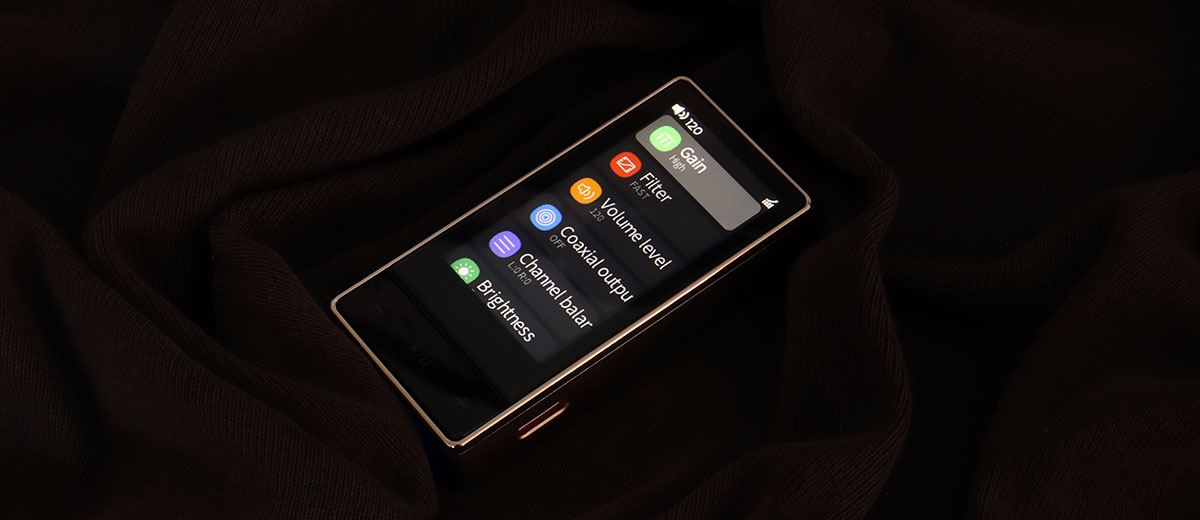
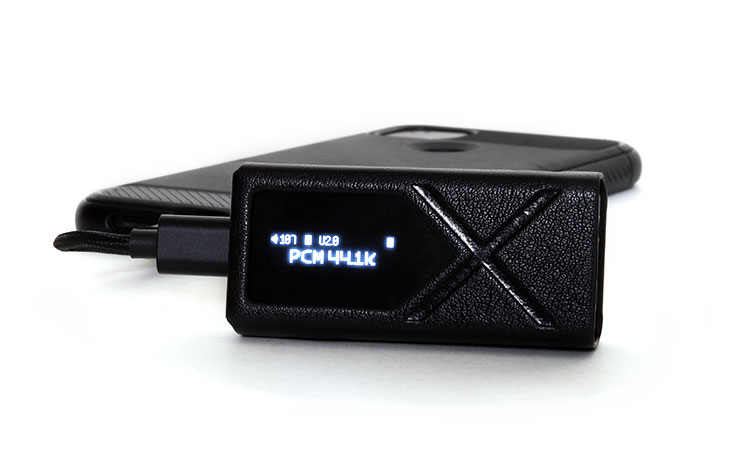
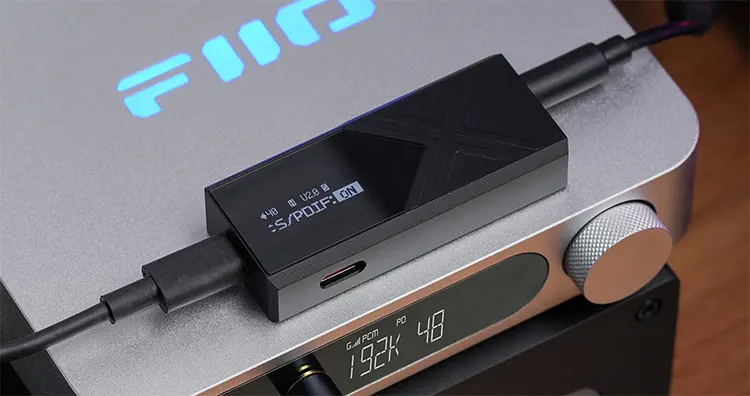
The KA17 sports a screen, but the QX13 screen is not only much larger, but can also display more colors, plus you get four themes to choose from, giving the QX13 beauty pageant points.
Design
If size matters, the QX13 is the larger model, but only by around an extra 10mm. The problem is that the KA17 has some sharp edges. They don’t cut, but they do feel unpleasant in the hand. The QX13 has all the corners rounded and the sharp edges softened.
Both models come equipped with dual USB-C connections and a switch to engage the desktop mode. But on the QX13, it’s more effective and noticeable.
Performance
Sonically, these two dongles are not far apart, as if their DSP settings were similar. The frequency response was produced with the same amount of extension and high frequency sparkle, but the KA17 was the warmer of the two, especially in vocal presentation.
However, the major difference I heard in an AB comparison was within the soundstage, particularly with the height.
I used Dire Straits “Your Latest Trick” to test height, and there’s a part at the beginning where the Saxophone goes over the head and into the rear when properly produced.
The QX13 produced that over-the-head experience well. Meantime, the KA17 was almost one-dimensional in the sense that, since the height wasn’t produced properly, it felt as if it went through you instead of flying overhead, and that’s improper staging.
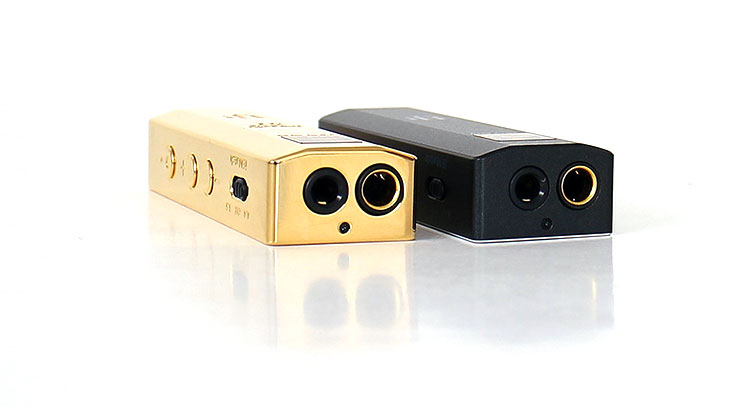
iFi audio GO bar
Technical
First off, the iFi audio GO bar comes in many flavors. There’s the Gold bar, which is a hard-to-get item because only a handful of them were made.
Then there’s the Kensei, which to me is the best of them all, but it’s a pricey item. So we’ll use the original GO Bar as a reference, which is still available today.
Let’s get the goods out of the pantry first. I have to say that none of these dongle DACs have such a refined bass boost as the GO bar, which uses iFi’s XBass, which is subtle but effective.
What surprises me is that iFi claims it’s an analog boost and not a digital one. That’s probably why it sounds so good.
Add to that XSpace, PCM, DSD, DXD, plus MQA, and it starts to look like the more versatile model.
You can also add iEMatch, plus it’s the only dongle that allows the Windows OS volume control to be enabled or disabled. It’s a trivial feature, but I happen to be a PC guy and use that feature often.
Design
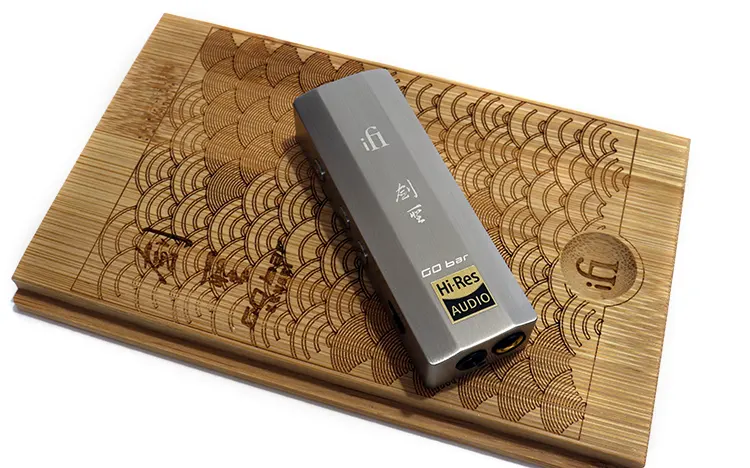
The iFi Audio GO bar wears a conventional dongle design with a light show, since it has nine LEDs to display what every function it has hidden behind that ordinary skin is doing.
One aspect it has going for it is that it’s the smallest model in this comparison, and that makes it an ideal model if you strictly want a device to go portable with.
The GO bar comes with a nice assortment of accessories, including Lightning connectivity. Both models come with a protective case, but I did some checking around, and it seems as though iFi is not shipping the holster anymore, or the website forgot to mention it as an included accessory.
Performance
The width is the first aspect of the iFi Audio GO bar I noticed, but that’s with the XSpace engaged. Without that feature, the soundstage flattens out and loses some height.
If it weren’t for the sonic-altering features, the Xbass, the Xspace, and the filters, the GO bar would fall short sonically.
I noticed a trend with iFi a while back, but didn’t want to be the first to say it. And that was their erroneous abandonment of the Burr-Brown DAC section with their custom firmware.
On the GO bar, for example, they opted for a Cirrus Logic CS43131 instead, and that’s where the GO bar loses its sonic magic without those sound-altering features. It’s a funny fact that iFi went with Cirrus Logic, and FiiO now uses Burr-Brown and took the sonic lead.
What the GO bar does supply is fun factor. It produces music with color, and it gives the listener a warmer perspective. But one that tends to lack the micro-detail that the QX13 is capable of producing.
My Verdict
The release of the FiiO QX13 dongle DAC is not just another dongle DAC release; it’s a step forward in this genre. It’s a dongle that I can wholeheartedly recommend to someone who is a desktop audiophile and who is accustomed to listening to high-end gear.
Are there any cons? None that I could find. I could nitpick and mention the trend emerging within the dongle DAC making community, and that’s the Bluetooth implementation on their top models, adding useful convenience.
And, unfortunately, the QX13 doesn’t have Bluetooth, focusing instead on producing a quality output from the headphone jacks.
I’m not saying the FiiO QX13 is the perfect device and the endgame piece we’ve all been waiting for. But for the asking price, it’s hard to beat, sonically speaking.
FiiO QX13 Technical Specifications
- Color: (black) Carbon fiber (Titanium) aluminum alloy
- Weight: Carbon fiber, about 33.7 grams; aluminum alloy, about 39.2 grams
- Dimensions: 64.2 x 30.7 x 13mm
- USB chip: XMOS XU316
- DAC: ES9027SPRO
- OP amp: OPA1692 x 2
- Headphone amplifier: TI INA1620 x 4
- Sampling rates: Asynchronous 768k / 32bit, DSD512 native, MQA full decoding
- USB DAC: driver-free mode supported
- Headphone output: SE3.5mm / 4.4mm balanced
- Display: 1.99-inch IPS
- Output power 310mw @ 32Ω Output power: 605mW @32Ω Balanced non desktop mode
- Output power: 900mW @ 32Ω balanced desktop mode
- Output power: 250mW @32Ω SE non desktop mode
- Output power: 605mW @32Ω Balanced non desktop mode
- Output power: 40mW @300Ω SE desktop mode
- Output power: 125mW @ 300Ω balanced desktop mode
- SNR: ≥124db A weighted
- Noise floor: PO ≤2µV a weighted / balanced 3.4µV A weighted
- THD-N: ≤0.0004% 1kHz 2db @32Ω
