

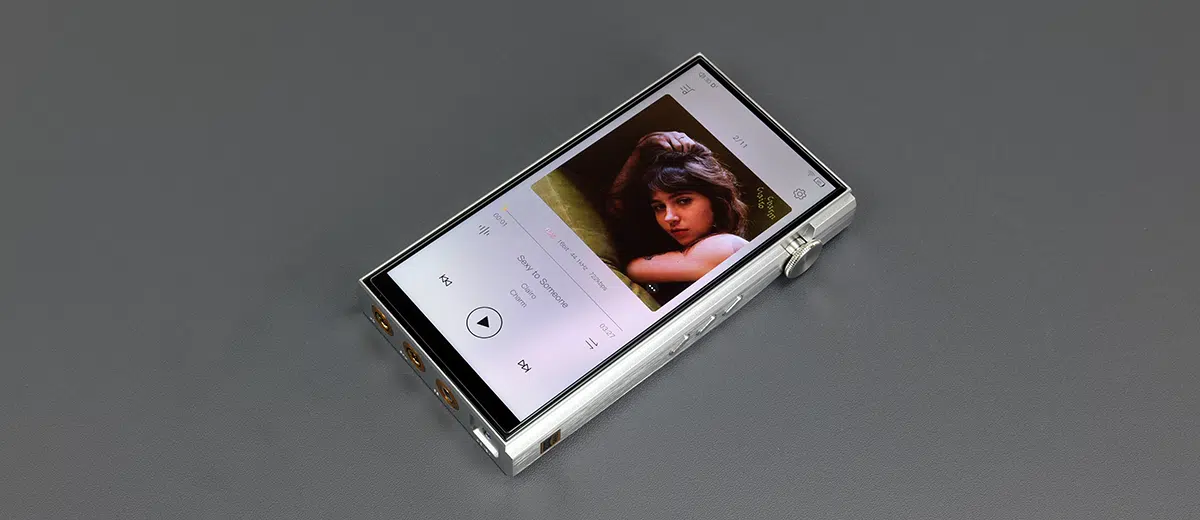
Software Impressions
The following software impressions of the iBasso DX270 were completed using firmware version 1.00.105 and Mango App version 4.0.28, and with a specific focus on enhancements from previous versions.
Android Platform
The DX270 uses a dual-boot setup: Linux (Mango OS) and open Android 13, complete with Google Play services out of the box and very little bloatware (if you do not count Mango).
The Chinese Cool APK market is preinstalled, though I tend to remove it because it offers no advantage over Google Play for English-language users.
Behind the software layer is a Qualcomm Snapdragon 665 SoC with 4GB of RAM and 128GB of onboard memory. The SoC is on par with the DX340 and DX260 MK2, but superior to the 660 version inside the DX260 MK1.
However, RAM drops to 4GB, the same as the DX260 (both versions) and half of the 8GB inside the DX340. It will feel slower for multitasking compared to the DX340 due to the smaller RAM allocation, but faster than the older DX260 MK1 due to its slower CPU.
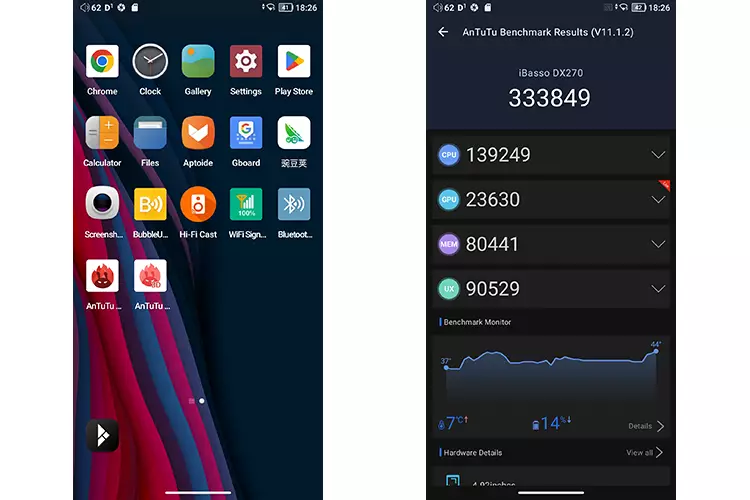
Initially, I found the DX270 a little warmer in the hand, with AnTuTu benchmarking temperature at 45 °C a few minutes after startup, compared to the DX340’s 38 °C.
One factor will be the R2R DAC setup, which will generate more heat than a delta-sigma chipset. I recommend waiting about 30 minutes for the R2R resistors to stabilize for optimal playback. Another is the DX340’s AMOLED screen, which runs cooler than the DX270 panel.
Indeed, after 15 minutes of idling, the DX270’s CPU dropped back to 38-39 °C, which will help mitigate the potential for thermal throttling during use.
The DX270 battery temperature still hits about 2 °C more than the DX340 during idle, but it has a superior thermal rating to the DX260 MK1, which sits 4 °C higher than the DX270.
A small helpful tip for battery health is to navigate to the DX270 Android battery manager and set the battery saver option to on, which limits charging to 80%.
Performance Benchmarking
Whilst not at FiiO M27 or HiBy RS8 II levels of speed, the DX270 does show significant improvement over the older 660 models in AnTuTu and benchmarking higher by 80000 points over the HiBy R6 III 2025 edition that James reviewed, which has the same chipset and RAM allocation.
The DX270 benchmark performance score also comes relatively close to the DX340 using the same 3D Lite package on AnTuTu V11.1.2.
It is only about 30k less than the DX340 363908 score, with the main difference coming from the memory performance, which is unsurprising.
However, the thermal readings on the DX270 were higher than those on the DX340. I tracked a 7 °C rise from both units during the test, but the DX340 started from a lower 32.5 °C compared to the DX270’s 37 C° base point.
Navigation
The DX270 Android navigation is virtually identical to the DX340 in terms of structure and aesthetics. Though not suite as snappy as the DX340, it is a qualitative improvement on the older Android 11 design on my DX260 MK1 (DX260 MK2 has Android 13).
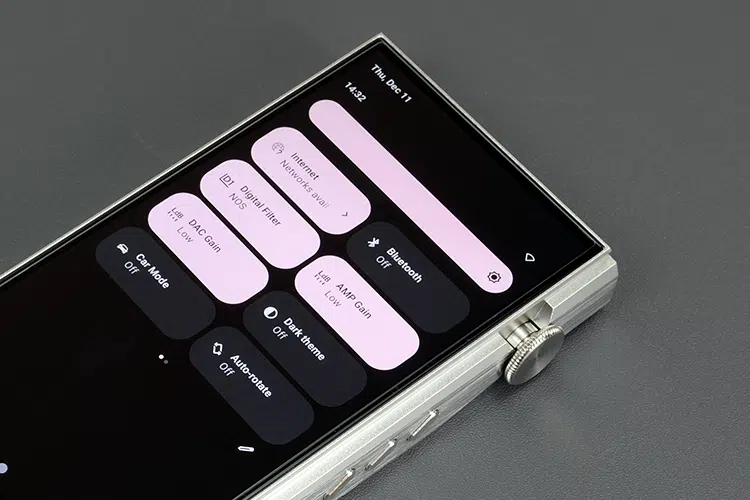
That means you can use Android’s drop-down navigational shortcut icons, gestures, or 3-button command layouts for a deeper dive into settings and app menus with easy access to dark mode.
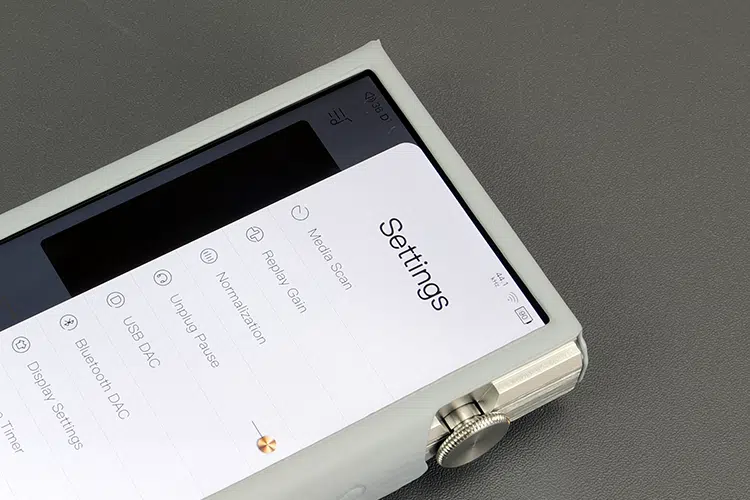
You can also drill down into more app-specific audio and media management feature options within the Mango, such as PEQ, replay gain, and media management.
Thankfully, iBasso has not themed the Android navigation by splitting the message center from the core drop-down UI, similar to Apple’s iOS and Samsung’s recently revised One UI smartphone theme.
I find splits very irritating, with muscle memory always pulling down the wrong notifications screen.
Mango OS still has a more linear UI flow with no apps and generally moves left to right for media, playback, and settings, with scrolling for library and menu browsing.
Given the smaller screen size compared to the DX340, I prefer using the DX270’s gesture control system when in Android for the additional screen real estate.
The key difference between the two DAPs is the fixed nature of the drop-down icons and Audio settings, given the DX340’s swappable amp card system automatically changes your sound options depending on the card used.
Quick access options in the DX270 drop-down menu include digital filters, the all-important NOS, AMP/DAC gain options, and wireless connectivity for BT and WiFi. No double-tap to wake option, though.
Mango App Tweaks
The DX270 Mango tweaks are more in line with the DX340 version than the older DX260 MK1 I have here, which looks like the last generation of the player and is far more limited.
Compared to the DX340 version, the only significant difference is the different types of filters provided via their DAC implementations. The DX270 filter range uses the D1-5 numbers but is lightly labelled to show what they do.
It does include the all-important R2R NOS filter as D1, meaning you are in OS mode with the other four options, two of which are low-latency options, which might suit media consumers.
Given that the DX270 is bitperfect, those new gain and filter choices are also available in the main Android audio settings menu, so you can adjust them system-wide for most audio apps.
As with the DX340 version, you have extensive options for replay gain activation, gain levels for both DAC and Amp, as well as a quick switch to activate the DX270’s DC-In Super Gain feature when plugged into the mains.
I prefer the DX270 in DAC high-gain mode, with low gain for IEMs and high gain or DC-IN Super Gain for headphones. Something about the mids and vocals presence that sounds more satisfying when the DX270 DAC is set to high gain.
Note, unlike the DX340 (AMP18), there is no AMP triple gain level setting feature; you only get low and high modes, and no medium gain level.
As with previous iterations, you still have access to iBasso’s fantastic PEQ implementation, which I prefer more than the standard 10-band graphic equalizer that sits alongside it.
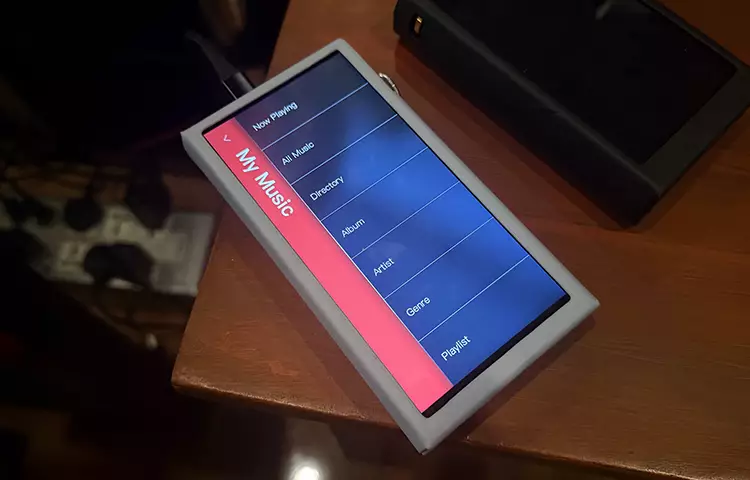
Mango OS Tweaks
Virtually all of the recent updates in the Android Mango app are now present in the dual-boot DX270 Mango OS version.
That includes the new filters (including NOS) and the granular gain controls, the DC-In Super Gain switch, and USB DAC mode. The filters are drawn directly from the DAC and are thus available in both OS frameworks.
The only options missing in the stripped-down OS version are a Dark mode option under display settings, and the reversion to the older Advanced menu sub-system
There are also some nuanced improvements in Mango OS over the older DX260 MK1 version.
For example, the DX270’s Advanced Menu Button Settings menu has more control options than before, including a dedicated Car Mode for those who want to link the player to their audio system.
Connectivity
The connectivity performance of the DX270 was measured with a 2.4/5GHz Starlink modem and a Samsung A55 5G smartphone, with distances ranging from 1m to 20m from the source transmitter.
WiFi
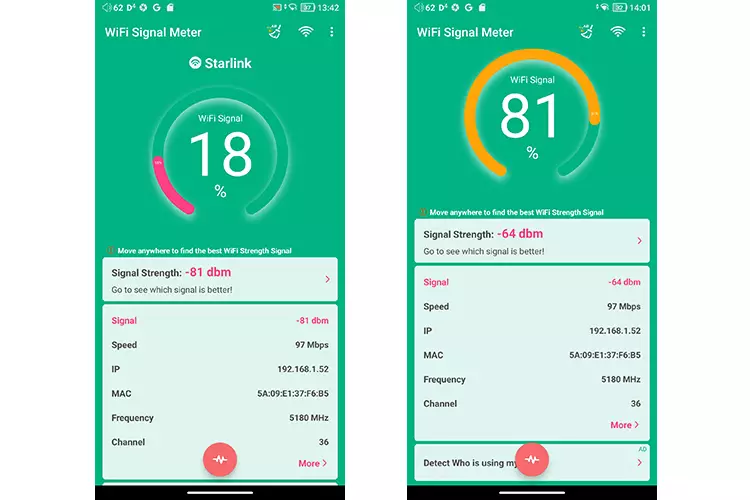
This particular DX270 unit had a bit of difficulty with my router’s 5GHz connection, fluctuating between less than 10% signal strength from about 10m away to 80%. Once I moved to 1M away from the router, the signal strength shot up to 80%+.
From this anecdotal experience, my DX270 seemed fussier with my router’s 5GHz connection than the DX340 (screenshot 1 above), which had no issues with 5GHz stability, showing an 80% signal strength. My DX260 MK1 defaulted to 2.4GHz on its initial connection, so I had no issues there.
Switching to a 2.4GHz connection was more stable (screenshot 2 above), but it did mean my streaming speed from the router dropped from around 400 Mbps to 97 Mbps unless I kept the DX270 within 1M of the router and connected to the 5GHz signal.
This may well be due to a malformed antenna in my DX270 unit, so I will have the antenna replaced, as subsequent tests from iBasso showed the WiFi performance should be the same as the DX340 signal strength.
Bluetooth
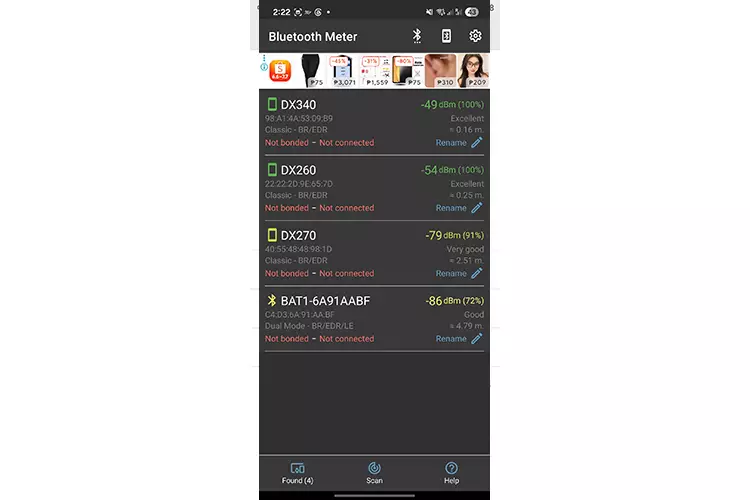
Bluetooth signal strength was measured using a Samsung A55 5G with the Egldev Bluetooth Signal Meter app for the quantitative data and subjectively via an iPhone 17 Pro Max pairing scan and my Noble Audio Rex5 with both phones for audio signal distance and stability.
Subsequent tests of this particular unit revealed similar inconsistencies to the WiFi test, confirming my suspicion of a malformed antenna; therefore, the data should be considered anecdotal.
Comparing the DX270 with the DX340 and DX260 MK1 signal strength in the app, this DX270 had the weakest measurement, averaging around 10 dBm less than the other two units at 1m away.
At 10m away, I couldn’t locate the DX270. Presuming it was an app quirk, I moved to the iPhone 17 Pro Max pairing scan and had no issues at 1m, but again, at 10m, it could not find the DX270 but could easily locate the DX340 and DX260 MK1.
From both tests, I concluded that my DX270 has a malformed antenna within the chassis. This is likely a one-off, and indeed, as per iBasso BT’s data, this shouldn’t happen.
The subjective testing of the DX270 stability signal pretty much mirrored the quantitative results with the Rex5, Amadeus, and Huawei Freebuds Pro 4. LDAC can work if you open up the developer options with HD Audio on and adaptive quality selected. If you go for the best quality LDAC, you will not hear a thing.
Dropping down to SBC provides a more stable connection, but the audio quality is significantly reduced compared to LDAC. However, by moving away from the DX270 by 2 meters or more, the signal breaks up for SBC; LDAC is a lot sooner, maybe 1 meter max.
USB-DAC
As with the last few DAP releases, the DX340 defaults to the universal 2.0 WASAPI drivers for USB-DAC on the PC. However, it has a dedicated USB receiver capable of supporting ASIO with a new BRAVO-HD downloadable driver package from the iBasso website.
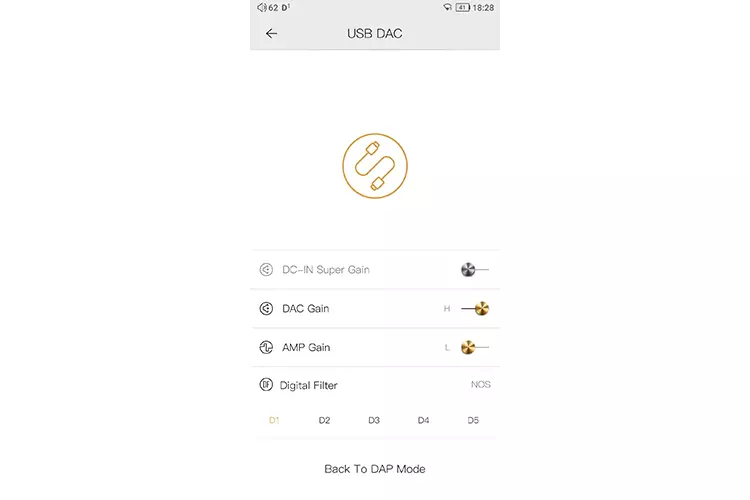
You still have to go into Mango (either OS or app) and activate the USB-DAC in advanced settings to access the feature; otherwise, it defaults to MTP mode.
The good news is that all the new gain and NOS mode filter options are available directly from the USB-DAC screen, including DC-In Super Gain. Also, NOS sounds so much better for my tastes compared to the more muted OS filters.
During playback, there is still no bitrate or sample rate information on the DX270 USB-DAC screen (or the BT DAC option), something I hope iBasso can remedy in future firmware updates.
For MAC users, of which I am one, the DX270 is plug and play with Roon, quickly picking up the DX270 when USB-DAC mode is turned on.
Click on page 3 below for my sound impressions and recommended pairings.
