

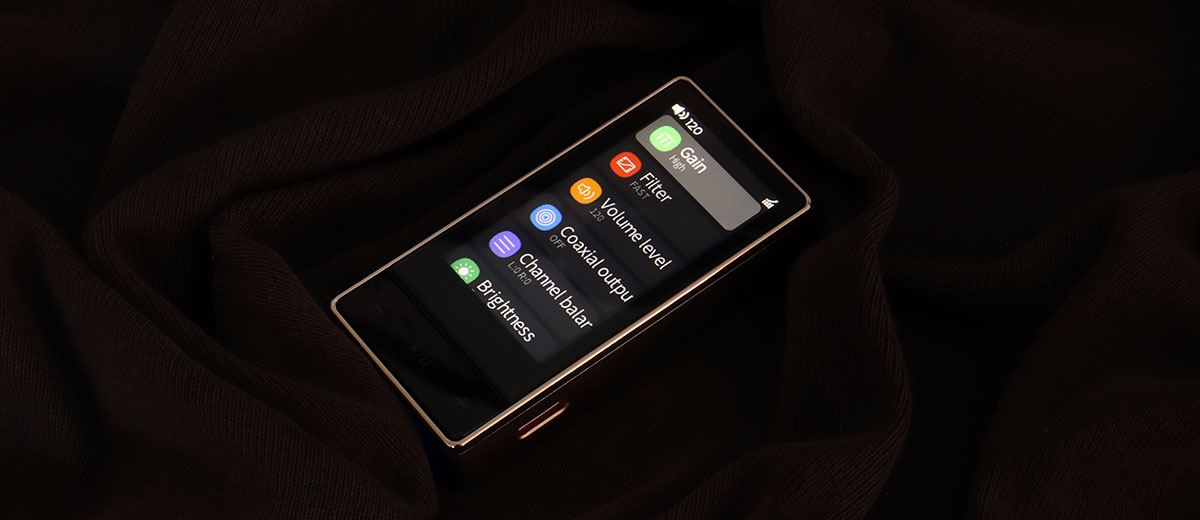
Louis reviews the FiiO QX13, a new high-end dongle DAC with an ES9027SPRO chipset, a 1.99″ color display, and up to 900mW of output power. It is currently priced at $219.99.
Disclaimer: I received this sample in exchange for my honest opinion. Headfonics is an independent website with no affiliate links or services. I thank FiiO for their support.
You can click here to learn more about the FiiO audio products we have previously reviewed on Headfonics.
This post follows our current scoring guidelines, which you can read in more detail here.

Tapping into over a decade of technical expertise, FiiO just turned another corner and released their most advanced dongle DAC yet, the QX13.
FiiO’s most recent and significant dongle DAC releases were the KA17 and the KA15. Both these models have some similarities to the QX13, but even on the surface, you can see that the QX13 takes things a step further.
I have owned most of the dongle DACs FiiO has ever made, and this one is certainly unlike the others in FiiO’s lineup and is an interesting product launch for a few reasons, which I have outlined in more detail in my full review below.
Features
Decoding
FiiO claims that the QX13 borrows from their Q line of components, which consists of the Q3 MQA, the Q7, the Q11, and the Q15. But I don’t see any resemblance or even similar components between them, and to me, the QX13 is a different species.
First off, I found it interesting that FiiO went with a not-so-common desktop-grade single Sabre ES9027SPRO on a dongle DAC instead of going with the usual dual chip solution.
If you look up this chip and its specifications, which I did, you’ll see that this chip has eight channels and enough power to effortlessly cover the QX13’s DAC needs with this single chip solution, making room for other implementations.
Feeding the flagship DAC chip is an XMOS 16-core XU316 USB section with dual FemtoSecond crystals on the front end. The end product of this marriage is a PCM and DSD capability of up to 32-bit/768k in PCM and native DSD512. The QX13 also does full-decoding MQA.
To me, one of the coolest features of the QX13 is that you can use FiiO’s Control app to pull up a 10-band parametric equalizer, or PEQ, which is a game-changer for those who like to tweak the overall sonic signature of their devices.
This also gives the end user the ability to correct some of their headphones’ anomalies.
Amplification
On the back end, the FiiO QX13 sports a high-end Sound Plus, Burr-Brown, multi-op-amp setup consisting of 6 TI op-amps composed of four INA1620 chips plus a couple of OPA1692 chips that, combined, can produce up to 990mW, making the QX13 the most powerful dongle to date.
Of course, power decreases when you’re on the 3.5mm tap, and the 990mW can only be obtained by using the QX13 in desktop mode and when a second USB power is fed to the dongle.
Without the use of the desktop mode, power decreases to 605mW max on the 4.4mm port, which is still a formidable amount.
FiiO implemented their dual USB-C port with desktop mode on the QX13, which I thought was gimmicky at first, particularly with previous dongle DAC releases.
However, with the QX13, a quick listen and comparison convinced me that this implementation does improve sonics overall by providing extra power when needed. The feature, once properly engaged, is audibly noticeable on this model.

Design
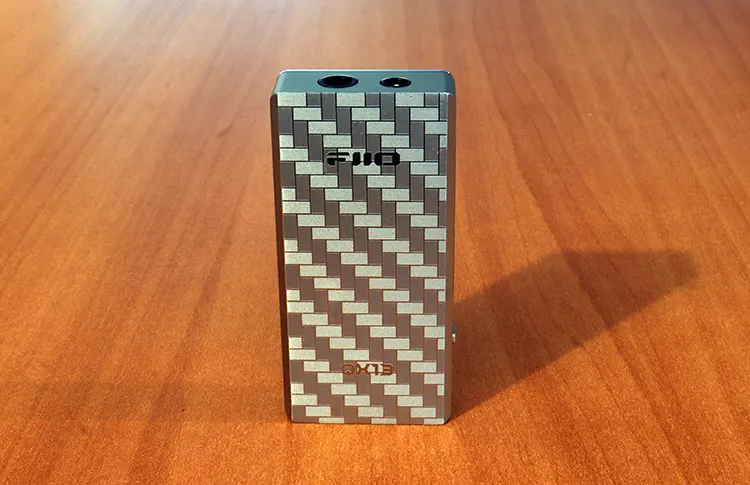
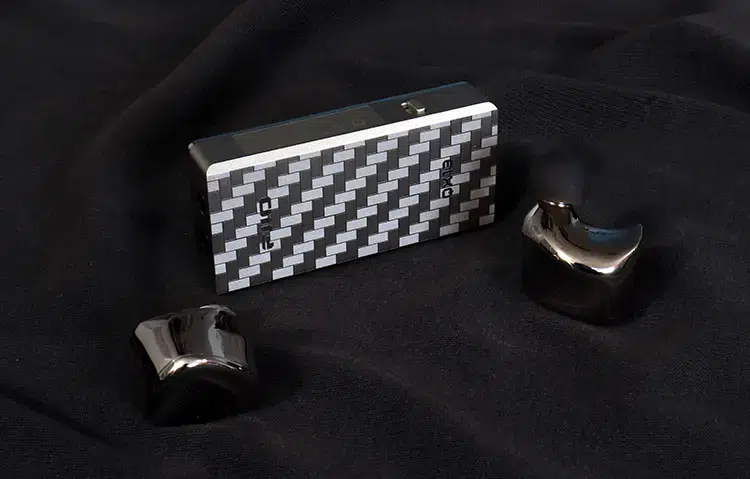
FiiO offers the QX13 in two styles and with two different build materials. One model wears a carbon fiber body, and the other is made with an aluminum alloy shell.
The carbon fiber body is more complex to produce and is made of 21 layers, and even though it’s thinner and lighter, it retains a higher strength level compared to its metal counterpart.
Carbon fiber also has anti-interference and thermal insulating properties. The drawback is that you can’t use the MagLock system directly.
The back of the QX13 displays a diagonal tile pattern on a solid back. But the front is occupied by a large 1.99-inch full color display under a Corning 3rd generation scratch-resistant glass with four newly designed themes.
Remember, the screen is scratch-resistant, not scratch-proof. FiiO throws in a screen protector, and you should install it immediately. However, FiiO should have thrown in two screen protectors just in case.
Aside from that, one of the most important aspects of the QX13’s design is called multi-layer shielding.
FiiO separated the digital board from the analog board, plus insulated various points within the dongle with electromagnetic insulation sheets. Even thermal conductive silicon was used inside to enable the chassis to disperse internal heat from selected components.
There are no buttons on the sides except for the desktop mode slide-type selector switch. FiiO opted to place them right below the screen, which I find to be a convenient placement.
Aesthetics
Speaking of buttons, their operation produces a composed click, assuring positive feedback of engagement.
There are three switches behind the rocker-type panel, and a center press engages the screen and helps navigate the menu list. The side buttons adjust volume and double as scroll buttons to navigate through the menu.
One thing I would have changed is the placement of the two USB-C ports. They are appropriately color-coded, and the desktop mode feed is colored red.
But in a desktop scenario, it would have been better to have both connections on the rear side, instead of having two connections coming at you from two different directions.
I think there’s enough room to place them both on that bottom panel, but you can always get an angled connector, which will solve that cumbersome situation.
Other than that, it’s all good. I like the overall design, artistry, and horizontal tile off-angle pattern on the back. I’ve never seen a pattern on a dongle like that before.
The main chassis has a thin chrome bezel around the screen upfront, which breaks up the overall theme. It’s a nice touch, but it would have blended in better if the bezel didn’t have that much sheen.
Although the front could be considered the center of attraction of the QX13 so I fully understand why FiO went with that bezel look. It’s a touch bold, though.
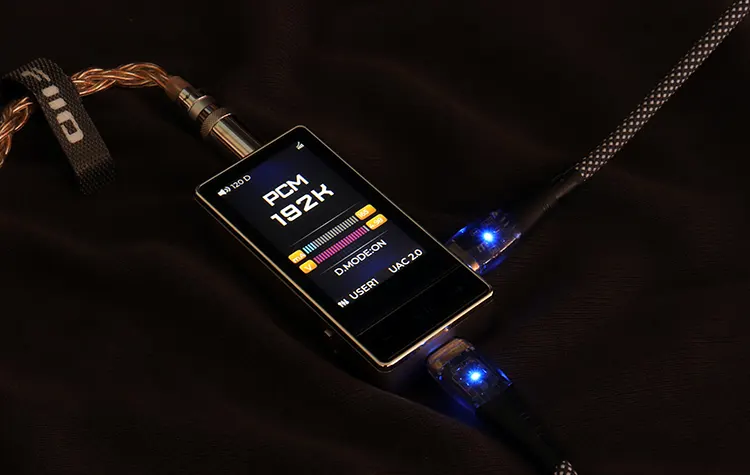
Menu Screen
The first setting at the top of the list of options within the QX13’s menu is a two-stage gain selector. But there’s also a 60% or 120% max volume level selector that naturally doubles the gain level selection.
This implementation works by either supplying the user with 60 steps or 120 steps of volume, which is significant. Comparatively, the highest I’ve seen on a dongle DAC is 100 steps of volume, and only seen higher amounts of volume steps on some finer home audio gear.
What I like best is the plethora of EQ presets you have at your disposal. FiiO throws in eight presets, but you can store 10 more presets. You can create and modify those profiles. You can also make one for each one of your headphones or IEMs, and name them accordingly. That’s my favorite feature.
To be honest, I won’t be surprised if we start to see people posting their corrective settings for certain popular headphones and IEMs of all brands soon, including some of FiiO’s offerings like the FT7, the FT1 Pro, or IEMs like the FX17 or the FA19.
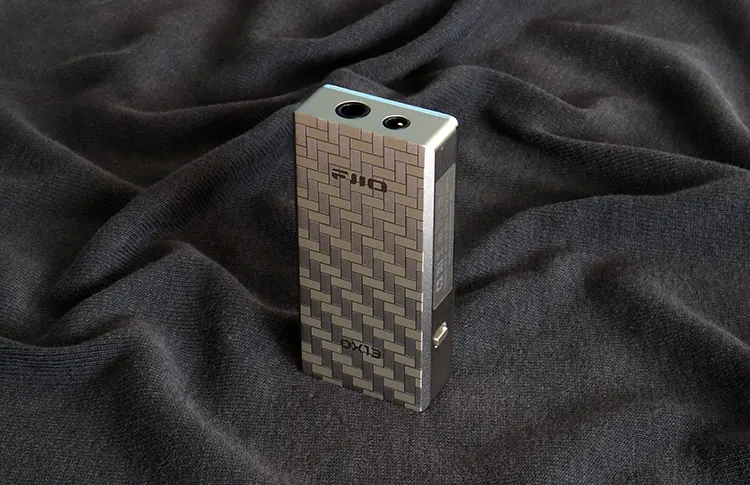
I/O
The IO is simple and to the point here and uses a similar scheme as most dongles do. There’s a 3.5mm and a 4.4mm balanced connection.
The other two connections are two USB-C connectors that are color-coded. The black is the data and power, and the red is used for supplying extra power when the desktop mode is enabled.
Again, my only dislike here is that the FiiO QX13 performs best when you use two USB-C taps and offers a desktop mode with more power on tap.
It would have been nicer to have both USB-C plugs on the same end, and opposite to the headphone taps. I can already see extremists carrying an extra power brick to activate the desktop mode on the go.
By the way, to ensure USB compatibility, you can slip the QX13 into UAC 1.0 mode, selectable within the onboard screen menu or via the Control app alike.
You can also obtain an SPDIF out signal from the 3.5mm jack, but you’ll have to outsource the adapter because FiiO doesn’t include one. You also have to select the option within the onboard screen menu, or again, within the control app.

FiiO Control app
FiO has had years to get this app right, and currently, it’s one of my favorites because it offers so many features that you can spend a good half hour just looking around if you’re a first-timer, and most of the features are useful and not just filler.
The first feature that’s worth mentioning is, of course, the PEQ, which consists of a ten-band parametric EQ with adjustable frequency, gain, and Q.
Heads up. Make sure you enable the EQ within the QX13’s internal menu so the EQ option will appear within the bottom options of the Control app.
There’s so much to talk about with this app. It includes seven digital filters, two gain levels, balance, volume limiting, and a volume control mode with a selectable 60% or 120% max volume level setting.
You can also tweak the QX13’s looks with four selectable themes, rotation on or off modes, screen brightness adjustment, and you also get a choice between three button function layouts. I kept mine on the stock A-mode option.
Packaging & Accessories
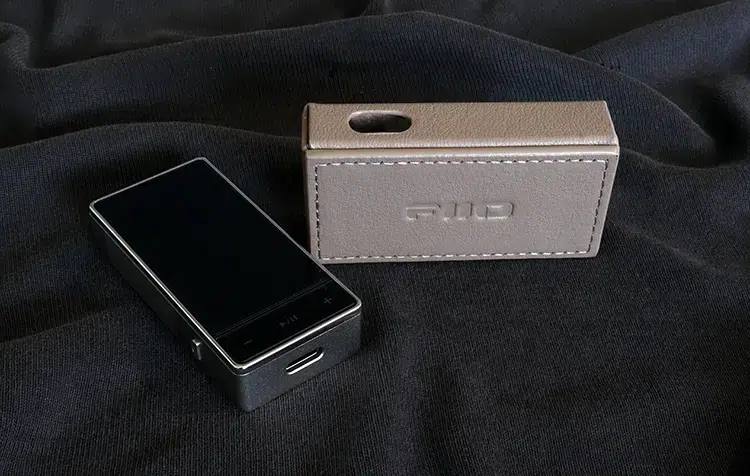
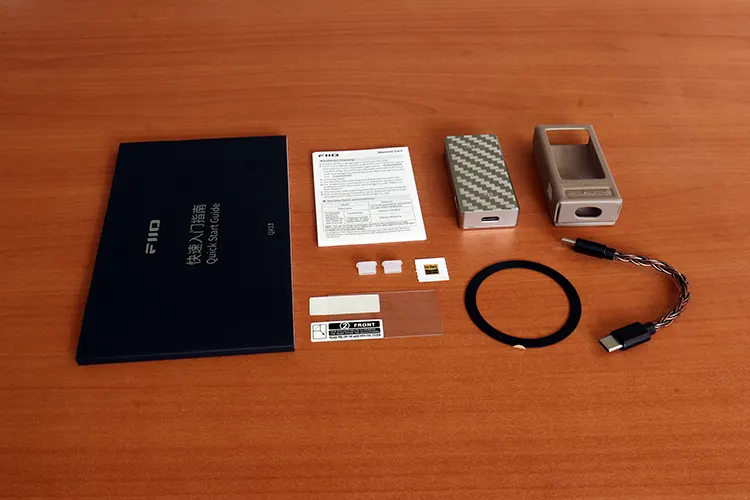
FiiO has never let me down with their packaging, unboxing experience, and accessory inclusion up to date. This time around, you even get a screen protector on top of getting a custom leatherette case.
Another surprise is that FiiO included two USB-C silicon covers, which I’ve previously asked for on models that employ two, like the QX13 and KA17.
But I do wish they would include plugs for the two headphone jacks, so when you go portable, you can cover the unused plug and don’t have to worry much about water damage or foreign particles getting in there.
Another surprise was the included MagSafe magnetic lock ring that magnetically attaches to the included case, but not the dongle alone. Yes, you have to use their case for this feature to work.
The other accessories consist of a braided four-inch USB-C cable, a warranty card, and an unusually large and thick quick guide.
To me, this is not a quick guide; it’s a book with all the QX13 features, specifications, and written in several languages. A lot of effort was notably taken beyond the average quick guide here.
Sound Impressions
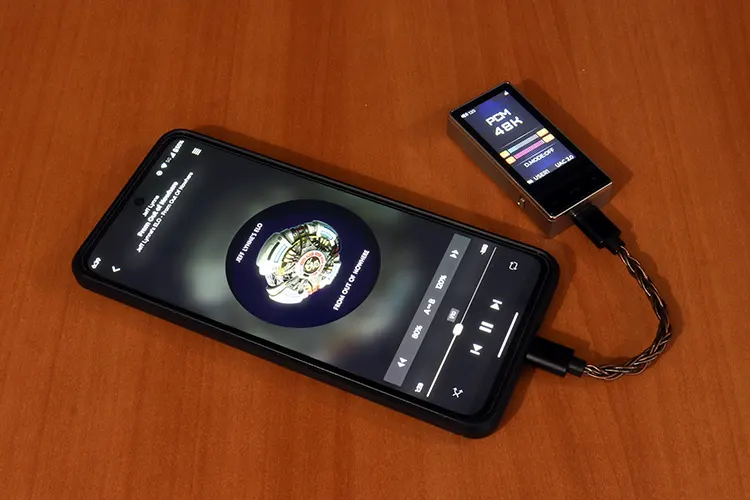
I fed the FiO QX13 with my Motorola Edge running Android 15, and I also used my custom AMD-powered PC on the latest version of Windows 11, and FiiO’s version 5.74.2 USB driver.
I used a well-broken-in HIFIMAN Arya Organic and Sundara. I have familiarized myself with both of their sonic intricacies. I also used FiiO’s FH15, FX17, and the FA19 IEMs.
Summary
The FiiO QX13 is a small, portable dongle DAC with a desktop gear attitude in that using the device in such a scenario and with the desktop mode produces a sonic performance that rivals some home audio components. Heck, I could mention a few pieces of home audio gear that underperform compared to the QX13.
The FiiO QX13 produces a clean, powerful, polished sonic picture that’s both refined and energetic. I’d describe the overall sonic presentation as balanced, with a presentation that avoids sounding too clinical because there is a touch of warmth.
Overall, that sonic picture comes through in a natural but crisp manner. The QX13 is a touch mid-forward in the midrange in the sense that those bands are mostly heard with a bountiful quality that brings with it all the detail that’s available. Yes, the QX13 is excellent at extracting detail.
The frequency response is full-bodied and full-spectrum. The bass is fast, precise, and punchy, but it does tend to sound lean in stock form. But that also ensures that it’s never overbearing. You could always employ the EQ to fatten things up a bit if you desire.
The high frequencies are bright, yet they remain soothing and placid. The highs produce sparkle and are presented with the right amount of airiness that allows the full weight of notes to come through, while simultaneously remaining non-abrasive and detailed.
Staging & Dynamics
Finally, here’s a dongle DAC that has a soundstage worthy of some compliment. The FiiO QX13 produces all the angles and fills in all the elements that make up a good soundstage.
The amount of height is not exaggerated, but it’s tall enough to produce ample height. Plus, the depth perception is there. The QX13 produces enough of those elements to produce a well-defined space with some elbow room left over.
Elements are properly placed and are presented with just a touch of intimacy, especially within the midrange bands. But elements still carry some width and body, and well-defined auras.
Add to that a punchy, dynamic presentation to sum up the QX13’s general sonic characteristics.
Click on page 2 below for my recommended pairings and selected comparisons.
