

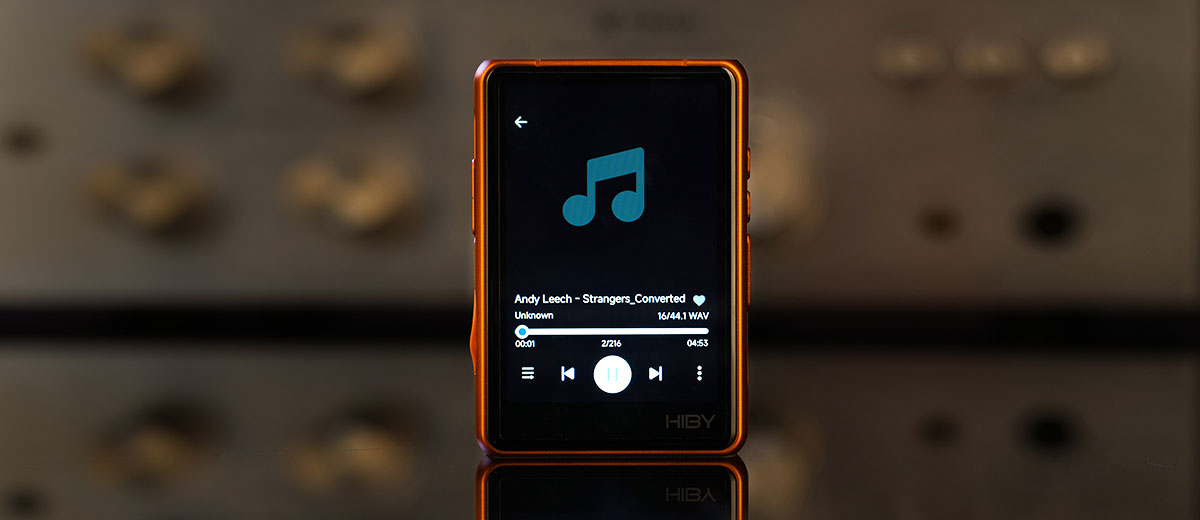
Marcelo reviews the HiBy R3Pro II, a new compact HiByOS digital audio player with a dual CS43198 DAC and up to 480mW of output power. It is currently priced at $199.
Disclaimer: This sample was sent to me in exchange for my honest opinion. Headfonics is an independent website with no affiliate links. I thank HiBy for their support.
You can click here to read more about the HiBy products we have previously featured on our website.
This article follows our latest scoring guidelines, which you can read in more detail here.
HiBy is one of the brands that comes to mind when considering digital audio players or DAPs. I have never forgotten the sound quality of the HiBy R8 II and the value for money of the HiBy R6 III, which I reviewed before joining Headfonics. Both are reviewed here, too.
That said, my expectations with the petite $199 HiBy R3Pro II are high. The successor to the R3Pro is a small, mid-priced, non-Android-based DAP with balanced and SE capability, featuring a design that will appeal to young people or those with a youthful spirit, especially with the orange color of the review sample I received.
Its cute design makes me question its sound quality, whether it can pass an audiophile’s scrutiny, and how it compares to other DAPs with more serious designs in its price range, such as the Shanling M3X and the recently released xDuoo X5. Let’s find out in my full review below.
Features
This compact device is a feature-rich DAP with up-to-date features, components, and performance. A recently developed product that competes at the leading edge of technology is permissible within its price range.
It has a dual CS43198 DAC chip and 4x OPA1622 headphone amplifier chips. It features a switchable NOS (non-oversampling) mode for decoding digital signals and offers a very competitive 480 mW of output power in balanced mode.
HiByOS features an all-new UI, including an equalizer and the well-loved sound-enhancing interface, MSEB.
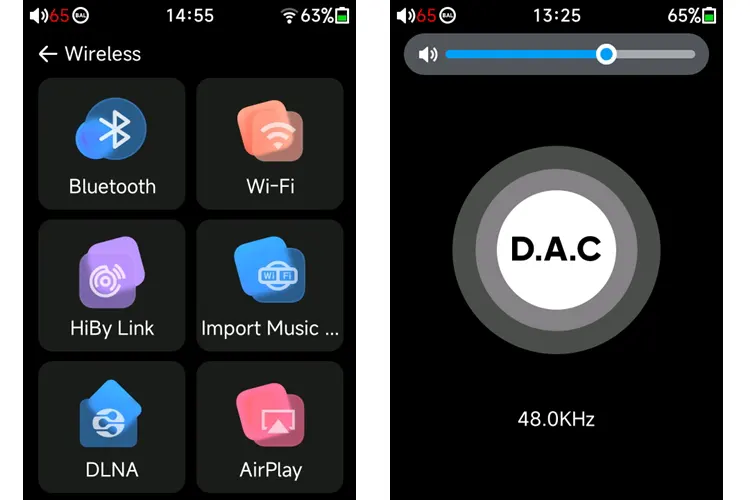
Aside from its 4.4 and 3.5mm output jacks, the device offers additional methods of output, including a lineout, USB audio out, and S/PDIF out. There is also wireless support for Bluetooth 5.1 with LDAC, APTX, UAT, AAC, and SBC, and WiFi via AirPlay, DLNA, and HiByLink.
DAC
The R3Pro II’s dual CS43198 digital-to-analog converter chip is not unique or novel in this price range; that’s not a problem. It is an excellent chip with high perceived resolution. It can decode up to DSD256, PCM 384 kHz/32-bit, and MQA 8x.
Two CS43198 are needed for a true balanced output; each DAC chip is responsible for outputting positive and negative polarities of the analog output for each channel.
Amplification
The use of 4x OPA1622 as headphone amplifiers is uncommon and relatively new. I rejoiced when I first learned that it employs the OPA1622 op-amp chips, as I have previous experience with this chip in my desktop DAC and preamp, which features replaceable op-amps.
I understand that the OPA1622 is a very detailed-sounding op-amp, surpassing the older OPA1612 and other older amplifier chips that many others use.
Design
The R3Pro II has a cute and youthful appearance. It looks short and slightly fat with some thickness to it. The curved edges, corners, and suede back make it nice and handy to hold.
It features a fully metal body sandwiched between the front touchscreen and the suede backing, offering a solid feel and refinement in the hand. My review sample is orange, but it is also available in black, silver, and blue.
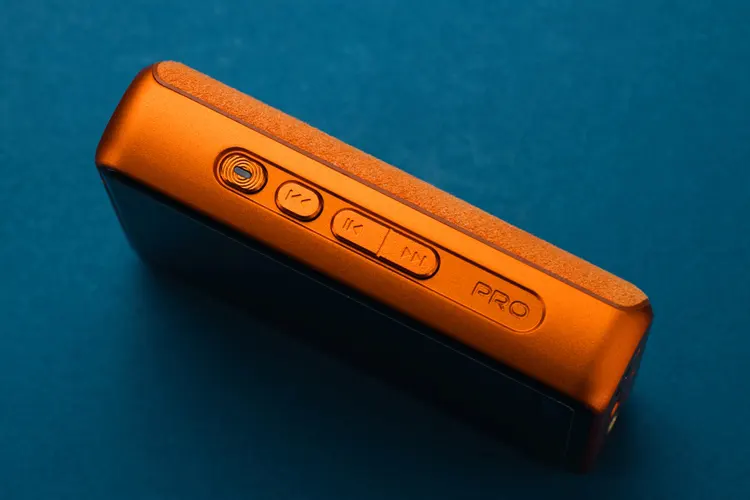
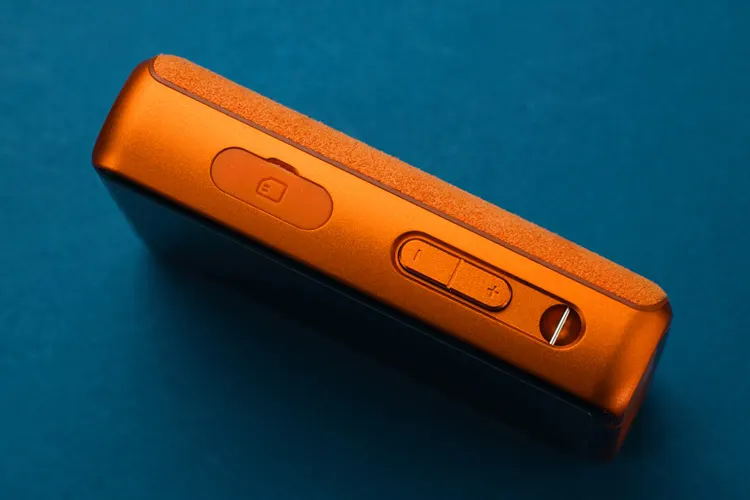
There are four control buttons on the right. On the left, there is a lanyard hole, two control buttons, and a rubber-covered microSD card slot that can accommodate up to 2 terabytes.
The R3Pro II has a flush top panel with no additional I/O, except for some lettering, and at the bottom are the two headphone jacks, located on both sides of the USB Type-C port.
It’s also a small, lightweight DAP with a dimension of 86.9*60.6*21.6mm and weighing 160 grams. Which is very pocketable and perfect for daily use. Still, I wish it were slightly thinner.
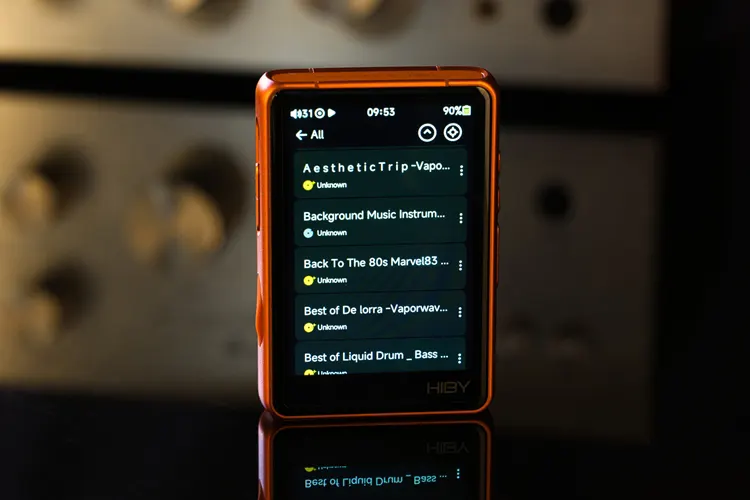
The 3.3-inch high-resolution touch screen is bright, so I only need to set it to 55 percent for a satisfying level of brightness for indoor use. It has excellent color, contrast, and viewing angle. I estimate the refresh rate to be reasonable at 60 Hz. Overall, the screen looks up-to-date.
It is delightful to know that the R3Pro II’s 4000mAh can last up to 21+ hours playing music and 900 hours in standby, which I can vouch for. The PD can charge from 15 to 90 percent in about an hour, offering fast and up-to-date performance.
I/O
The R3Pro II has a simple I/O style at the bottom, yet it is fully featured. It comprises a 4.4mm, a 3.5mm, and a USB-C port.
The multi-purpose USB-C port serves as a charging port, a USB audio output port, a S/PDIF output via an adapter, and a data transfer port. The 3.5mm jack can be assigned as a headphone or line output. The 4.4mm jack is a balanced headphone output.
Controls
The R3Pro II features a basic yet adequate control button scheme, comprising a volume rocker on the left side, a power button, and buttons for backward, play/pause, and forward on the right, totaling six buttons.
Once I memorized the buttons, I found them easy and intuitive to use. All the buttons are differentiated to avoid accidental clicks, and I never or rarely click the wrong buttons. The controls are excellent.
In addition to the physical buttons, the screen can be set to double-tap to wake, which I always enable on every DAP with this feature.
Unfortunately, there is no double-tap feature to turn off the screen, unlike my Samsung phone, which I find very convenient. HiBy, adding the double-tap feature to turn off the screen would be awesome.
I also wish that there were a programmable slide switch that locks some or all the controls, to avoid accidental button clicks. However, the controls are not too bad regarding accidental button clicks.
The buttons are tightly fitted to the side of the body, and the fit is perfect, as there is no rattling noise when the device is shaken. The only noise that can be heard is a faint rattle from the tiny metal bar in the lanyard hole on the left.
In my opinion, the R3Pro II buttons feel crisp and are perfectly weighted, unlike other DAPs in this price range, whose buttons feel either too heavy or too light and loose, making them feel cheap.
Packaging & Accessories
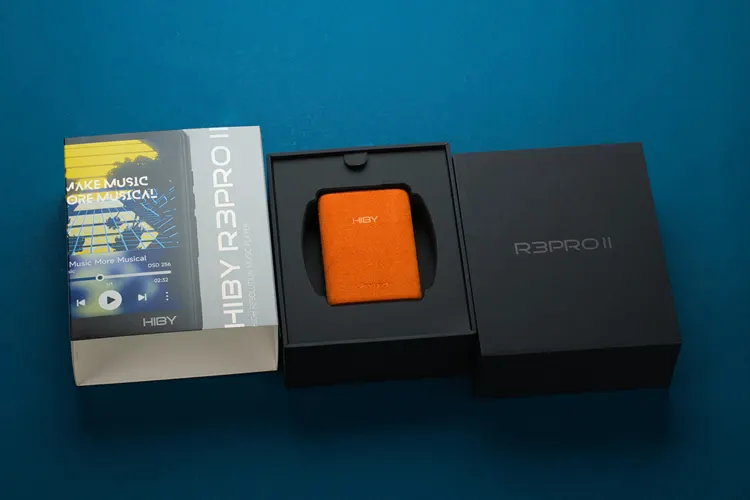
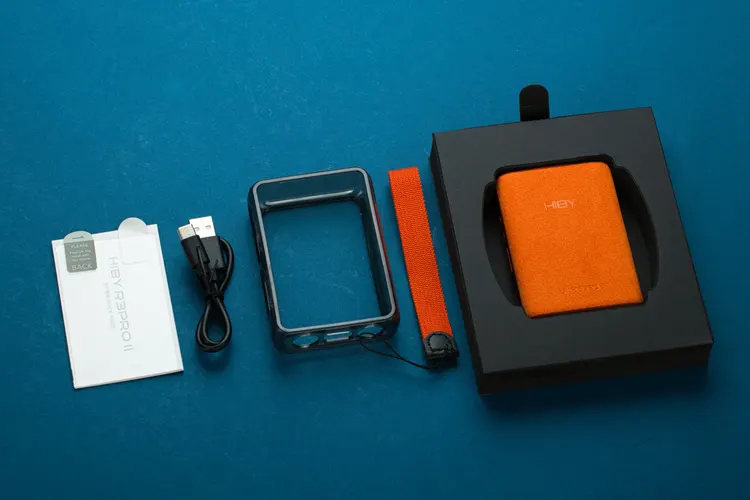
It features a black, rigid box with an outer sleeve and attractive graphics. The packaging is simple, efficiently done, and doesn’t waste too many materials.
It includes the R3Pro II, an extra screen protector, a USB A to C cable, a lanyard, a user’s manual, and a protective case.
The included, thick, lightly black-tinted, semi-clear PU case fits perfectly and looks beautiful. It features cutouts for the I/O ports, control buttons, and the memory card slot. It doesn’t impede using the R3Pro II, a nicely designed protective case that I don’t mind leaving on.

Software Impressions
It may not have an open Android operating system, meaning you are limited to the available music players and streaming services.
However, the fully featured Hiby OS with an all-new UI works together with the X1600E processor so well that the boot-up times are only 5 seconds, which is a fast boot-up time.
It arrived with a version 1.0 firmware and an all-new user interface. It includes the Hiby proprietary sound adjustment feature called MSEB, a graphic equalizer, gain control, soundfield control, and a switchable NOS (non-oversampling) feature, among others. It is a well-designed and featured operating system.
Navigation
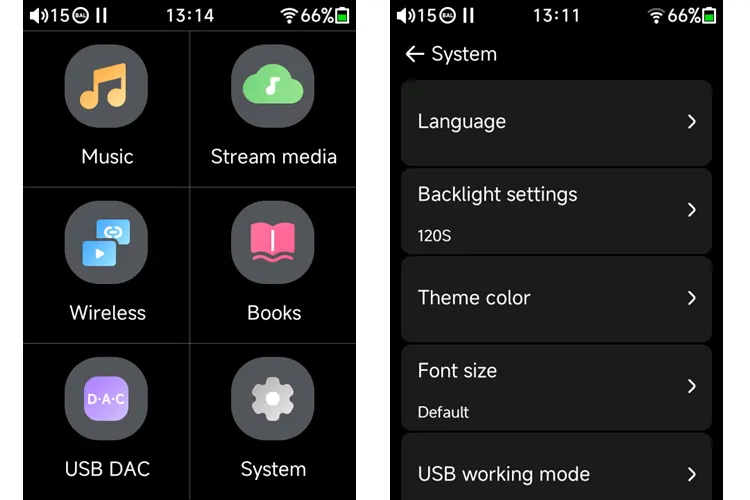
Navigating through the Hiby OS is intuitive and easy. There are not many pages to go around. However, I was initially confused as I couldn’t find the MSEB’s location. I looked at the music player’s UI page but only found the graphic equalizer.
It took me a while to find out that the MSEB, gain control, soundfield control, etc, can only be found in the gear icon on the second page after you go to the music player on the first page. And not in the music player’s user interface itself.
It is reasonably responsive to operate, but lags slightly when I play music mixes that are an hour long. However, for normal-length music, it is fast. Still, I wish the gesture and touch operation were smoother and faster.
Apps
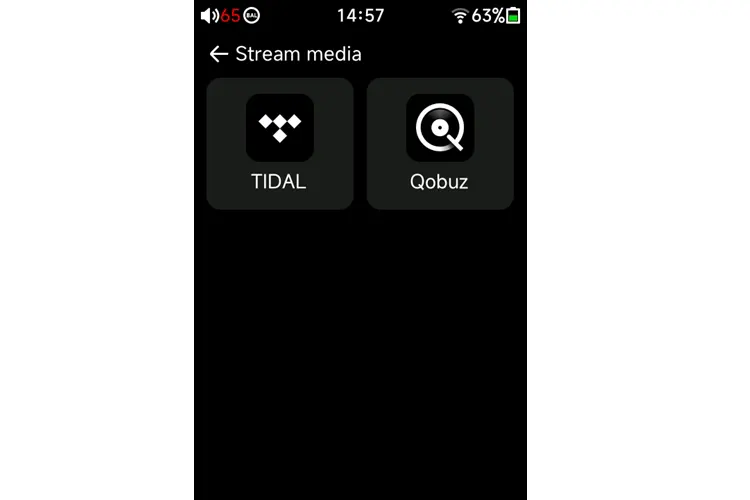
Being a proprietary operating system, installing a third-party music player app is unfortunately not possible. This is the main downside of non-Android DAPs.
Tidal and Qobuz streaming apps are built in. Unfortunately, neither is available in my country, the Philippines.
Due to its non-open Android operating system, I am unable to add my favorite music streaming apps, such as YouTube Music and Spotify, among others.
Wireless Connectivity
Bluetooth Transmission
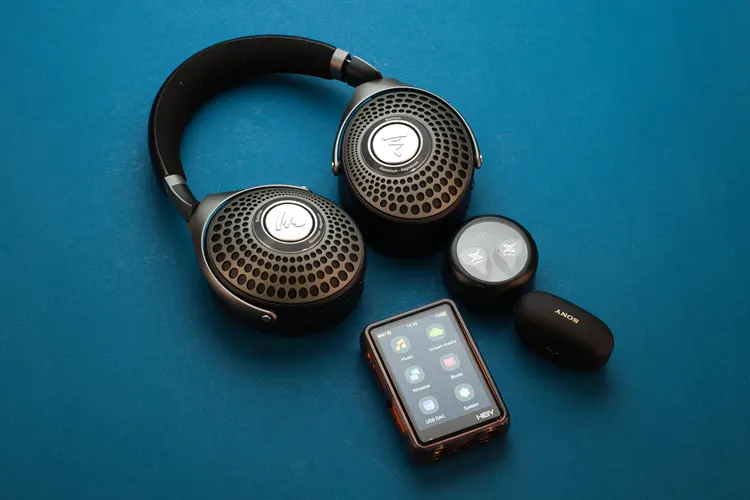
The pairing speed is smooth and fast on the three Bluetooth receiving devices I tested in this review: the KZ XTRA, Sony WF-1000XM5, and the Focal Bathys.
It only takes less than 5 seconds from the time I turn the Bluetooth on in the R3Pro and the mentioned Bluetooth receivers. So fast that even before I put them in my ears or on my head, they are already connected. I’m amazed.
It can connect with KZ XTRA and Focal Bathys using AptX, and with Sony WF-1000XM5 using LDAC. These are currently two of the best-sounding codecs for Bluetooth transmission.
It has a strong signal transmission, allowing me to receive the music without interruption or signal cutout, even when I move to the next room, separated by a toilet with 5-inch or 125mm thick concrete walls.
I have to go far away, more than 30 feet outside the house, when the signal finally cuts off. This performance is above average in DAPs and on par with my flagship Samsung S21 Ultra phone.
Bluetooth Receiving
After all the initial pairing was done, it only takes about 5 seconds from the time I turned on the Bluetooth on my Samsung S21 Ultra phone and the R3Pro II DAP to choosing the R3Pro II in the Bluetooth device list in the phone to being connected for audio. It is that fast.
The signal strength is excellent. I can walk around the house with the phone inside my room without cutting off the signal. The sound quality is also fantastic, thanks to the LDAC codec connection.
However, I noticed some latency when playing video games on my phone, but it is negligible and almost unnoticeable unless one is specifically looking for it.
WiFi
Since Qobuz and Tidal are the only streaming apps available on the R3Pro II, neither is accessible in my country, as previously mentioned.
And since I don’t have any device that can transmit or receive AirPlay, DLNA, and HiByLink, I can only test the WiFi speed and signal strength through the use of the WiFi music transfer feature, which allows transferring music files from a PC or a Laptop to the R3Pro II wirelessly, no cables needed.
To allow wireless music transfer from the PC, the R3Pro II needs to be connected to the same WiFi network as the PC. I then need to go wireless and navigate to the ‘Import music’ page.
There, I’m shown an IP address that I need to type into my internet browser to go to the page where I can drop the music file.
It took about 30 seconds to transfer a 50.2MB worth of music album folder with 13 songs, which isn’t bad in my opinion.
Wired Connectivity
Source
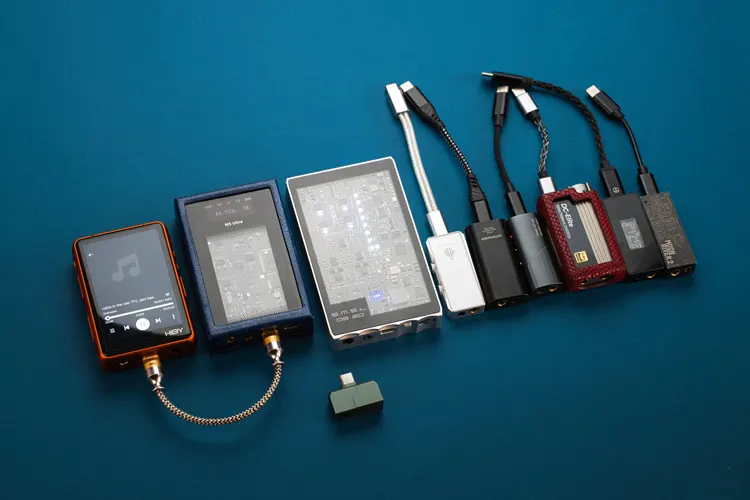
It worked flawlessly without any issues with all my dongle DACs, from ultra-budget to expensive, including the small tail-styled dongles, the Celest CD-2, TRN Black Pearl, LETSHUOER DT03, MOONDROP MoonRiver 2, MUSE HiFi M5 Ultra, SMSL DS20, and others, except for the iBasso DC-Elite.
The iBasso DC-Elite is a large dongle and lacks a battery. It must have been presenting too much load to the R3Pro II, and it didn’t allow the connection. It doesn’t connect with my other DAPs, too, so this is not exclusive to the R3Pro II.
It sounds great as a source, as expected. I didn’t experience any noise, popping sounds, or signal dropouts. Again, it works flawlessly.
USB-DAC
It works flawlessly as a DAC/amplifier for my phone. I didn’t experience any noise or unusual behavior. The sound quality is excellent, and the device operates smoothly without any issues.
It doesn’t work as a DAC/amplifier for other DAPs with different brands, but this is not an issue with the R3Pro II; rather, it is an issue with the other DAPs, as I find them incompatible with other DAC/amplifiers as well. I haven’t tried it with a HiBy DAP, though.
When plugged into my phone, it is instantly recognized, and the phone asks whether I would like to choose HiBY Music or UAPP as the app for the R3Pro II. However, I can use it with the PowerAmp music player App.
Click on page 2 below for my sound impressions and selected comparisons.
