


Sound Impressions
I performed my standard 24-hour burn-in on review units while taking occasional listening notes and conducted the battery life and charging test to make better use of the time. Only after the burn-in period was complete did I start listening to the M33 R2R critically.
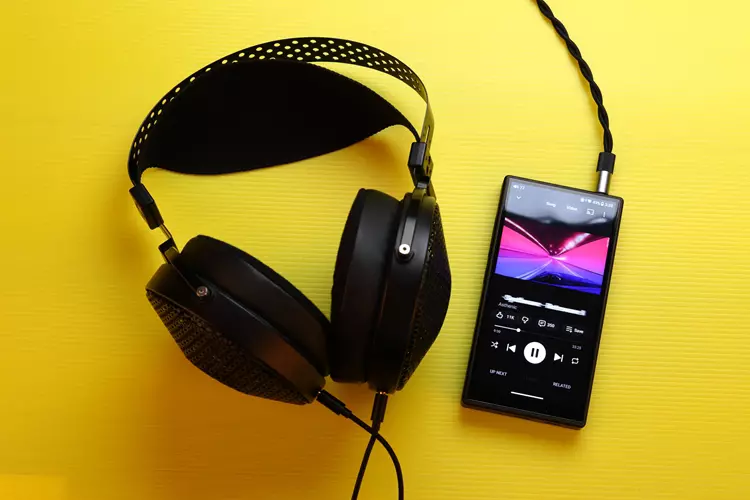
I used the usual IEMs and headphones I use for reviews, as I am very familiar with their sound and could easily discern any changes the source makes.
They are the DUNU Falcon Ultra Ti, Tipsy M5, QoA’s Martini IEMs, and the MOONDROP Horizon, FiiO’s JT3, and the Sennheiser HD 6XX headphones.
Unless otherwise stated, all sound enhancement programs are turned off, such as EQ, stereo expander, and Dynamic enhancer. All the settings are at the default.
Preface
One night, I decided to listen to the M33 R2R from 11 PM to test the sound differences between the settings in a critical way.
When I switched to the NOS (non-oversampling) filter, which is the most direct and least processed digital signal setting, I was so immersed in the sound that I kept listening and going through my library, both online and offline, and time flew by. The next thing I knew, it was already 4 am.
Summary
This was when I set the personalized sound to flat and the PCM out mode to NOS. This setting combination gives me the most neutral and most transparent sound the M33 R2R can achieve without using EQ. This is my favorite setting by far.
With that sound setting, the M33 R2R delivers a warm, bassy, near-neutral sound. There is a perceived subtle boost in the bass, but the midrange is very neutral, and the upper treble is slightly relaxed but not dull.
The M33 R2R has the bass quality that I like about mid-range and high-end FiiO DAPs. The bass is tight, controlled, impactful, and robust-sounding, without any boominess.
Midrange is very neutral, with subtle warmth, giving me a very pleasant, natural vocal sound with good body and note weight without sounding artificially thick. There is no upper midrange coloration or elevation; the midrange is very natural-sounding.
There is a subtle relaxation in the upper treble. It is extended, but I feel the leading edges are slightly rounded off; the sound is still very clear. This gives me a very natural, transparent, analog-style, glare-free sound signature that R2R DACs often deliver.
The M33 R2R delivers a high perceived sound resolution; it is not the highest-resolving DAP I’ve owned and heard, but it’s still way above average.
However, it might not sound that way at first because of its laid-back approach to detail and micro details. But the more deeply you listen, the more you realize that the resolution is there.

Personalized sound
FiiO takes this further to another level when I switched the M33 R2R to enhanced sound quality in the personalized sound setting.
In this setting, the treble is further relaxed and rolled off, making the sound even more analog-like and enhancing the sweetness of vocals and the lushness of midrange instruments.
The upper treble details are not gone in the enhanced sound quality mode, and you wouldn’t easily notice the relaxation in the treble unless you do an AB comparison.
However, since I prefer a more neutral sound signature, I much prefer the flat setting.
NOS vs OS
I much prefer the sound of the non-oversampling (NOS) mode to the oversampling mode.
The oversampling mode makes the M33 R2R sound like a typical good-sounding midrange DAP. There is nothing special about it, and I couldn’t justify the R2R technology with the oversampling sound.
However, the NOS (non-oversampling) sound truly makes the M33 R2R sound special, in my opinion.
All-to-DSD
Another M333 R2R sound-enhancement feature I find in good-quality, well-featured DAPs is the All-to-DSD setting.
When you turn this on, all PCM digital audio signals from music players, YouTube, social media, and games will be converted to DSD. This conversion to DSD essentially converts all multi-bit and 1-bit digital audio signals into a 1-bit signal that operates at a much higher frequency.
And, in my opinion, on a technical level, I don’t see any sound benefits from this conversion at all; in fact, it might even worsen the sound.
However, from a subjective perspective, the all-to-DSD setting has punchier bass and a more analog, but less transparent, sound compared to the NOS setting without it.
Staging & Imaging
The M33 R2R features a spacious soundstage; it is deeper than it is wide, with a good sense of height, too. Though I wouldn’t say it’s the most spacious, or even one of the most spacious I’ve heard of, it is definitely above average.
It might not have the biggest stage or the best sound system, but it is big and spacious enough to immerse me in music for hours, from midnight until dawn. The M33 R2R has a good surround sound, like an immersion effect, which I attribute to its R2R DAC.
Although it depends on the IEM or Headphones, the imaging performance of the M33 R2R is good; images are sharply rendered and well-spaced. There is good side-by-side separation between the instruments, with well-defined front-to-back layering.
The images are slightly laid-back in their presentation, unlike others that are in-your-face. M33 R2R renders the images with a good space between the listener and the performers. The venue is not intimate and certainly not claustrophobic.
Dynamics
One of the biggest highlights of the M33 R2R is its amplifier section, which delivers 1,100 mW per channel of maximum output power.
When you translate this into a home speaker system, it is equivalent to 1,100 Watts per channel. This means M33 R2R has essentially unlimited dynamic headroom for most IEMs or headphones.
But without going loud, just listening at normal volume, M33 R2R has an energetic, meaty sound. The bass has good enthusiasm and bubbles with speedy, tight, controlled punch.
The midrange and treble are also lively without going too far and becoming annoyingly energetic, thanks to its warmish R2R DAC sound.
Adding EQ
I’ve taken and spent more time than usual reviewing the M33 R2R. Towards the end of this review, one night, I tried the FiiO EQ app, which affects the sound globally rather than just one music player or streaming app.
I was hesitant to do this because I don’t usually use EQ, preferring to get something that sounds right from the start.
The FiiO EQ also includes a stereo expansion program, which effectively widens the soundstage. But I don’t like the sound of it, as it adds peaks in the treble, making it sound bright and artificial. So, I turned it off.
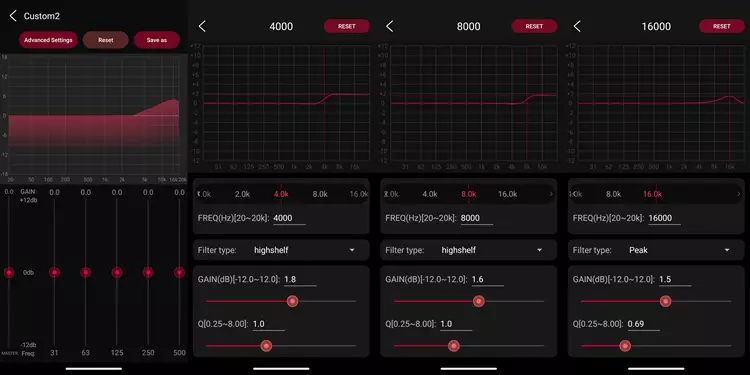
Using the FiiO EQ alone solves all my minor issues of not having the biggest soundstage and the laid-back presentation of images and details, as well as compensating for the relaxed upper treble. I basically gradually increased the upper treble with the EQ settings shown in the screenshots.
Thanks to the M33 R2R’s DAC sound, which doesn’t have the harshness, sharpness, or digital glare I often hear from other DACs.
And the well-integrated FiiO EQ app in the system, where I don’t have to worry about digital clipping, as it sounds good even when boosting the EQ. Even with those treble boosts, the sound remains smooth, natural, and non-fatiguing.
The result is like magic; it elevated the sound of the M33 R2R to the level of flagship R2R DAPs I’ve heard before, particularly the HiBy RS8.
The sound of the M33 R2R with this EQ setting is warm, smooth, airy, with crisp treble that doesn’t roll off. The soundstage is bigger, wider, and more open; the images are more forward, more defined, and more holographic.
The perceived resolution is increased as well, with the micro-details easier to hear.
Synergy
Please note that the EQ I mentioned above is off. The default sound setting with the personalized sound in flat position, the sampling set to NOS, and all to DSD off is applied in the pairing section.
The M33 R2R is noise-free; I couldn’t hear any noise with IEMs and headphones. There is no hissing, clicking, or popping when operating it, even with third-party music player apps like PowerAmp and UAPP, and with music streaming Apps like YouTube Music and Spotify. It is utterly clean and noise-free.
I tried the M33 R2R with other sensitive IEMs not included in this review, set to super high gain in desktop mode, with a USB-C power source plugged in. There is no noise, or at least I couldn’t hear the M33 R2R’s noise floor in my room with the AC running.
The M33 R2R’s high-power output, tightly controlled bass, and low noise output made the M33 R2R very easy to match with any IEMs and headphones.
Add to that the pleasingly warmish tonality, free of annoying digital glare, and the M33 R2R is a very versatile source that won’t have issues with difficult-to-drive IEMs and headphones.
IEM Pairings
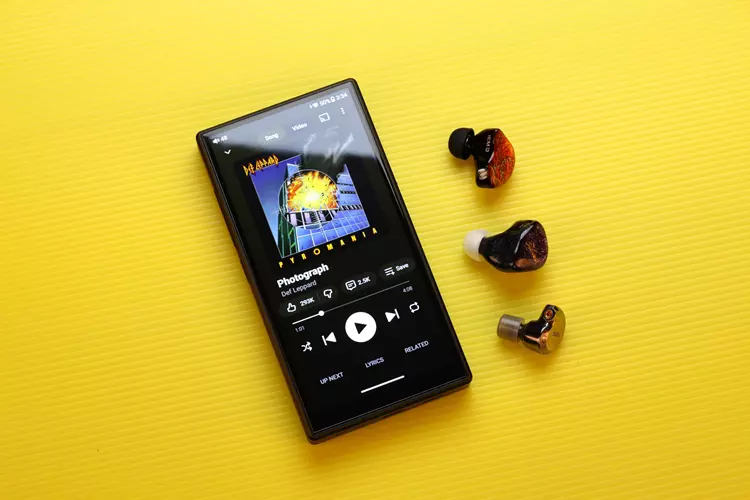
With the DUNU Falcon Ultra Ti wearing ePRO EP00 ear tips. This is my long-time reference neutral set for the single dynamic driver category, as it gives me a very neutral sound, making it easy for me to hear the tonality of the source.
The overall tonality of the DUNU Falcon Ultra is warm and bassy, with powerful, tight, and detailed subbass and dense mid-bass. The midrange is lush, and the treble is relaxed and smooth. There is good depth to the soundstage, and the imaging is very stable, with very good dynamics.
When paired with the tribrid Tipsy M5, a monitoring-tuned IEM with a neutral tonality. Made to make it easy to monitor what’s going on with the recording in a recording studio or on stage. M5 usually has neutral bass and midrange with a subtly elevated upper treble.
With the M33 R2R, I hear a great synergy; the M33 R2R helps the M5 produce a thicker, more extended bass with excellent control without boominess.
The M33 R2R also relaxes the upper treble a bit and deepens the soundstage. On the other hand, M5 widened the soundstage and brought the details forward.
The QoA Martini is a mild V-shaped tribrid set with a clean, engaging sound. With the M33 R2R, these qualities are even more enhanced. I hear a bigger, grander sound presentation with a wide soundstage and highly defined imaging.
The bass is extended and thick, with excellent control from the dynamic bass driver and bone-conduction subwoofer driver of the Martini, and the tight amplifier of the M33 R2R.
The mid-bass is thick yet quick, while the midrange remains very clean and slightly recessed. The treble is very clean and detailed, with a slight boost in the upper treble, helping the M33 R2R’s slightly relaxed upper treble sound.

Headphones Pairings
The M33 R2R is designed for high power output, making it easier to drive headphones to high volumes while still sounding good.
It also ensured that people with good desktop headphone setups wouldn’t miss much at all while traveling with the M33 R2R. Additionally, the M33 R2R’s high-power output rating can be a good alternative for people without a desktop headphone setup.
That said, when I paired the M33 R2R with an efficient, V-shaped sounding headphone, the FiiO JT3. The bass is punchy, and the treble has spice, making the sound very engaging and fun. I also noticed the cleanliness and the ease of loudness with this pairing.
The MOONDROP Horizon is an open-back dynamic headphone with high sensitivity for use with lower-powered sources.
In this pairing, the Horizon sounds pleasant, with a warm, slightly mid-centric character and smooth treble. The one I particularly noticed was the excellent tightness and control in the bass, which isn’t always true with my other sources.
However, since the MOONDROP Horizon is a very sensitive headphone. My normal listening volume with this pairing is usually 75-80/120 on the high-gain setting.
Once I go above my normal listening volume, usually above 88/120 volume, the Horizon would overload and produce a horrendous amount of distortion when a loud bass is present.
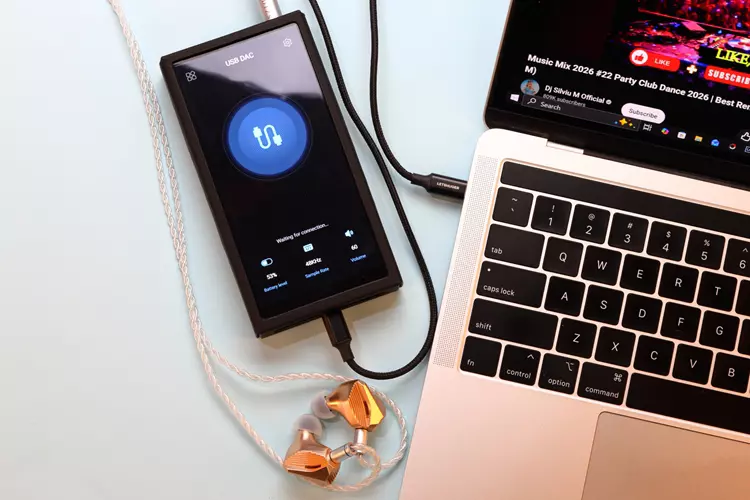
With the Sennheiser HD 6XX, I tried both the normal, high-gain mode and the super high-gain desktop mode, where I need to plug the M33 R2R into a USB power source, to see if there was a drastic improvement.
Luckily, there is no big improvement in sound, as the normal high-gain mode already sounds very good.
Super High-Gain Desktop Mode
In the normal high-gain mode, the HD 6XX and M33 R2R pairing sound effortless in dynamics. The sound is energetic, with good bass punch and tightness. The midrange is neutral, as is the treble, with good upper treble extension and liveliness.
In the super-high-gain desktop mode, the soundstage widens slightly, and transients become slightly quicker.
But for me, the normal mode is good enough, so I’d rather have the M33 R2R unplugged from a power source than plugged in for a very subtle improvement, because the normal mode sounds good enough.
In high-gain mode with a 4.4 mm balanced connection, I achieve my usual volume with the HD 6XX at 90-95/120. In super high-gain desktop mode, 85-90/120.
