

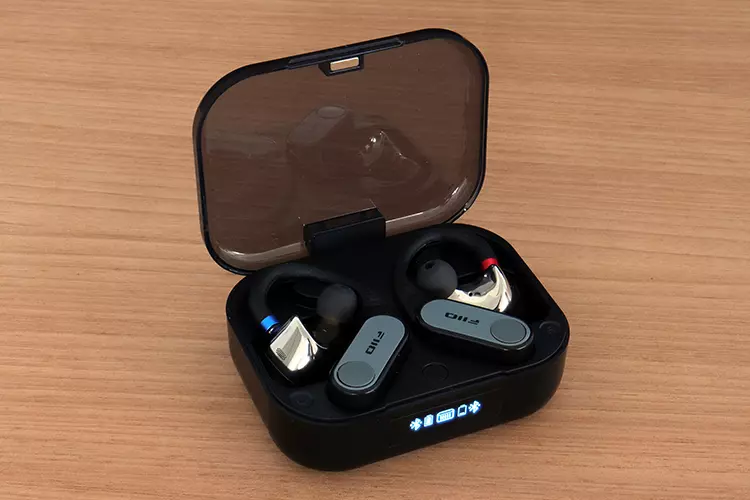
Louis reviews the FiiO LINK TWS, the company’s latest flagship detachable earbuds TWS system with BT6.0, LDAC, and an AK4333 DAC. It is currently priced at $219.99.
Disclaimer: I received this sample in exchange for my honest opinion. Headfonics is an independent website with no affiliate links or services. I want to thank FiiO for their support.
Click here to learn more about the FiiO audio products previously reviewed on Headfonics.
This post follows our current scoring guidelines, which you can read in more detail here.
It’s been a long time since I have taken a look at a modern-day Bluetooth ear-hook dongle. I reviewed the FiiO UTWS5 plus the UTWS3 around four years ago, and the iFi audio GO pod almost three years ago, but not much else in between.
This genre has been growing in popularity slowly, and it could be because of a lack of models to choose from, but to me, there’s something else unforeseen here. You could still pick up an iBasso CF01 in certain places, or you could go plan B and pick up a model from KBEAR, KZ, or FANMUSIC.
But FiiO just revived their presence in the genre with the release of the LINK TWS (formerly UTWS17). FiiO is labeling this launch as the perfect ending to the genre and a possible hint of the last release of the series, but I don’t think it will end, but evolve. I bet you a beer.
Let’s see what has changed from the older models in my full review and comparisons below.
Features
Bluetooth tech hasn’t evolved quickly enough, and perhaps that’s the unforeseen point.
The only major change has been the release of the aptX Lossless codec that exceeds LDAC’s 990Kbps with a more ample 1.2Mbps bitrate to improve music flow. This was incorporated in the Link TWS along with most other codecs.
The FiiO LINK TWS does throw in some of the latest tech. For example, the Qualcomm QCC5181 chipset is onboard, transmitting on a 6.0 radio. There is a separate AK4333 DAC section inside each of the LINK TWS’s small modules.
Why not the 43198? The AK4333 comes with a built-in class-AB 60mW @ 8Ω amplifier with impedance detection, plus it has a smaller footprint. I’m guessing those two reasons were forefront.
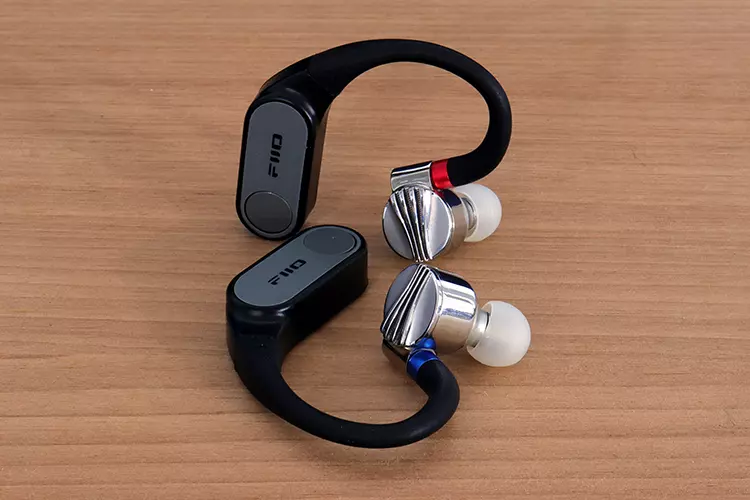
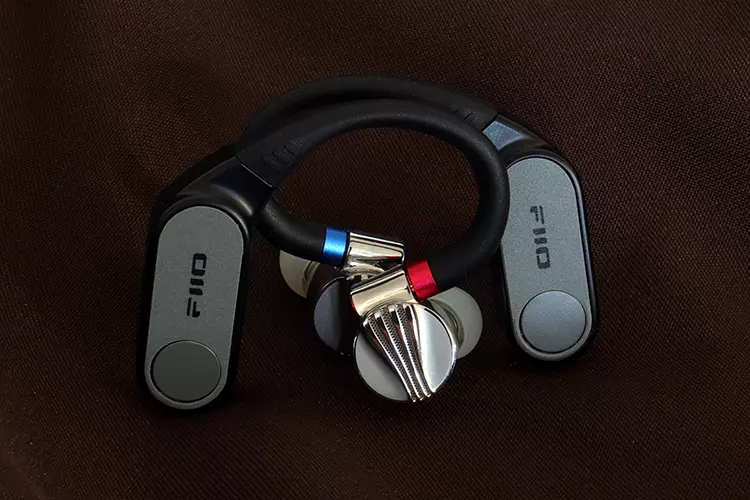
Another important feature is that this time around, the LINK TWS covers two types of IEM connections, not just the MMCX variant, but you also get 0.78mm 2-pin connectivity via swappable ear hooks. Most other models also come with just one type of connectivity.
A carry-over feature is the button in place of a touch panel. This button allows you to kick the LINK TWS into transparency mode or normal mode, but there’s no ANC. The button also allows the user to pause, play, skip tracks, etc.
Codecs
At the introduction of this genre, we were lucky to get LDAC, but the LINK TWS handles LDAC, aptX Lossless, LHDC, and all the other aptX codecs with the addition of AAC and SBC. But who would want to run those codecs for audio?
The lossless capability is not so much of a game-changer over LDAC. It runs around 300kbps higher compared to LDAC, if you switch LDAC over to the codec’s higher bit rate setting of 990kbps. Otherwise, you’ll drop down to 330kbps or 660kbps rates.
If you use a device like FiiO’s own AIR LINK dongle to transmit, you can use the app to select the codec bitrate. You can also do that within some system menus on some mobile devices. But you can’t do it with the LINK TWS within the app.
So you have to make sure your mobile device or whatever you decide to use as a Bluetooth source has a selectable bit rate feature to obtain the LINK TWS’s maximum performance level. If not, the LINK TWS will sound to you like most Bluetooth devices, a bit capped off on the top end.
Design & Comfort
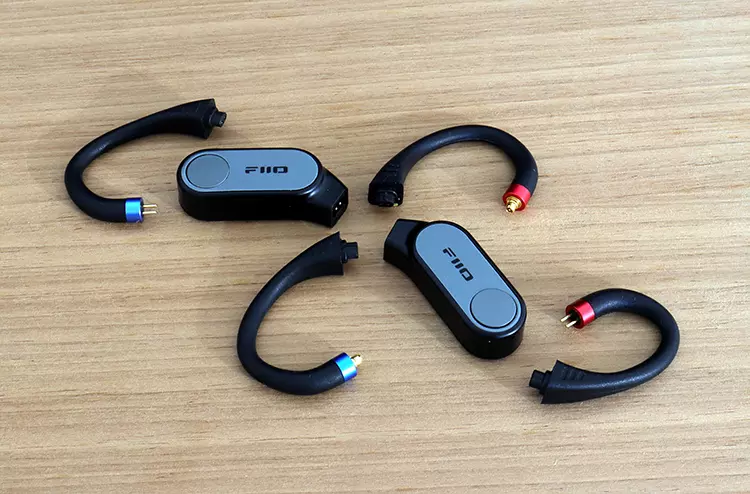
When FiiO designed the LINK TWS, you can tell they were attempting to streamline the design of the pods themselves, and they certainly succeeded.
The LEDs are tucked underneath the skin of the pods. But there seems to be no indication of what codec you’re on or similar information.
That leaves the user dependent on the source, or the screen on the front of the cradle, for any information.
It’s one of the simple design concept’s drawbacks. They wear a utilitarian skin. But I would not want bling on an item like this either; no RGB features please.
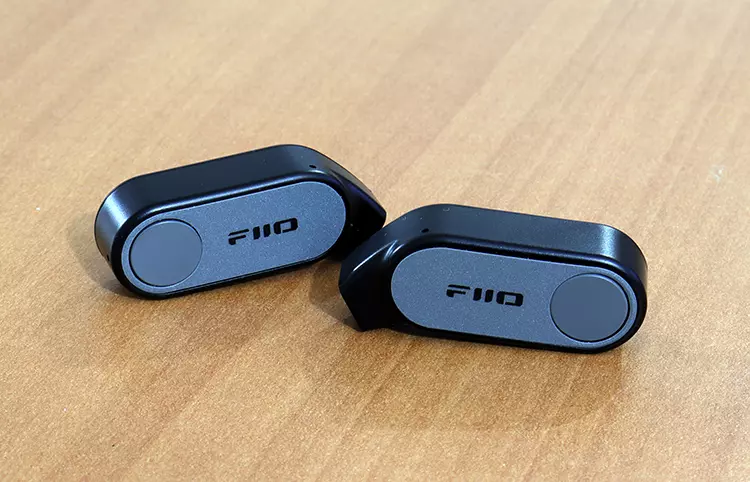
One implementation that I liked is the pushbutton feature instead of the commonly used touch pads. The assured click feeling and the haptic feedback you get from push buttons make a difference.
They also prevent accidental activation. You don’t wanna accidentally pause in the middle of a jam session because you attempted to obtain a better fit, been there, done that.
I did notice that the hooks are small, and some might complain about comfort issues if they have large ears. But they’re soft and pliable; I just wish that they were moldable.
There is also a small dependency on the type of IEM you use, since the angle of the plug entry can slightly change angles and affect comfort levels.
The ear hooks themselves fit my ears just right, and tend to just lie on the top of my ears with a touch of prop-up support from the inserted IEM.
Microphone System
Two small pinholes are visible on each of the FiiO LINK TWS’s pods, so I am assuming there are two microphones on each ear pod. I don’t have much information on what type of mic is being used, but I can make some assumptions.
The mic system seems to employ some sort of beamforming technology because pickup ability is excellent. Voice is picked up effortlessly as you wear the LINK TWS. No shouting necessary.
I did find an oddity using the LINK TWS in conjunction with the AIR LINK. The problem is that using this combination, the microphone doesn’t show up anywhere. You can easily kick the set into aptX Lossless with this combo, but then you get no microphone.
Using the LINK TWS paired directly to a phone or a PC’s built-in Bluetooth worked better than expected, with an elevated volume and pickup ability.
No noise was detected either. The microphone system was also a champ at detecting and rejecting all other outside sounds and placed priority on picking up my voice.
Cradle & Battery life
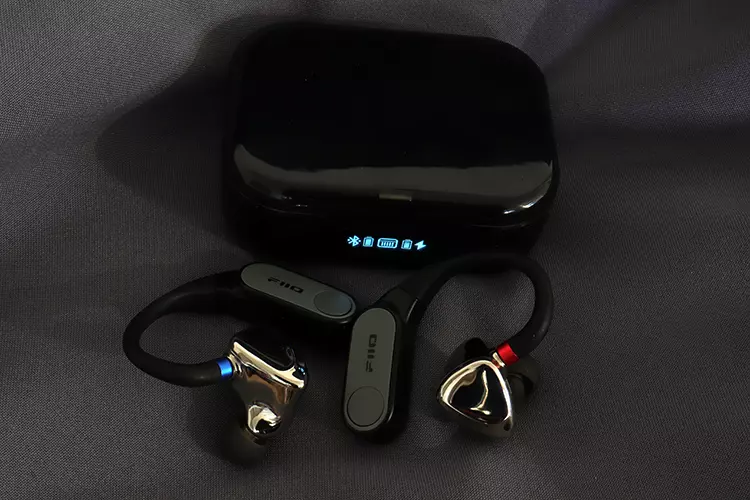
Charging the pods is done via magic. Well, not really. They use wireless charging, and they stick inside the cradle via magnets. The pods have no contact points to worry about.
This brings the benefit of not having to worry about contact points getting dirty or damaged and having to clean them off often. This design avoids the most common problem.
As far as battery size, I’m gonna owe you that information because FiiO did not post any information on battery size. I’m betting that the cradle uses an 800mAh battery. I do know that there’s no fast charging or wireless charging. Only the pods charge wirelessly inside the cradle.
The cradle does have a digital display upfront that displays the battery charging levels in a general way. It also has two Bluetooth symbols that give off limited information. Charging time is around two hours for the cradle, a little less than two for the pods.
The cradle is not too large, but it has a small conundrum in that most of the FllO line of IEMs are too bulky to fit inside the cradle normally, and you have to give them a 180-degree spin for them to fit, allowing the door to shut completely. If you do that, they fit snugly.
You can do that when you use any IEM with MMCX connectors, but unfortunately, not with IEMs that use the 0.78mm dual-pin connection, and you would have to disconnect them and store them separately.
Control App
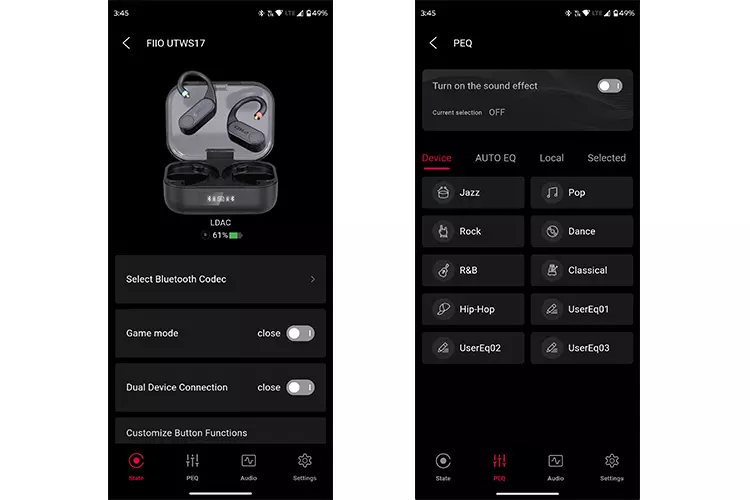
FiiO’s Control software is one of my favorite apps to install on my phone when I run gear from FiiO. It has everything you need, including an equalizer and a Bluetooth codec selector.
FiiO also gave the app users a preset-based EQ section where you can store EQ presets, along with four digital filters, giving the user a lot of control over the overall sonic character of the LINK TWS.
The app is where you store not only EQ presets, but you can also execute the procedure for firmware updates. It also stores pairings, and it has a default factory reset feature.
But most importantly to me, you can also use their web configurator to interface with the LINK TWS, which brings the LINK TWS closer to home since I’m a heavy PC user, and only use mobile devices briefly.
Packaging & Accessories
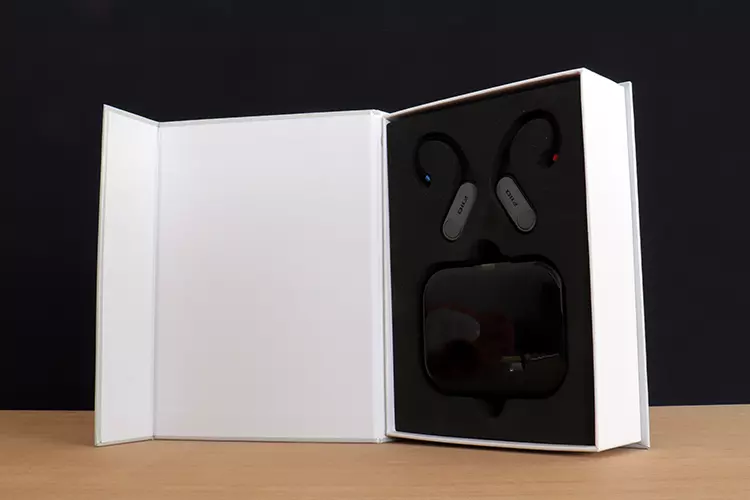
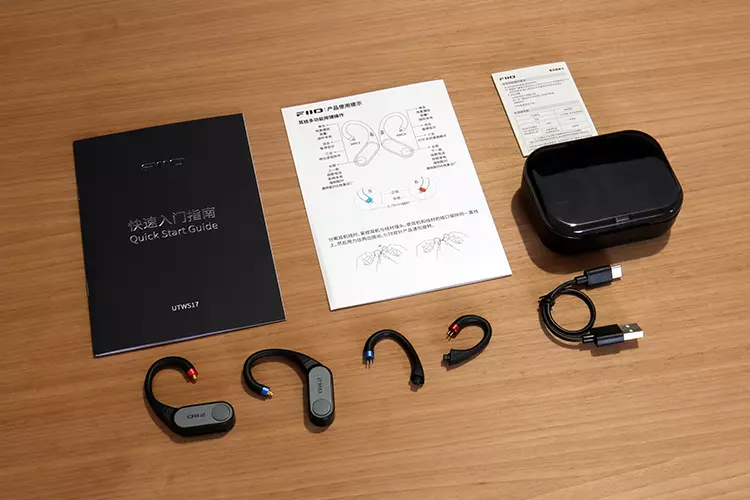
FiiO has never disappointed me as far as packaging and included accessories. They’re usually very generous. This time around, you get what you need in a simple protective package, and that’s it.
You get two sets of ear hooks besides the pods and the charging cradle. One set is an MMCX-equipped earhook, the other is equipped with a 0.78mm dual pin connector. You also get a short USB cable for charging the cradle and two manuals, one being a quick guide.
Sound Impressions
I fed the FiiO LINK TWS via their own AIR LINK connected to my custom Windows 11 Pro PC, switched over to the aptX Lossless codec. I also transmitted Bluetooth audio to the LINK TWS from my Motorola Edge using the LDAC 990kbps rate codec.
I used FiiO’s own resolutely tuned FX17, their dynamic midway-tier FD5, and their hybrid FH19 IEMs. I also used the upscaled Grand ORIVETI Supremacy and the Flare Audio Flare Studio to test for hiss and noise.
Summary
FiiO focused its effort to ensure a neutral frequency response curve that depends more on what the IEMs sound like than anything else. But there are some general characteristics.
The bass response of the LINK TWS is full-bodied, but it’s not what I call Bluetooth bloated in the sense that it maintains a well-balanced level with the rest of the spectrum, and could be considered bass that has bass weight and a hefty punch.
I tend to elevate the bass, and to be honest, flat just doesn’t do anything for me, so the LINK TWS seems to be where I like it.
You get some girth, impactfulness, but it’s the most resolving in that range. There’s still some definition lost due to the Bluetooth transmission. But it’s still one of the best on Bluetooth.
The treble response is clean and clear when you use the higher bit rate codecs like LDAC on 990kbps or aptX Lossless. I wouldn’t call the LINK TWS bright-sounding, but it does produce lots of detail and output on the top end of the spectrum.
What gets me is the high amount of clarity, lean midrange, and a strong technical performance. But as stated, it mostly depends on the good characteristics of the IEM and just produces sound and gets out of the way.
Soundstage
The soundstage overall is large and tall, with lots of depth, only lacking in width by producing a stage that’s slightly wider than head size. It remains within reach on the sidelines, while the front produces most of the interesting aspects of the soundstage.
All the microstaging is at that frontal section that is capable of placing elements within different depth positions, along with precise imaging that is super precise, as long as the IEM being used is up to the task.
Click on page 2 below for my wireless performance impressions and selected comparisons.
