

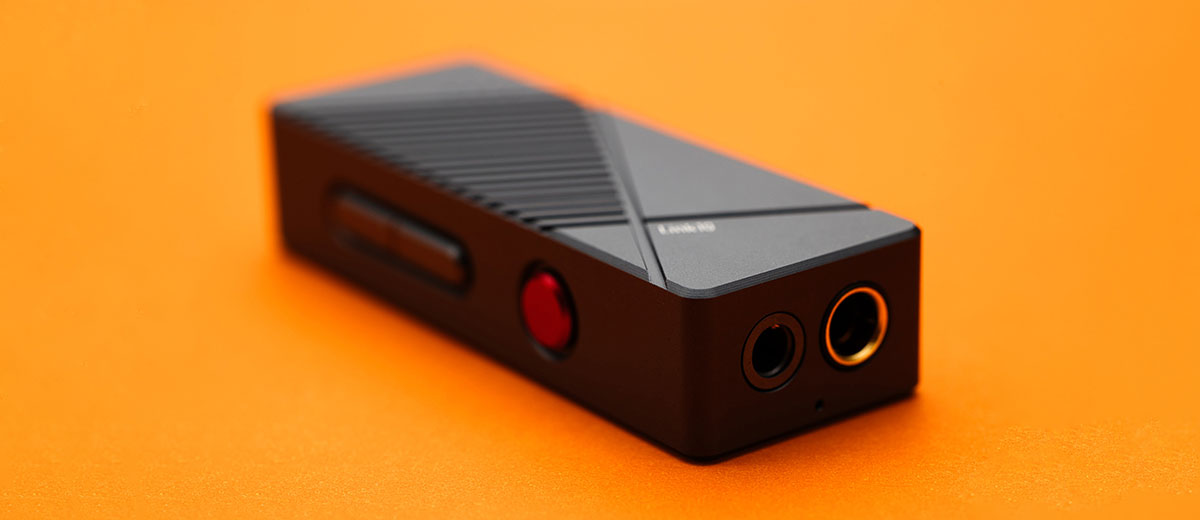
Marcelo reviews the xDuoo Link10, a new dual CS43131 portable USB DAC/amp with decoding up to DSD256 and 300mW of balanced output power. It is currently priced at $99.
Disclaimer: This sample was sent in exchange for my honest opinion. Headfonics is an independent website with no affiliate links or status. I want to thank Shenzhen Audio and xDuoo for their support.
Click here to read more on xDuoo products previously reviewed on Headfonics.
This article follows our current scoring guidelines, which you can read in more detail here.
Whenever I think about headphone/earphone amplification, one of the first brands that comes to mind is xDuoo, as I’ve always been intrigued by their desktop tube amplifier, such as the TA-10 hybrid tube DAC/Amp, and recently, the powerful XD05 Pro modular DAC/Amp.
Although I’m new to xDuoo products and have only heard of two of their extensive lineup, which includes the xDuoo X5 DAP and the xDuoo XD05 Basic2 DAC amplifier, I always get the impression that they’ve a distinct, warm, and analog-style house sound.
This is based on what I’ve read in reviews and gathered from many people on social media, as well as audio friends.
xDuoo specializes in making portable, battery-powered, and desktop DACs and amps, releasing dongle DACs and amps only occasionally.
As far as I know, please correct me if I’m wrong, the xDuoo Link2 Bal, the xDuoo Link2 Bal Max, and the one we have here, the $99 xDuoo Link10.
Does the xDuoo Link10 live up to my expectations of a warm, analog-type sound? Or how does it compare to other dongle DACs, such as the MOONDROP Dawn Pro, Hidizs S9 Pro Plus, and Celest CD-20? You can find out in my review below.
Features
xDuoo Link10 features two CS43131 DAC chips, one per channel, which serve as both digital-to-analog converters and headphone amplifiers. And supports PCM 32-bit/384 kHz and Native DSD 256 digital audio signals.
Link10’s USB input features dual operating modes, supporting both USB 1.0 and USB 2.0. USB 1.0 is used for handheld gaming consoles, while USB 2.0 is used for normal music playback.
Link10 has 60 levels of volume control, which is more than enough, and I find it to be just right; neither too fine nor too coarse in volume adjustment.
Additionally, the device features other mundane aspects such as battery-free operation, 3.5 mm and 4.4 mm Headphone Output Ports, Detachable USB-C Connector Cables, and an Anti-Interference Aluminum Shell.
Design
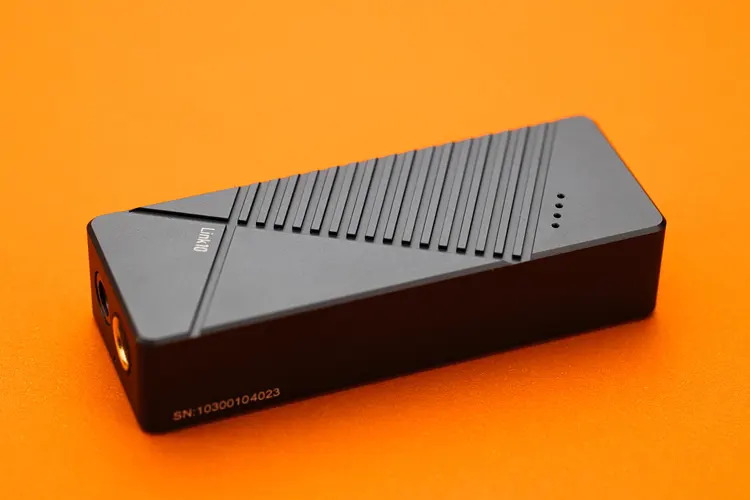
The Link10 body is CNC machined from a single piece of aluminum alloy and finished with a durable, dark, grey-colored anodization process, with tempered glass covering the back.
The Link10 is a small and light dongle DAC, measuring only 2.36 x 0.91 x 0.51 in (6.0 x 2.3 x 1.3 cm) and weighing 25 grams, which makes it easy to fit inside most IEM carrying cases with the IEM inside.
I like the engraving design on the front, which to me resembles a mix of 80s sci-fi and military aesthetics. The design is what I expect to find on the ship from the Aliens or Alien 2 movie, with a stretch of imagination.
The Link10 runs slightly warm in my hot tropical climate, which is a good thing and not a cause for concern. The battery consumption seems low, as I haven’t noticed any shortened battery life on my phone.
I/O
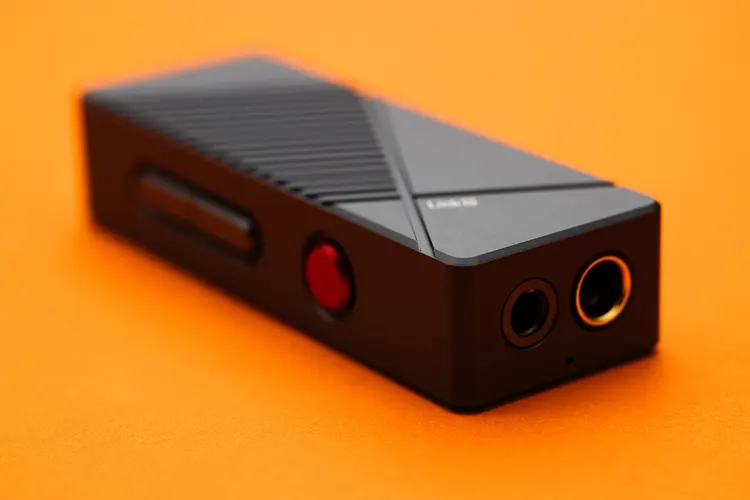
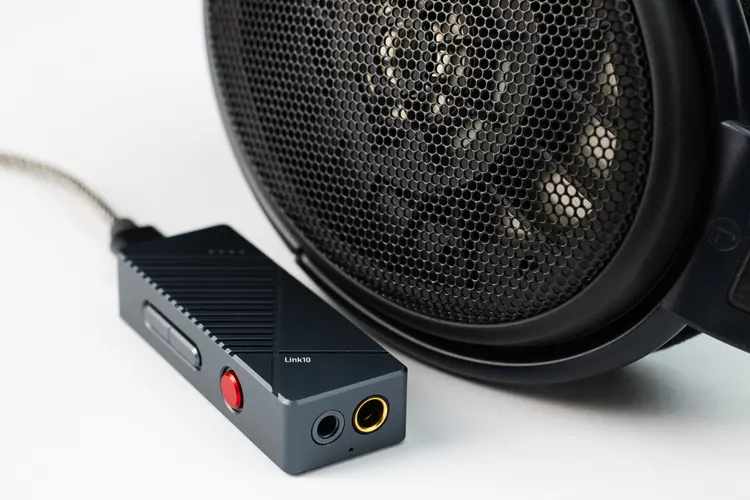
The Link10 features a conventional I/O arrangement, with ports on both the top and bottom panels. The USB-C input port is located at the top, while the 3.5mm and 4.4mm output jacks are positioned at the bottom.
Both output jacks are placed close to each other and cannot be used simultaneously. This is beneficial, as using both jacks would unbalance the 4.4mm balanced output, and it is usually not advisable.
Thanks to its modern design and parts, the Link10 is highly compatible with various USB sources. It connects instantly with all the sources I tried: PC, Laptop, phones, and DAPs, with no hiccups.
Under no circumstances did it require a driver, and though I haven’t tried it, Link10 has a bigger chance of being able to connect as a dongle DAC to older computers due to its UAC 1.0 mode.
Controls
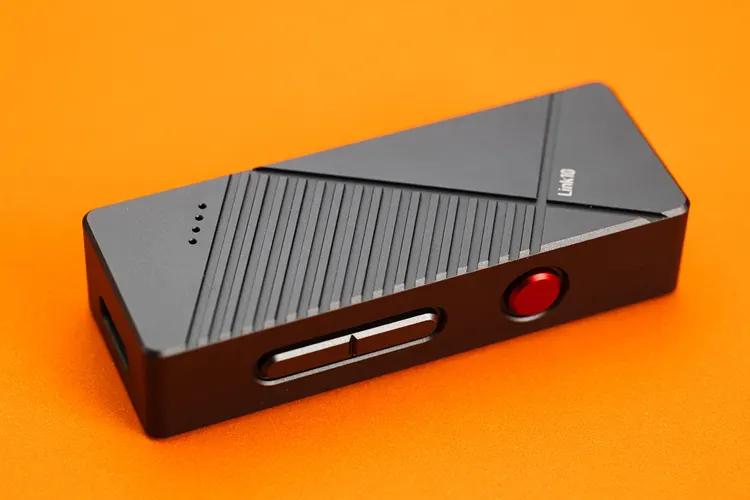
All the Link10 control buttons are located on the left side, consisting of three buttons: one red multifunction button and two volume buttons, which are differentiated enough to allow easy blind operation.
The push feel of the buttons is nicely calibrated; they are neither too hard nor too soft, feeling just right and of high quality.
This is unlike other cheaper dongles, where the buttons feel cheap and either too hard or too mushy. The button feel of the Link10 is comparable to that of dongle DACs costing $100 and above.
LEDs
There are four tiny LED indicators on the front of the Link10 and one on the side near the headphone output jacks. Luckily, these LED indicators are not too bright or annoying; they are just right and serve their purpose.
I find the four LEDs at the front very useful, as they indicate the volume setting. They are green when the volume is set to 0-23, yellow when the volume is set to 24-48, and red when the volume is set to 49-60.
Gain
Long-pressing the Link10 red multifunction button switches between high and low gain modes, which are indicated by a single LED near the output jacks.
UAC 1.0 and 2.0
The Link10 USB-C input port is compatible with UAC 1.0 and UAC 2.0. For optimal music listening, use UAC 2.0, as it supports the highest bit rate and resolution allowed by the USB receiver inside the DAC. UAC 2.0 is the default mode.
Press and hold the red multi-function button before plugging in the USB-C, and wait for the LED near the output jacks to blink once to switch to UAC 1.0 mode.
Use UAC 1.0 for gaming consoles, as it is more compatible with a broader range of USB sources, particularly those used in gaming consoles.
Please note that this mode reverts to UAC 2.0 once the Link10 is unplugged. Therefore, you need to switch to UAC 1.0 mode each time you use it for gaming purposes.
Filter settings
Pressing the Link10 up and down buttons simultaneously for one second will switch between five filter modes, which include a NOS (non-oversampling) mode.
I notice subtle differences in sound between the filters, primarily in the way transients and center imaging are presented; however, these differences are slight.
Memory
I’m happy to report that both the gain and the filter settings are memorized by the Link10, so it remembers your last settings in the next listening session.
This is important to note, because I find it annoying on other older dongle DACs that don’t remember the gain or filter setting from the previous session.
Packaging & Accessories
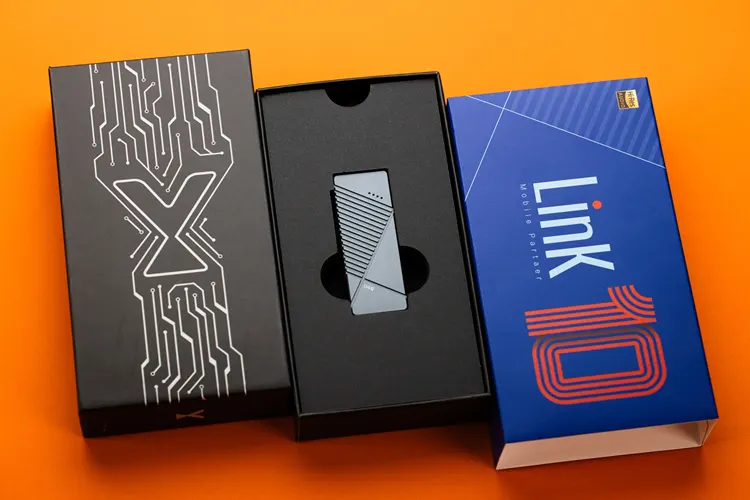
The Link10 packaging is practical and straightforward in design; it’s a small, rigid black box with a softer blue sleeve printed with graphics, logos, and lettering.
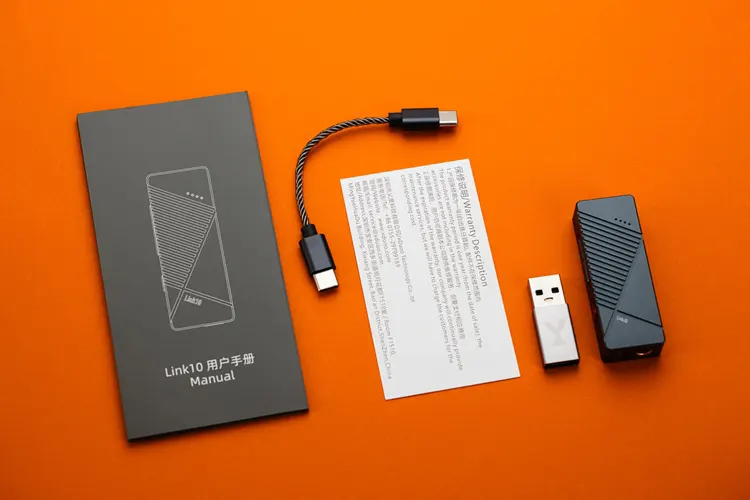
The contents include the Link10 DAC, a user’s manual, a warranty card, a short USB-C cable, and a USB-A to USB-C adapter.
Sound Impressions
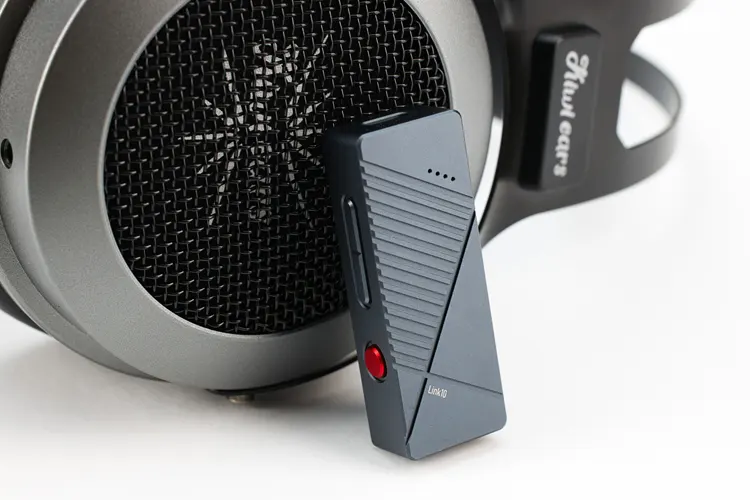
I conducted my critical listening of the Link10 using my DUNU Falcon Ultra, Kiwi Ears Astral, and MOONDROP Harmon IEMs, as well as the Kiwi Ears Altruva and Sennheiser HD 6XX headphones.
All connections are made with the 4.4mm outputs, except for the Kiwi Ears Altruva headphones, which currently only have a 3.5 mm connection available.
Burn-in took about 12 hours, achieved by leaving the device playing with a spare DAP and IEM for a couple of days, occasionally checking the sound while doing something else.
In hindsight, one hour of burn-in should have been more than enough, as I didn’t hear any changes to the sound from that point.
I used my phone as the primary source for the listening test, utilizing UAPP and PowerAmp music players.
The digital filter is set to the default setting, which is the fast roll-off, low-latency filter. The gain is set to the high setting, and the Link10 is in UAC 2.0 mode.
Summary
The xDuoo Link10 has a sound that is not focused on micro details; instead, it emphasizes the warmth and emotion of the music, giving it the so-called “analog sound” as opposed to the digital and analytical sound that can sometimes sound cold and unemotional —a characteristic of other DACs.
The Link10 has a warm tonal signature, characterized by a powerful, punchy bass that is neither too tight nor too rounded; its bass sounds forceful, slightly boosted, yet doesn’t sound flabby or fat, simultaneously providing good details, articulation, and warmth.
Although there is no boost in the lower midrange region, a perceptible extra thickness or density is present in that area, making the music sound lusher than it usually does with other dongle DACs.
The Link10 upper midrange is slightly laid-back in presentation, sounding tonally relaxed, which makes the imaging less defined and accurate, but also lessens the likelihood of upper midrange glare when paired with IEMs or Headphones that are too forward in that region.
The Link10’s treble is slightly dark or damped; it sounds like you are in a listening room or a recording studio with extra sound deadening. The treble is not dead-sounding; it is just an example to help readers relate to the description.
There are good details in the treble, though I feel that the micro-details and air are reduced or de-emphasized in the presentation, which I could sometimes characterize as veiled, but in a good analog way.
Coloration
With that said, the Link10 is not a neutral-sounding dongle DAC. It’s not too colored, but certainly adds its own sound to the signal path.
The thickness in the bass and lower midrange is noticeable when switching to a thinner-sounding, neutral dongle DAC, but what caught my attention the most is the reduction or deemphasizing of the micro details and air, in exchange for a more emotional, warmer sound.
Staging & Dynamics
The Link10’s soundstage has good depth, moderate height, and a slightly narrow width. It isn’t bad, and overall it is average.
On a positive note, the soundstage is spacious enough to allow images to emanate with their own distinct spaces, rather than being mixed up, despite the slightly laid-back upper midrange, mentioned previously, which can cause images to lack definition.
There is a good image holography, and the image size is relatively accurate and not exaggerated. The image presentation is neither too close nor too distant; it doesn’t have a “in your face” vocal, nor is it boring and laid-back. The imaging is good, despite its analog sound tuning, as previously discussed.
The Link10’s dynamics are pretty good, its robust and punchy bass adds life to the sounds, making for an engaging listening experience.
The perceived resolution is average, though, as I expected, due to its analog-style sound tuning, which doesn’t improve regardless of the filter setting I use. I blame this on the slightly laid-back and a little too damp-sounding treble, which also gives it its unique character.
Click on page 2 below for my recommended pairings and selected comparisons.
