

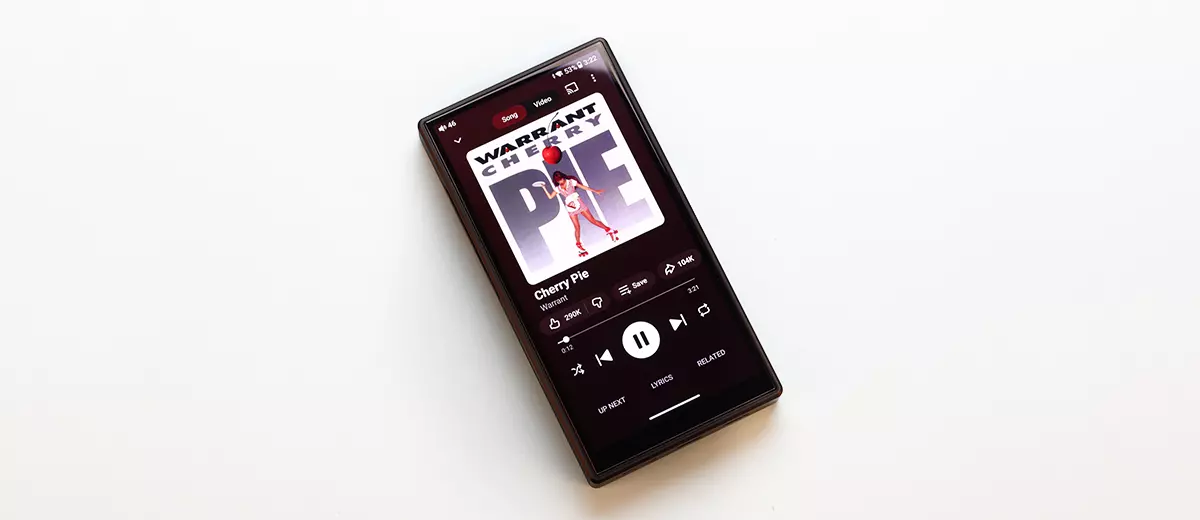
Software Impressions
My M33 R2R review sample arrived with the firmware version 1.0.0. I then updated it to version 1.0.1, the latest firmware running Android 13 at the time of writing.
The new firmware adds Bluetooth control support for FiiO’s RETRO BOX speaker, an auto EQ function, improved charging compatibility, optimized UI display, and other performance optimizations and bug fixes.
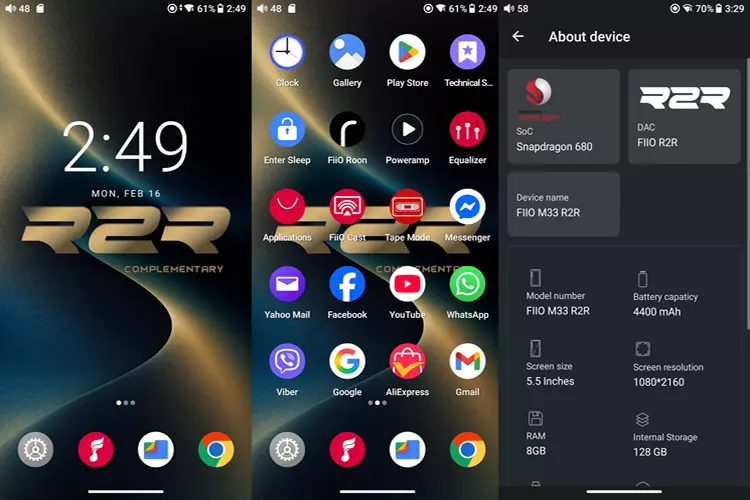
After signing in to my Google account, the Google Play Store offered to install the apps I use on my phone, and I did just that without any hiccups.
The installation of the apps went smoothly; apps like Facebook, Instagram, Shopee, Lazada, YouTube, and many others were installed. Using these apps in the M33 R2R is fast and lag-free, just like on my phone.
Navigation
Thanks to the Snapdragon 680, M33 R2R is the most responsive to navigate among my DAPs that use older main processors.
When using apps like YouTube and Facebook, there is no lag; it feels like I’m using a phone rather than a DAP with an underpowered processor. The only thing I noticed was the M33 R2R’s 60 Hz refresh rate versus my phone’s 120 Hz.
The M33 R2R features a double-tap-to-wake screen, which is off by default. My complaint is that sometimes, especially when the screen is off for a few moments and my calloused fingers are dry, the double-tap feature doesn’t work, so I must press the top or the programmable button on the left to wake it.
The UI warns of increased power consumption when the double-tap feature is on.
FiiO Equalizer
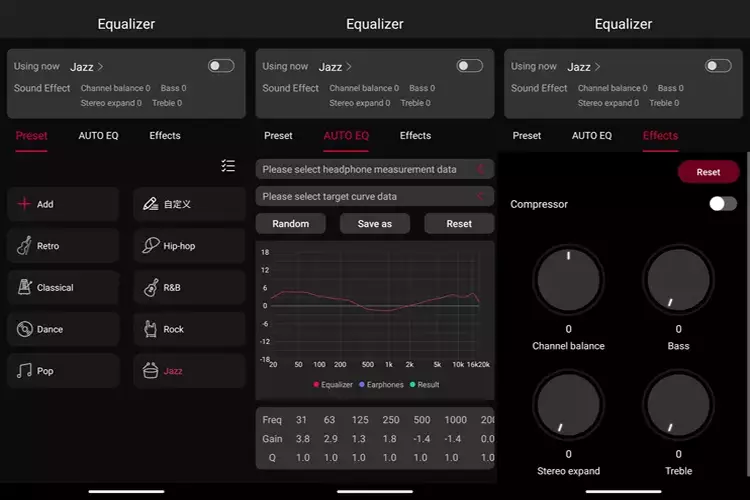
The M33 R2R features a 10-band parametric EQ with 8 presets plus custom settings, and auto EQ.
This EQ is global and affects the sound of the M33 R2R regardless of the apps used. The auto EQ allows easy EQ of IEMs and Headphones using measured graphs and data from an online database, to achieve a target response curve.
The EQ also features effects such as dynamic compression and stereo expansion.
Tape Mode
There is a Tape Mode app that displays a cassette tape playing the music on the M33 R2R screen, which will introduce some nostalgia for some people.
It is a separate app, and I find it annoying that it isn’t embedded in the music player. That means every time you want the tape displayed, you must leave the music player app and activate tape mode.
On the other hand, the Tape Mode App works with other music players and displays the correct song titles.
Enter Sleep
I don’t recall seeing this feature in any other DAPS, and I find it useful at times. Enter Sleep is a pre-installed app represented by an icon that says Enter Sleep. Once you tap the icon, the M33 R2R instantly goes to sleep, dims the screen, and turns off the music.
FiiO Music Player
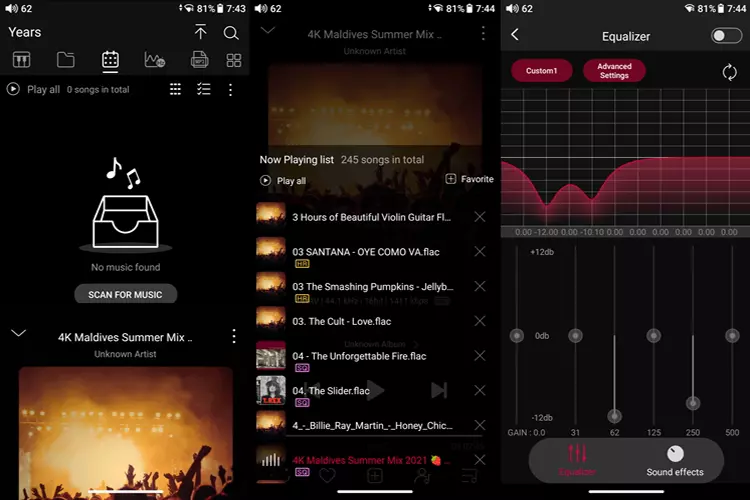
FiiO Music Player is the default music player on the M33 R2R and is pre-installed.
Navigating through it, I see that it is a relatively simple player compared to other music players I use. I imagine it is not resource-hungry, so it consumes less power and provides longer battery life.
For sound enhancement, the FiiO Music Player includes a 10-band parametric EQ similar to a system-wide global EQ.
Still, the global EQ is much more elaborate, with added features such as auto EQ, stereo expansion, compression, and more. I tried using both EQ simultaneously, and they work simultaneously with separate controls and effects.
As expected, all the physical buttons work properly: Play/pause, skip forward, skip backward, and long-press to fast-forward and fast-backward.
Third-Party Music Players
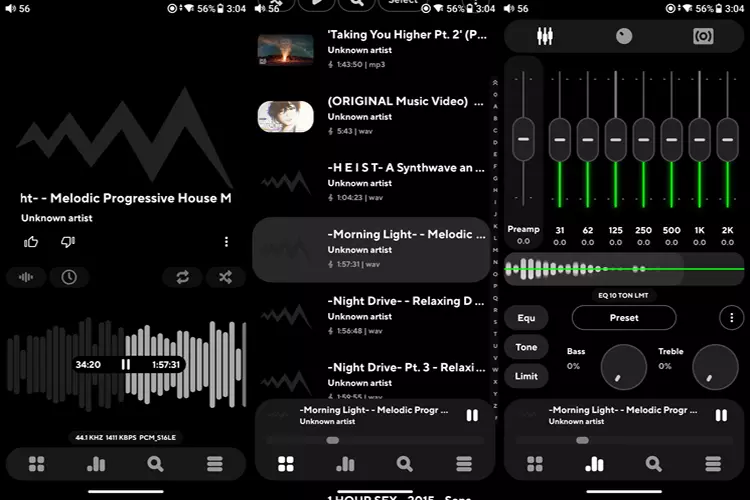
I installed PowerAmp music player together with all other apps when Google prompted me to install all the relevant apps on my phone.
As expected, PowerAmp works just as it should; every function works, and it works from the get-go. I never had to change the output in PowerAmp due to conflicts like on my other Android DAP.
All the physical controls work as they should; however, the skip-forward/backward and fast-forward/backward actions are not as smooth as in the default M33 R2R player, the FiiO Music Player.
It is serviceable, though. But when I press the forward or backward buttons when the screen is off, the sound stops, and I have to wake the screen and press play on the touchscreen to resume the music.
PowerAmp works flawlessly with my other DAPs, but I still think this is a PowerAmp issue, and I hope for a PowerAmp update that fixes it.
USB Audio Player Pro, or UAPP, is a very advanced music player with plenty of features and many adjustable parameters.
As expected, it works very smoothly with the M33 R2R, with no lag. The physical buttons work. However, the long press to fast-forward/backward the music does not work.
Streaming Apps
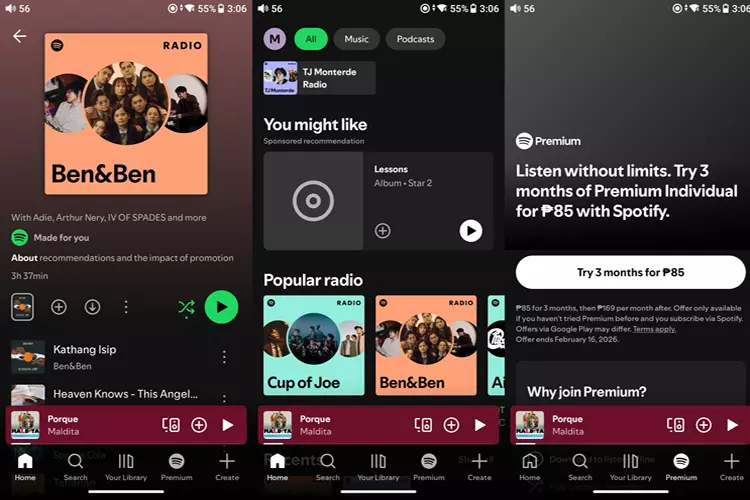
Spotify works well, sounds good, and responds quickly with the M33 R2R.
The only limitation is that the controls are forward-only, and I cannot scrub through the progress bar because I have a free Spotify account rather than the premium version. This is not the fault of the M33 R2R.
YouTube Music Works flawlessly, with no lag or signs of incompatibility or instability with the M33 R2R. All physical buttons function as intended, and the UI is perfectly functional.
Wireless Connectivity
Bluetooth
As a transmitter
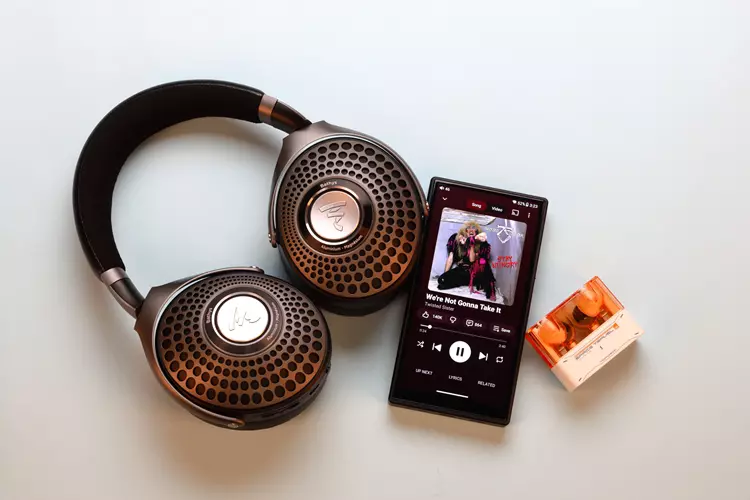
After the fuss-free initial pairing with my Focal Bathys, Sony WF-1000XM5, and MOONDROP Space Travel 2, subsequent connections are fast. I experience minimal latency when watching videos or playing simple games on the M33 R2R.
The M33 R2R connects via Bluetooth 5.0 and supports SBC, aptX, aptX HD, LDAC, and LHDC codecs.
It has good signal strength, whether in my pocket or in the next room with a concrete wall; there were no signal interruptions. The signal would only cut off if I were far away, like more than 30 feet.
As a receiver
To enable Bluetooth audio reception, the M33 R2R must be switched to Bluetooth reception mode in the mode selection drop-down menu shortcut.
After the initial pairing with my phone, the subsequent connections are fast and fuss-free—my Phone and the M33 R2R connected via LDAC, which is currently the best Bluetooth audio codec.
The M33 R2R uses Bluetooth 5.0 and can receive SBC and LDAC codecs. It has good reception, whether in my pocket or in the next room with a concrete wall; there were no signal interruptions. The signal would only cut off if I were far away, like more than 30 feet.
WiFi
After the initial WiFi connection, the M33 R2R’s subsequent connections are fast. There is no noticeable lag when navigating through the apps, and the signal strength is strong, as with my flagship phones.
I tried downloading and uploading files from a cloud drive, and the transfer speed is fast, just like my phone.
Wired Connectivity
As a digital source
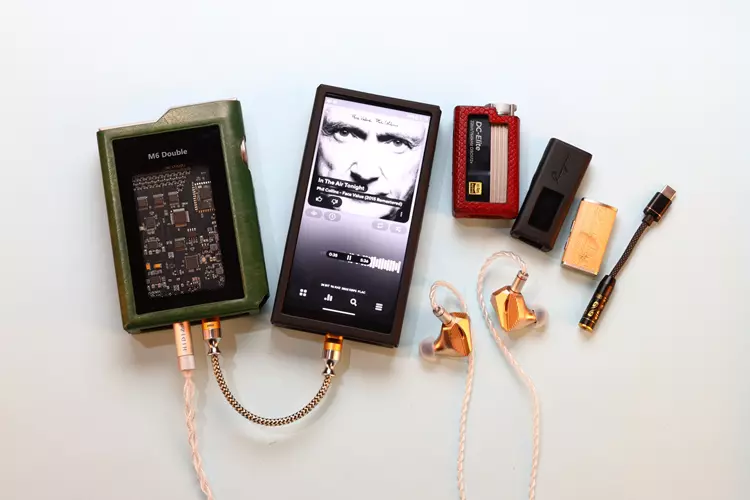
The M33 R2R works flawlessly as a transport or digital music source for all my small dongles and battery-powered DAC/amplifiers, including the iBasso DC-Elite, MUSE HiFi M6 Double, FiiO Jiezi B, Cayin RU3, and FiiO SNOWSKY Melody without noise and unusual behavior.
The connection is automatic, as there is no need to change any operating mode in the M33 R2R when using external DACs.
As a DAC/Amplifier
To use the M33 R2R as a DAC/Amplifier, set the mode to USB DAC mode in the drop-down shortcut menu. I connected the M33 R2R to my PC, MacBook Pro, and phone without any issues. The pairing is fast, just as my other dongle DACs.
This is different from what I have experienced with most, if not all, of my previous DAPs when used as a DAC/Amplifier; they all have issues.
Some of them need to be restarted when switching from one source to the next, presumably to reset the USB interface.
Some need the USB cable connected to the source first, then to the DAP, to establish an audio connection. Otherwise, it won’t work. I attribute this to the M33 R2R’s use of the XMOS XU316 USB interface chip.
Digital SPDIF Output
On the same page where the 3.5 mm output can be selected as a line out, it can also be selected as a coaxial digital SPDIF output using a separate FiiO cable.
Again, I couldn’t test the sound quality of this output because I don’t have a system that matches or exceeds the M33 R2R’s internal amplifier. So, there is no way to know if there is an improvement.
Click on page 3 below for my sound impressions and recommended pairings.
