

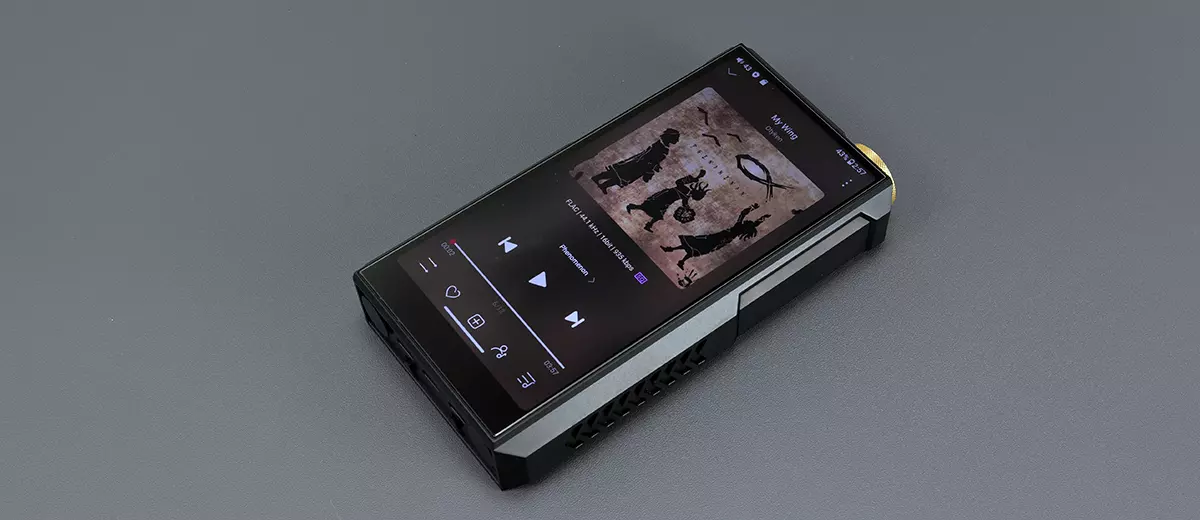
Marcus reviews the FiiO M27, a 2nd generation flagship Android DAP capable of up to DSD512 decoding and 5000 mW of balanced output power. It is currently priced at $1799.00 for the aluminum edition.
Disclaimer: I received this sample in exchange for my honest opinion. Headfonics is an independent website with no affiliate links or services. I want to thank FiiO for their support.
You can click here to learn more about the FiiO audio products previously reviewed on Headfonics.
This post follows our current scoring guidelines, which you can read in more detail here.
The FiiO M27 is the next edition in their monstrous flagship DAP line that debuted with the M17 back in 2022.
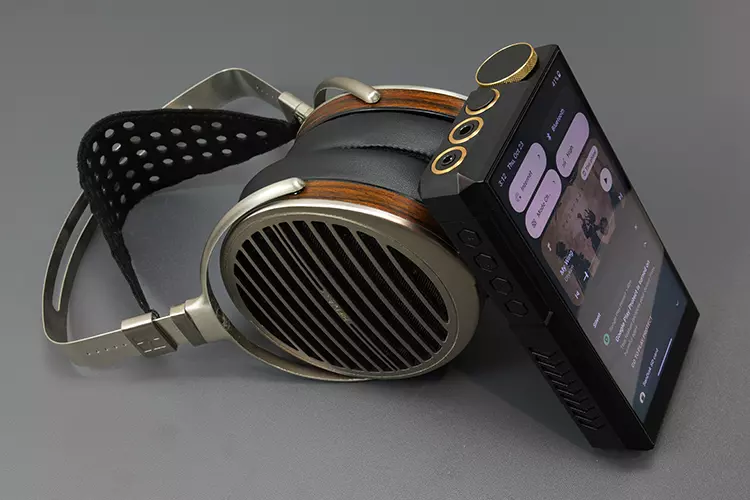
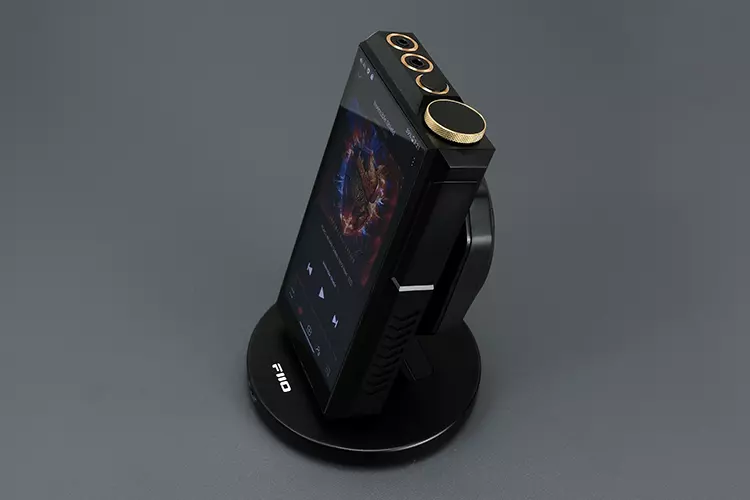
I had my first sighting of the M27 at SIAS 2025 in Shenzhen, and it was an impressive-looking beast sitting on a redesigned DX1+ cradle fan in the middle of FiiO’s booth.
My initial impressions of the sound were hard to gauge accurately in a trade show environment, but it did sound more refined and resolving compared to the older M17. The Android platform also felt much faster to use, which I expected, given the time gap between the old flagship and the new one.
Of course, the big selling point of the M17 was its 3W output capability using its unique power management system. A figure that the M27 has eclipsed at 5W, making it perhaps the most powerful DAP in the market today.
Other DAPs, such as the new HiBy RS8 II and the amp card-swappable DX340, place a lot of emphasis on sound shaping via software or hardware. The M27 seems to be positioning itself as the power-users’ choice of portable player.
A fair statement? I found out exactly how this beast of a DAP performs and compares in my full review below.
Features
The FiiO M27 is primarily sold as the company’s flagship Android DAP, but in many eyes, its size and weight, combined with what it can do, make it more of a transportable media player.
And just what can it do? As a baseline, you can use it like any other DAP with local file playback and plenty of options for balanced and single-ended headgear connectivity.
Since it has wireless capability and plenty of storage options, you can also set it up as part of any local network streaming service or connect to a 3rd-party external music delivery platform such as Spotify or TIDAL.
Wireless includes BT, meaning you are not limited to wired headphones when using the M27. Instead, you can connect using wireless headphones or TWS earbuds or operate the M27 as a remote control interface for your smartphone or iPhone media using apps such as HiByLink.
The plethora of ports combined with a dedicated USB-C power connection also means you can set up the M27 as a digital hub, either as a transport to a 3rd-party desktop DAC or amp via full-sized SPDIF connections and a line-level analog output, or as a USB-DAC via USB-C input.
Decoding
The M27 is equipped with Android 13 and powered by a fast Qualcomm Dragonwing QCS6490 SoC with 8GB RAM. Inside, there is a more modern dual ES9039SPRO chipset configuration compared to the older ES9038PRO inside the M17.
It is capable of up to PCM 32-bit/768kHz and native DSD512 locally and via USB with MQA global decoding support, which is a meaningful upgrade on the M17’s local playback capability of PCM 384kHz-32bit and native DSD256, which, even in 2022, was not top-tier.
If you plan on using a coaxial output, the maximum decoding rates are reduced to PCM 384kHz/24bit and native DSD128. Coaxial input is further reduced to PCM 24-bit/192kHz, the same level as its optical output capability.
Because the M27 is also wireless-capable with bidirectional Bluetooth and WiFi 2.4GHz/5GHz support, you can transmit (BT5.2) and receive (BT5.4) up to LDAC quality, as well as DLNA and AirPlay lossless playback being supported.
The switch from the M17’s older Qualcomm QCC5124 BT chipset to the new flagship QCC5181 means the M27 also has aptX Lossless capability when receiving.
Amplification
The M27’s fully balanced ‘Hyper Drive’ (not THX this time) amplification is the major talking point or key differentiator from competing DAPs.
It follows a similar methodology to the M17 in terms of power management and hardware gain levels, but with noticeable improvements in output power.
Before I break down the new output levels, you will notice right away that the M27 has no DC input.
On the M17, the DC Input enhances output power beyond the battery-only level, and also allows the user to switch to desktop mode, bypassing the battery to prolong its life.
Instead of a DC input, the M27 has a dedicated 35W-capable fast-charging USB-C port that delivers the same modes and achieves the same outcomes, but without a huge external DC brick trailing behind it. This is a much tidier solution.
So, what exactly are the measurable improvements? Well, for a start, the peak-to-peak voltage has increased across the board. The M27 is now capable of 4.3Vp-p in a balanced low-gain battery mode up to 44Vp-p in its Ultra-high-gain balanced mode (USB-C powered).
That is significantly higher than the M17, which ranged from 2.8Vp-p in balanced low-gain battery mode, up to 35.3Vp-p in Enhanced OverEar Headphone mode using its DC input.
For output power in mW on a 32Ω load, the M27 can deliver 5W in Ultra-high-gain balanced mode compared to the M17’s 3W capability in its highest balanced output setting.
In battery mode, the M27 can deliver up to 2250 mW into the same load compared to the M17’s 1.5W rated capability.
That is a notable power difference between these two DAPs, meaning the M27 is well-placed to drive very demanding headphones such as the DCA EXPANSE, ABYSS’s Diana DZ, and perhaps even the Susvara Unveiled (or Susvara OG).
Design
Form Factor
The M27’s dimensions and weight seem largely unchanged since the M17, perhaps slightly taller and marginally narrower.
It is still a beast of a DAP, weighing 556g and measuring 157.4mm x 85.1mm x 28mm. Placed beside any other DAP other than iBasso’s DX320 MAX Ti, this is a solid chunk of aluminum.
There is also a titanium version, one which I handled at SIAS 2025 and thought had stunning looks. It is even heavier at 630g with similar dimensions.
Those numbers means the M27 leans heavily into the transportable class with a baggable rather than pocketable portable form factor. You will definitely need both hands to hold and operate the M27
However, as a desktop crossover device, it can be considered a very compact all-in-one unit with its accompanying DK1+ cradle, allowing for more flexible placement in tight spaces.
The M27 comes with pre-installed screen protectors front and rear, and an attractive dark grey leather case for additional protection, as it gets quite warm during battery mode operation.
Aesthetics
The Mecha design language of the M17 has been refined somewhat on the M27. It still has that trademark angular chamfered edging on the chassis; however, many of the buttons on the side panels have been removed.
This allows FiiO to extend the racy RGB lighting and venting grilles, as well as create a more symmetrical visual look to the panel finishing. It feels more streamlined, and subjectively, the M27 looks marginally narrower at the extreme edges compared to the M17.
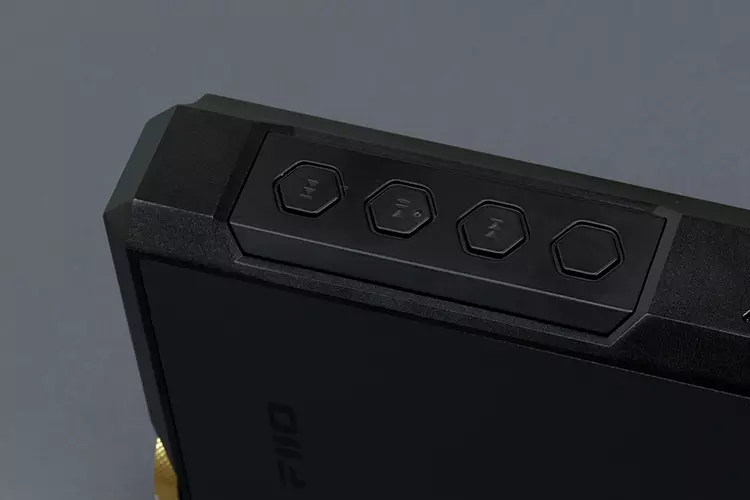
All the physical buttons are now on the left side, with only 4 in total, down from 7 on the M17 (4+3), making this a left-hand dominant player for physical button access on-the-go.
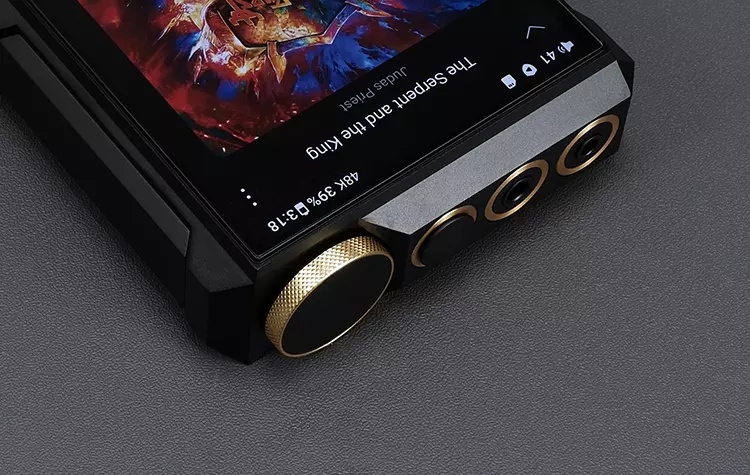
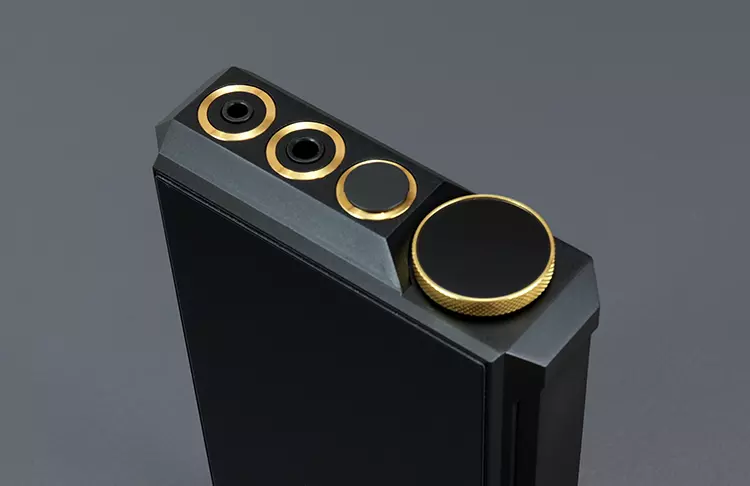
The top panel has had a radical rethink with a simplified jack and volume control layout. On the older M17, this was arranged in a square pattern with the volume dial crafted into the chassis for additional protection.
On the M27, the 2.5mm TRRS support has been dropped, allowing FiiO to arrange the three main 6.35mm, 3.5mm, and 4.4mm ports in parallel and give them a bit more visual pop with gold-plated enclosures and knurling around the volume dial.
It definitely stands out, and in Asia, gold is a winning style. Not quite sure if it has the same effect in Western Markets, but I can assure you it looks beautiful on the Titanium edition.
I/O
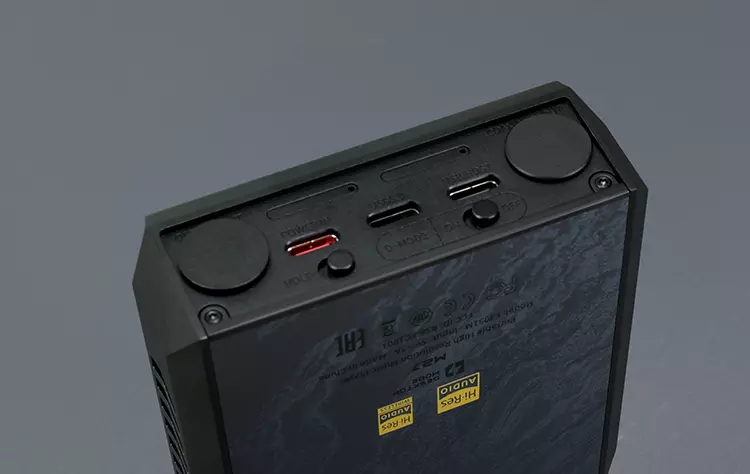
The arrangement and variety of inputs and outputs are what make the M17 look old compared to the M27. I have already gone through the top panel, so I want to focus a bit more on the digital I/O on the base panel.
Here, the DC input is replaced by a smaller dedicated USB-C power port with the USB-C 3.0 and USB-C host ports closer and more centrally aligned.
That creates enough space for a dedicated full-sized optical port on the left and a 2-way coaxial port on the far right, both initially covered with dust plugs. Before, it was just a coaxial output on the M17, so the additional full-sized optical port enhances the desktop crossover theme markedly.
The hold and D-mode (battery bypass) buttons have been moved from the side panels to the base panel just underneath the USB-C ports. A move that helps create that additional space to lengthen the venting design on the side panels.
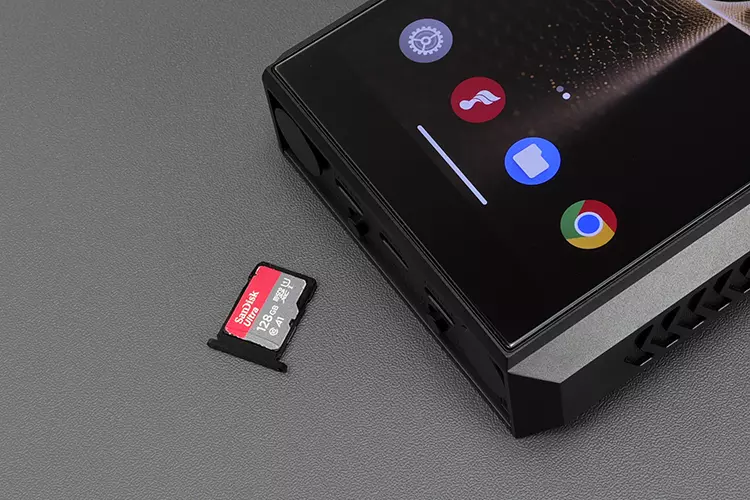
Just above are the new dual microSD slots with a capacity of up to 2TB per slot in addition to the 256GB of onboard internal storage.
The maximum I have is 64GB, but I have to say the initial scanning of these cards was a little bit slower than the HiBy RS8 II scanning speed. Hopefully, future firmware updates will fix that.
Controls
There are a few changes to the M27’s physical control layout compared to the M17. That includes moving the Hold and D-Power buttons from the side panels to the base and refashioning the volume dial into a multifunction dial for power and LCD on/off.
That now means the right side panel is flush without any physical controls, while the left panel remains largely untouched with its playback and multifunction control buttons.
The included leather case for the M27 has a gap for these buttons, which the older M17 equivalent did not have. I appreciate that, as the older case’s leather cover felt imprecise to the touch on the left panel.
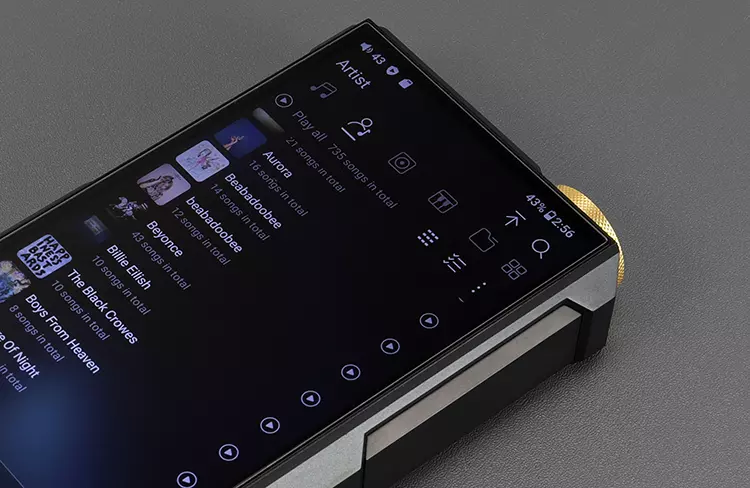
The M27’s large 5.99″ 1080×2160 pixels (FHD+) screen also seems physically unchanged from the M17. It’s a solid screen with good legibility from wide angles and benefits from Android 13’s more extensive dark mode theming capabilities.
However, how these controls blend in and respond to the user’s commands is where the lasting change can be seen.
This is primarily due to the switch from the M17’s Snapdragon 660 SoC and 4GB of RAM configuration to a newer Qualcomm Dragonwing 6490 and 8GB of RAM.
I will go into more details on the performance side on page 2 of this review, but suffice it to say it’s a huge bump in UI speed, touch responsiveness, and multitasking. It makes for a far more enjoyable control experience using the M27.
Power Management
The M27’s Li-ion battery capacity is unchanged from the M17 at 9200mAh; however, it is a different user-replaceable battery from the M17 version with 35W fast charging capability, reducing a full charging cycle from 4.5 hours to 3 hours (PD3.0) and offering a higher voltage of 4.2V compared to 3.9V.
The rated playback time of the M27 is 9 hours single-ended and 8 hours balanced using a local playback mode.
This might seem less than the published 10 hours and 8 hours equivalent of the M17, but you have to dig into the test conditions to spot that the M17 weighting was on low-gain, and the M27 weighting was on Super High Gain Mode.
That should mean a repeatable test on the M27 low-gain mode will give you better numbers than the M17, but as with any Android DAP, it just depends on the tasks you are doing and the load you are placing it under during playback.
As with the M17, you can bypass the M27’s battery completely by using the unit’s D-Mode, combined with a power connection to the USB-C dedicated power port on the base panel.
This also opens up the Ultra High Gain mode, improves voltage output, and enhances output power to a maximum of 5W.
If you keep the M27 in battery mode and connect the USB-C power port, the power management is split between the battery for digital and the USB-C connection for amplification.
You will not be able to access the highest gain level, but you will reduce your reliance on the battery and ensure longer battery life.
Packaging & Accessories
The M27 comes in a large box stuffed with a ton of accessories, including the new DK1+ cradle, pictures of which I have posted a few times already.
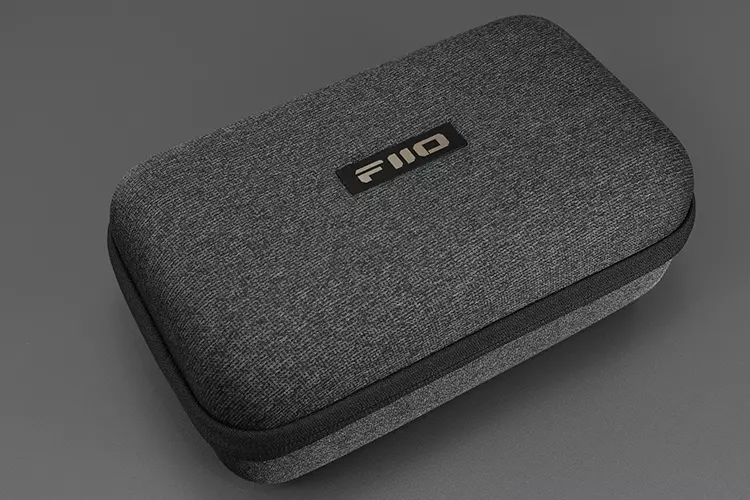
Everything is either stuffed into a purpose-made slim box at the base of the packaging or inside a new multi-purpose pill-shaped zippered carry case with multiple pockets and layering inside.
The cradle comes flat-packed, so you will have to install it using a small set of instructions, though, to be honest, it is quite easy to understand what to do without them.
I would say, however, the included Allan key is a bit too big and awkward to use with the screws, so if you have a small Philips Head screwdriver, I recommend that one as it is a lot faster.
Aside from that, you get the new grey leather case with enhanced button access, integrated cooling gel, and a larger heat dissipation plate on the rear. It uses a Velcro flap rather than the M17’s tucked-in variant and feels a little more secure as a result.
Aside from those, you also get a cleaning cloth, a pin tray tool for memory card access, a USB-A to Type C adaptor, a long USB-A to USB-C cable, and a shorter USB-C to USB-C alternative.
Click on page 2 below for my software impressions
