

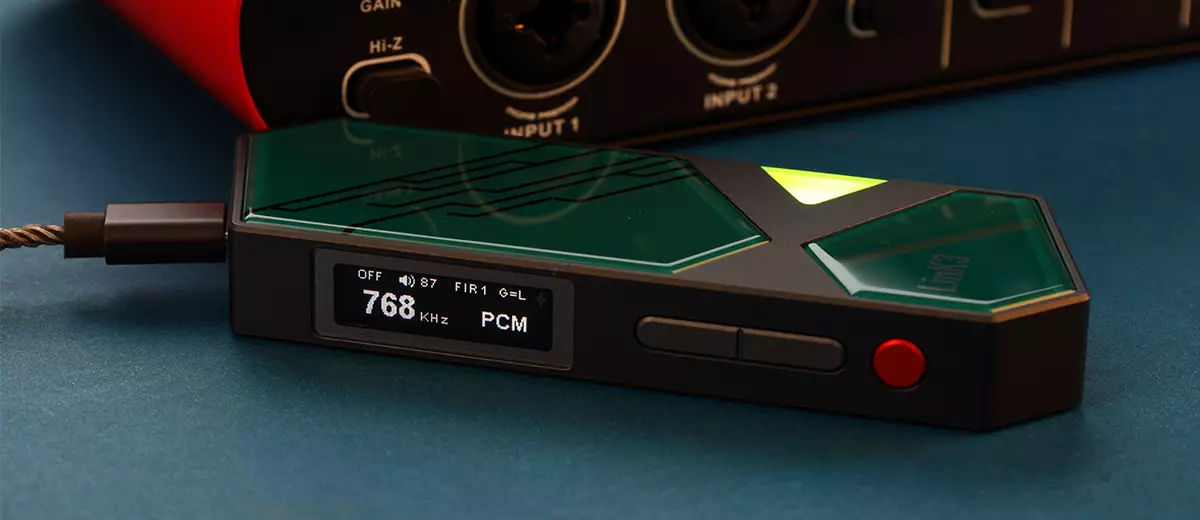
Marcelo reviews the xDuoo Link3, a new dongle DAC with a microSD slot for expanded storage capacity and up to 1W of balanced output power. It is currently priced at $219.
Disclaimer: This sample was sent in exchange for my honest opinion. Headfonics is an independent website with no affiliate links or status. I thank Shenzhen Audio and xDuoo for their support.
Click here to read more on xDuoo products that we have previously reviewed on Headfonics
This article follows our current scoring guidelines, which you can read in more detail here.
Ever since I started reviewing portable audio products, I have always held xDuoo in high regard for its DACs and amplifiers. This view has been solidified after reviewing the high-performing xDuoo XP-2 Bal and the xDuoo Link10.
Today, I’m going to review the newly released xDuoo Link3, which has an MSRP of $219.
It’s a premium price for a dongle DAC, but the xDuoo Link3 is unique and special, which makes its price truly worth it.
What makes the xDuoo Link3 unique is the inclusion of a MicroSD card slot, which extends the storage capacity of the source device.
xDuoo Link3 can also act as a high-speed microSD memory card reader, and has a maximum power output of 1000 mW, which is unusually high for a dongle DAC and amplifier.
On paper, the xDuoo Link3 is quite impressive, but how does it sound? And how does it perform compared to stalwarts such as the xDuoo Link10 and iBasso DC-Elite? Find out in my review below.
Features
The xDuoo Link3 is a balanced dongle DAC amplifier featuring two of the latest ESS SABRE DAC chips, the ES9039Q2M, the mobile version of the flagship ES9039PRO DAC chip found in desktop DACs costing thousands of dollars.
The latest USB processor, the XMOS XU316 16-Core USB Processor, ensures lag-free performance. The USB interface can support UAC 1.0 and UAC 2.0 and act as a USB HUB to extend the phone’s storage capacity up to 2 TB.
Plugging a USB-C power supply into the extra USB power input port will increase the Link3’s power output to 1000 mW from the 700 mW rating in the normal, no-external-power-supply mode.
Other features include 3.5 single-ended and 4.4 mm balanced output jacks, Hi and Lo gain, TFT color display and sampling rate LED, PCM 768kHz & DSD512 support, and 100-step independent digital volume control.
Design
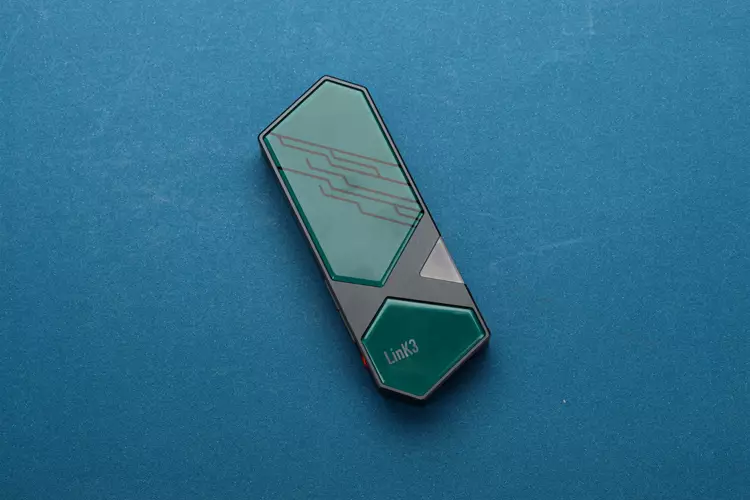
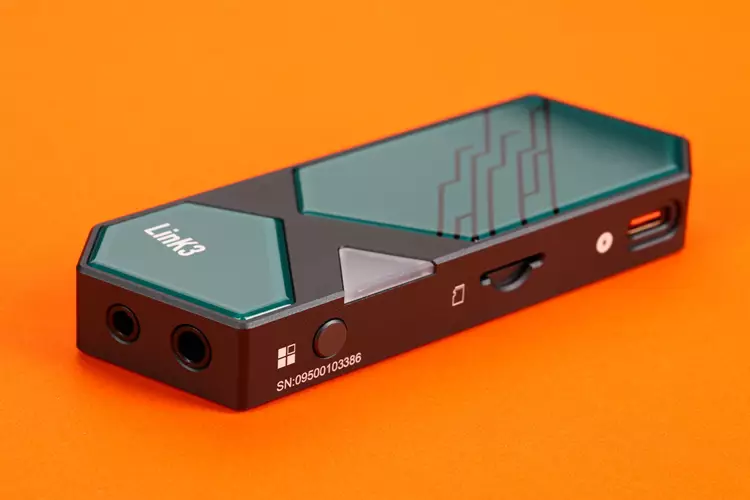
The Link3 chassis is CNC-machined from a single piece of aluminum alloy, with tempered glass on the front and back, and finished with a durable dark grey anodization. There is a lanyard mount near the USB-C port.
The Link3 is a large, heavy dongle DAC, measuring 10.7 × 3.8 × 1.5 cm and weighing 70 grams, which can be cumbersome to use on an excursion. I also like the retro, sci-fi, military aesthetic.
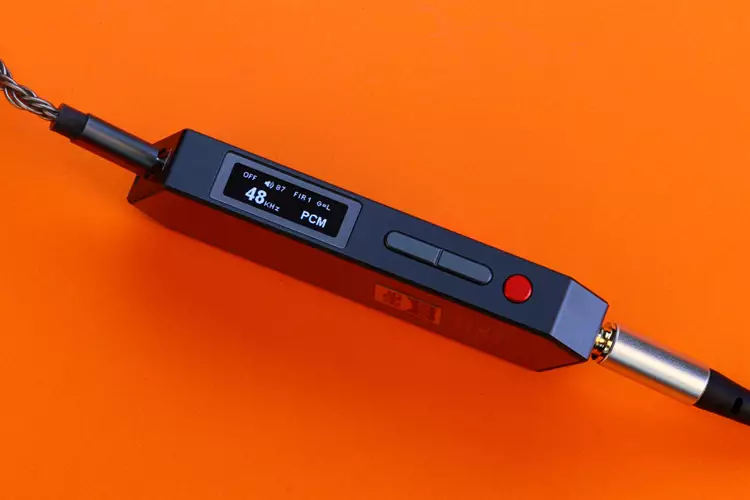
The Link3 features a small but very legible 22 mm x 6 mm TFT color screen with vivid color and contrast, and a very good viewing angle. The product page and manual say it is a TFT screen, but to me, it looks like an OLED screen, given its quality.
The display’s color and brightness can be changed, up to seven colors including white, orange, yellow, green, violet, cyan, and lime, with five brightness levels.
In addition, a triangular LED indicator at the front indicates the sampling rate through color coding. Red for 44.1 to 48 kHz, cyan for 88.2 to 96 kHz, yellow for 178.4 to 768 kHz, and white for DSD 64 to 512.
I/O
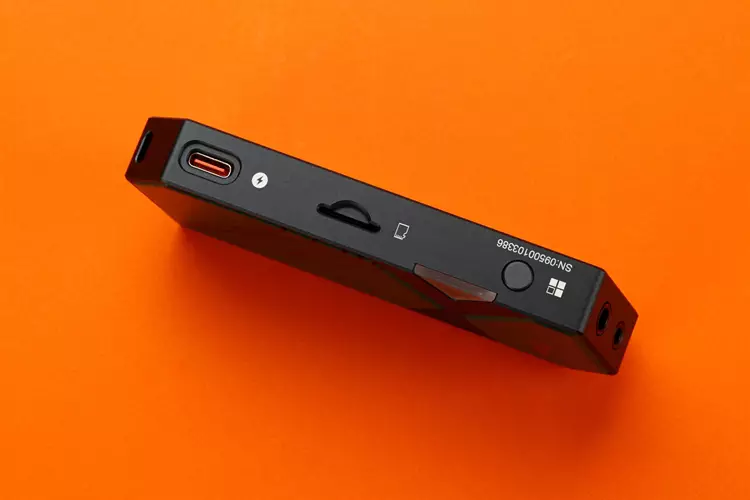
Due to the addition of an extra USB-C power input, the Link3 has an unconventional I/O layout. While the 3.5 mm and 4.4 mm output jacks are at the bottom and the USB-C input is at the top, the USB-C power input is on the top-right side.
I wish the USB-C power input port were located at the top, beside the USB audio port, for aesthetic neatness when both ports are used.
In the manual, xDuoo states that plugging in a USB power source will increase the power output and charge the connected phone, and that it is compatible with the PD 3.0 protocol.
Just below the USB-C power input port is the MicroSD Card slot, which expands the storage capacity of the source phone or DAP to up to 2 TB.
To use the microSD card slot, the input mode must be set to hub. Please note that xDuoo warned that this mode of operation increases the power consumption to 5V/0.38A.
I was able to use the Link3 as a card reader for my PC and phone and tested the transfer speed from the Link3 to my new Windows 11 PC with the latest parts.
I get only about 33 MB/s maximum transfer speed when transferring songs and movies using a 1 TB SanDisk Extreme MicroSDXC V30 A2 card.
UAC 1.0 & 2.0
The Link3 USB-C input port is compatible with UAC 1.0 and UAC 2.0. For optimal music listening, use UAC 2.0, as it supports the highest bit rate and resolution allowed by the USB receiver. UAC 2.0 is the default mode.
Use UAC 1.0 for gaming consoles, as it is more compatible with a broader range of USB sources, particularly those used in gaming consoles and old PCs.
USB-DAC
Thanks to its modern design and parts, the Link3 is highly compatible with various USB sources. It connects instantly with all the sources I tried: PC, laptop, phones, and DAPs, with no hiccups.
Under no circumstances did it require a driver, and thanks to the UAC 1.0 feature, it should be compatible with older PC and gaming consoles.
There was no noise when I plugged the Link3 in or out of my phone or DAP, and I heard no radio-frequency interference, even when I placed it behind my phone.
Controls
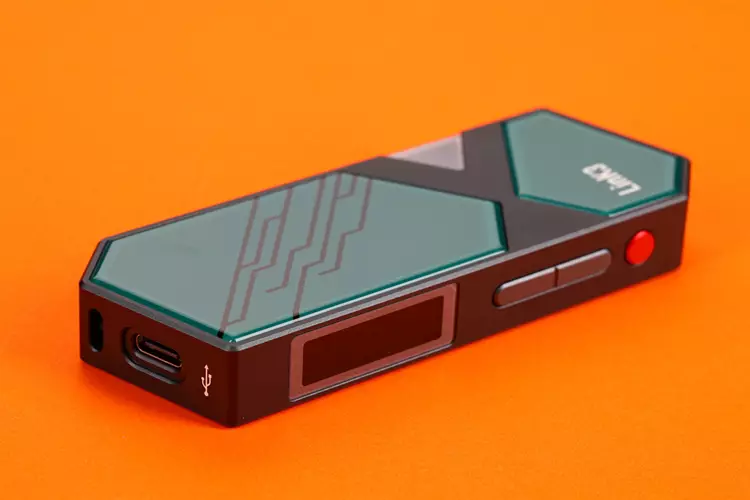
There are only four control buttons on the Link3: one on the left side and three on the right side along the display screen. The three control buttons along the screen serve as play/pause, forward, and backward.
Changing the settings on the Link3 is very easy and intuitive; I managed to do so without reading the manual.
Controlling the Link3 involves long-pressing the button on the left side and then using the volume control to select the items and pressing the red button to confirm.
The buttons themselves feel firm and high-quality; they never rattle when the Link3 is shaken.
I’m glad that the Link3 features non-volatile memory for settings, which means all setting changes are retained and do not revert to the default, which is very annoying after every use.
Filter settings
There are four digital filter settings on the Link3, which are indicated as FIR 1 to 4 on the screen.
After consulting the manual, I found out that FIR 1 is Minimum Phase, FIR 2 is Linear phase fast roll-off apodizing, FIR 3 is Linear phase fast roll-off, and FIR 4 is Linear phase fast roll-off low ripple.
I forgot what the default setting is, and I’m not sure if it is FIR 1, but the difference in sound is negligible and almost unnoticeable, so I just set it to FIR 1.
EQ
The Link3 includes four EQ presets: music, movie, games, and off. There is no custom EQ that the user can set. It would have been nicer if the Link3 included app support for EQ customization, but it’s not a deal-breaker for me.
Gain
The Link3 can be set with low and high gain. When I set the gain to high, I hear no noise even when using IEM, so I decided to keep the gain setting to high all the time.
Plugging in an extra power supply via its USB-C port increases the gain and increases its power from 700 mW to 1000 mW; the loudness difference when I plugged in the power supply is minimal.
Battery Heat & Charging
During normal use, in the UAC 2.0 USB setting, with no MicroSD card inserted and no USB-C power source plugged in, the Link3 runs very warm.
It has above-average battery consumption, based on my observations during the burn-in period. I noticed it gets even warmer when a MicroSD card is inserted.
I have an inconsistent phone charging experience with the Link3 through its USB ports.
Using the Link3’s stock cable with either my MacBook Pro charger, a 60 W PD charger, or a 20 W PD Gan charger, charging is unpredictable.
Sometimes the phone would charge but wouldn’t play music through the Link3’s output, and sometimes the music would come out of the Link3’s output, but the phone wouldn’t charge. This also happens when I use an expensive ddHiFi-branded USB-C-to-C cable.
However, I had a very consistent experience with the stock cable from the Cayin RU3 DAC, which is also included in this review’s comparison. It works every time, and charges and plays the music at the same time consistently.
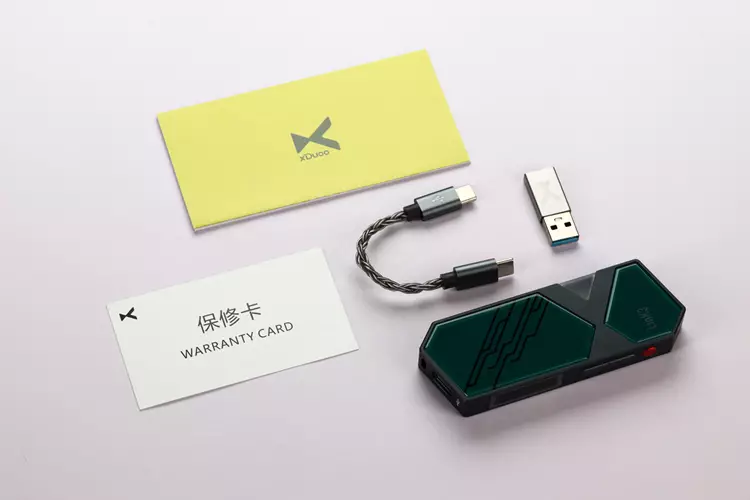
Packaging & Accessories
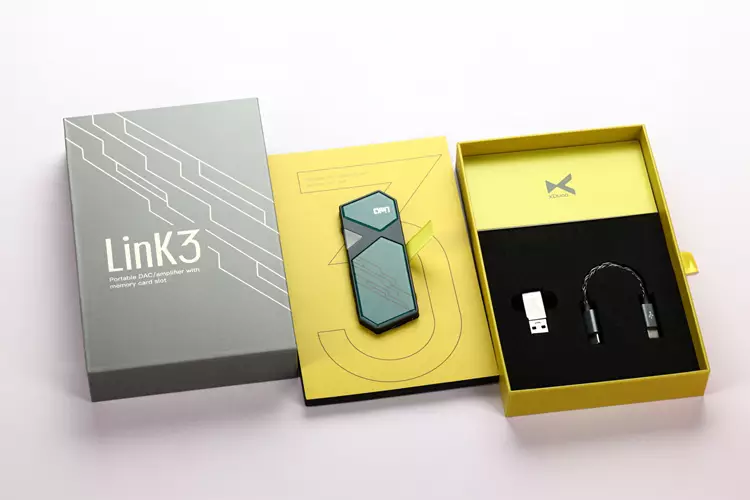
The Link3 packaging is practical, straightforward, yet sophisticated in design; it’s a flat, grey box with a sliding inner box with cardboard and foam dividers.
It contains the Link3, user manuals, a short USB-C-to-USB-C cable, and a USB-A-to-USB-C adapter.
Sound Impressions
I performed my standard 24-hour burn-in to monitor the Link3’s battery consumption and heat output before conducting my critical listening.
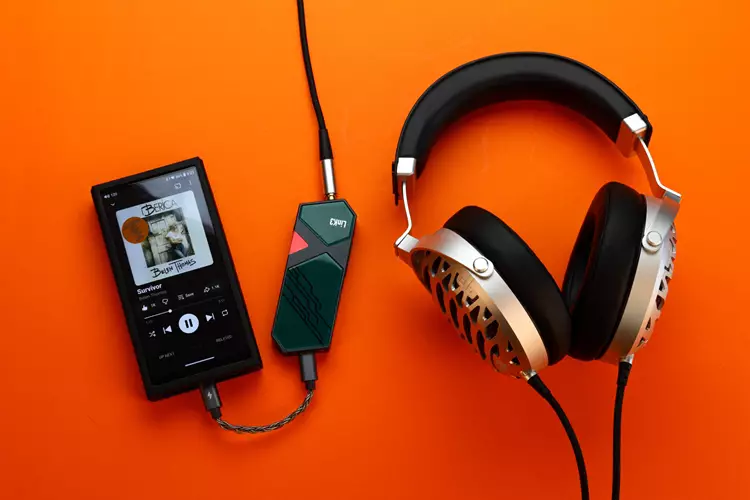
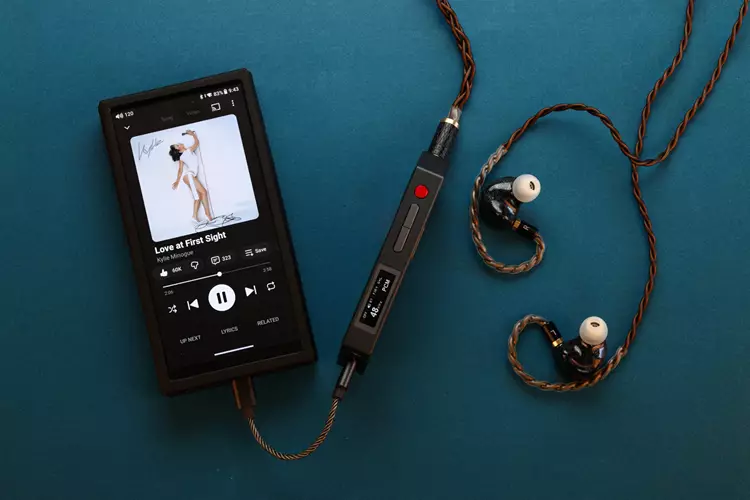
For this, I used my DUNU Falcon Ultra, Tipsy M5, and QoA Martini IEMs, as well as the FiiO JT7, TANGZU OX Demon King, and Sennheiser HD 6XX headphones.
I used the Link3’s stock USB-C cable and either the 3.5 mm or 4.4 mm output jacks with my Android phone and the FiiO M33 R2R as the primary digital sources, using YouTube Music, the UAPP, and PowerAmp.
The Link3 was set to its UAC 2.0, high gain, EQ off, and FIR 1 filter in normal mode; no external power supply was used.
Summary
The first thing I noticed was the tremendous bass output from the Link3, which is impressive given that this is a dongle DAC.
The bass is characterized by a powerful presence, with a punchy, detailed sound that is neither too tight nor too loose, is well controlled regardless of the music, and never seems to run out of breath, driving my IEMs and headphones.
The overall Link3 sound signature is subtly U-shaped, with the bass and lower midrange slightly elevated, the upper midrange relaxed, and the upper treble energetic. The tonality is on the warm, thick side, yet it never sounds muddy or congested.
The resolution and detail retrieval are above average, but not the best and most nuanced sound I’ve heard. Link3 seems to sacrifice a bit of resolution in exchange for a warmer, thicker, more analog sound rather than an analytical, neutral one.
Coloration
Due to its subtly U-shaped sound signature, the Link3’s upper midrange and lower treble sound slightly dark, making female vocals and some instruments feel laid-back. There is also a notable elevation in energy on the upper treble to counter the energy in the bass.
I noticed that the Link3 is not the most transparent-sounding around; it seems to favor warmth and pleasantness over a thinner, neutral, and more transparent sound. However, it still has above-average transparency.
Staging & Dynamics
The Link3 has an above-average soundstage size with above-average height, width, and stage depth. It is not the most spacious-sounding I’ve heard, but it never feels claustrophobic either.
The overall staging performance is satisfactory. I hear nice lateral panning across the soundstage, front-to-back layering of the vocals and instruments, and nice definition and presence in the center vocals.
One of the first things I noticed about the Link3 is that it has fantastic dynamics for a dongle DAC; it is dynamically similar to bigger battery-powered BT DAC/amplifiers.
The Link3 has no issues driving difficult-to-drive IEMs and headphones, and doesn’t seem to be limited in current delivery.
Generally, I hear an energetic bass and treble with plenty of dynamic headroom to spare, even at high volumes.
Click on page 2 below for my recommended pairings and selected comparisons.
