

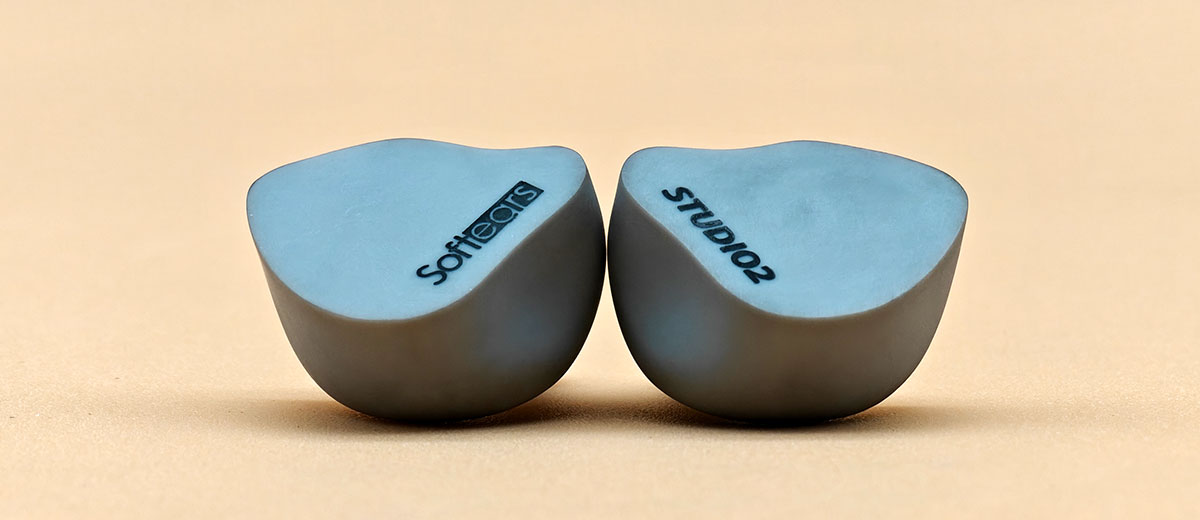
Kurt reviews the Softears Studio 2, a new dual balanced armature driver universal in-ear monitor tuned for studio professionals and stage artists. It is currently priced at $169.
Disclaimer: This sample was sent to me in exchange for my honest opinion. Headfonics is an independent website with no affiliate links or services. I thank the team at Softears for their support.
Click here to read more about Softears products previously reviewed on Headfonics.
This article follows our latest scoring guidelines, which you can read in more detail here.
Softears has built a strong reputation for consistency, with nearly every release becoming a standout in the IEM community. Models like the Twilight, RSV, and Studio 4 have all cemented their place as reliable references for tuning excellence.
The Studio 2, however, isn’t a scaled-down version of the Studio 4, but rather an IEM aimed at vocalists and studio professionals.
With two fewer balanced armatures, can the Studio 2 still deliver the same level of refinement Softears is known for? I found out in my full review below.
Features
The Softears Studio 2 features two balanced armature drivers inside each shell, with a Knowles 22955 unit handling the mid and low frequencies and a custom driver dedicated to the highs.
The 22955 is a long-stroke diaphragm driver known for its strong output and is one of the largest BA models commonly used in earphones today.
Driver separation is managed through a combination of physical and electronic crossover components. Each driver is connected to an acoustic tube, reducing overlap and helping maintain control across the frequency bands.
A distinct feature in Studio 2 is its 2+1 acoustic tube system. Two tubes are used for the high and mid-low ranges, while a third one is dedicated solely to subbass, bypassing the acoustic damper found in typical BA setups.
This configuration, labeled as SoftPiral Technology by Softears, improves the low-frequency driver’s efficiency without relying on extra drivers. It enhances low-end performance using a simpler but smarter internal layout.
Design
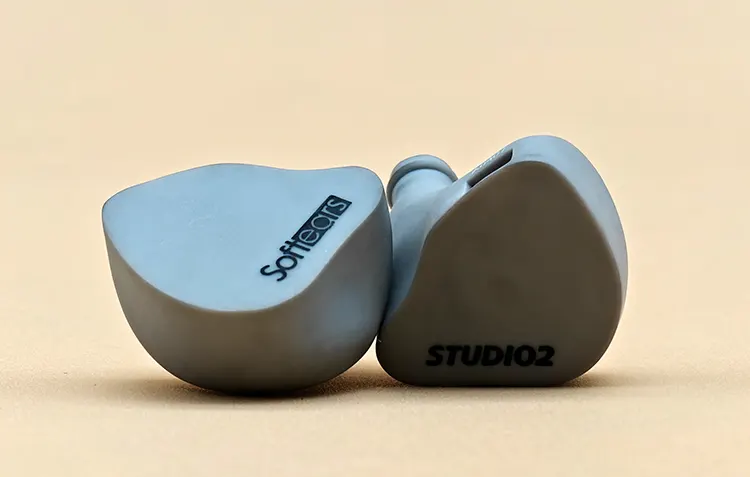
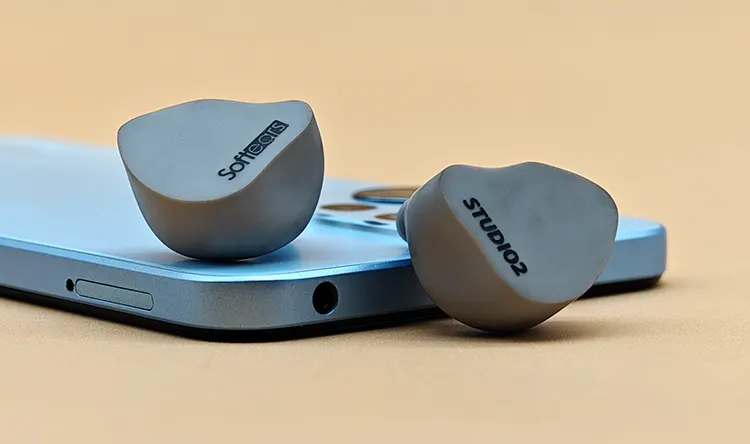
The faceplate of the Softears Studio 2 has a smooth marble-like appearance, with a soft grey finish that gives it the look of polished stone. Its rounded contour curves naturally across the surface, avoiding sharp edges and creating a clean, organic form.
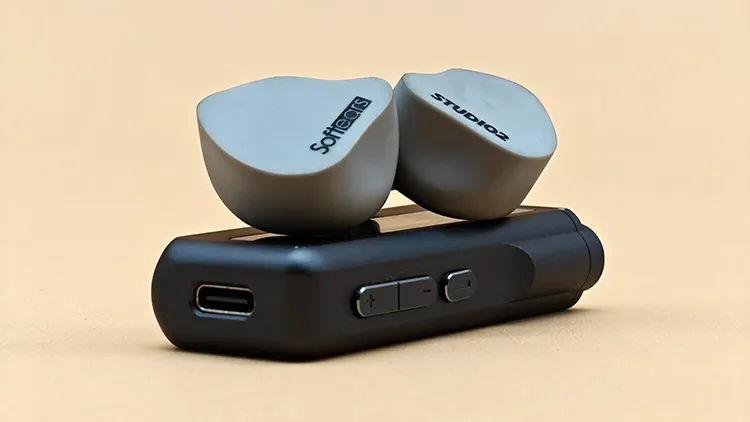
Printed branding sits near the bottom center of each faceplate. The left unit carries the Softears logo, while the right shows the STUDIO2 name in all caps. Both are embedded under the surface and aligned to match the curved slope of the shell.
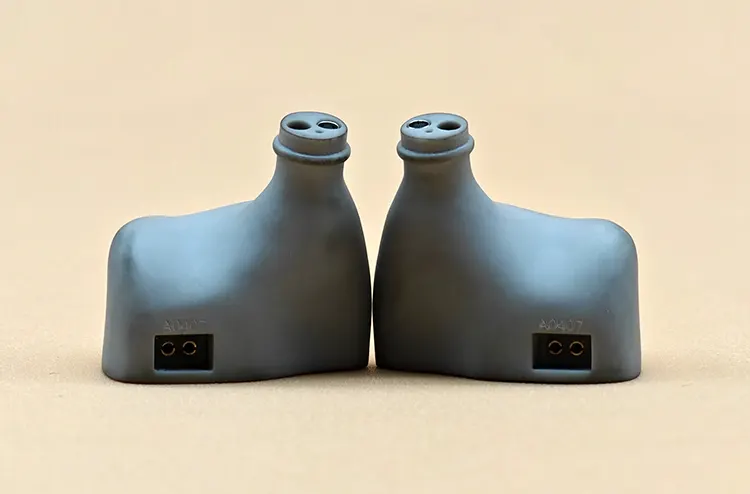
Continuing from the faceplate, the shell uses the same matte grey color throughout. It has no visible seams, no translucent panels, and maintains a soft texture that stays uniform across every surface.
There are no external vents on Studio 2 since it uses balanced armature drivers only. The nozzle is fitted with a locking lip to prevent tips from slipping off during extended use, and the 0.78mm 2-pin connectors sit recessed at the top rear of the shell.
Comfort & Isolation
Isolation on the Softears Studio 2 is among the best I’ve experienced from an IEM. It immediately shuts out ambient noise once inserted, reaching a level of passive isolation that rivals some noise-canceling headphones I’ve used.
The seal is extremely secure and never risks breaking during movement or long sessions. Once in place, the Studio 2 stays locked in without shifting, and the strong seal plays a big part in its high passive noise isolation.
Comfort is equally impressive with its medium-sized shell filling the ear naturally without any pressure buildup. The smooth inner surface and lightweight shell keep it fatigue-free for extended listening.
A CIEM version of the Studio 2 is also available, offering a personalized fit that increases passive noise isolation by up to 32dB from 25dB.
This enhanced fit can block out even more external noise, which is especially useful for stage monitoring or loud environments where consistency and isolation are critical.
Ear Tips
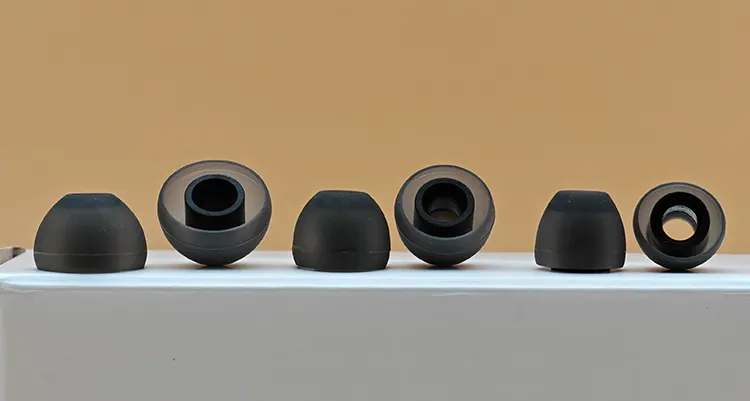
The included ear tips are a set of balanced silicone tips that come in three standard sizes. They use a soft black finish with a smooth outer texture and a slightly flexible inner stem for grip.
Comfort is surprisingly good, with no pressure buildup even after longer sessions. The tips sit securely and don’t lose their seal easily during movement or repeated insertion.
In terms of sound, the tips make the midrange more prominent, moving the focus to it more. This slight shift supports the tuning focus of the Studio 2 as a studio-tuned IEM.
While not standing out in build or material, the included tips do their job well and don’t require an immediate upgrade. They strike a nice balance between comfort, grip, and sound improvement.
Stock Cable
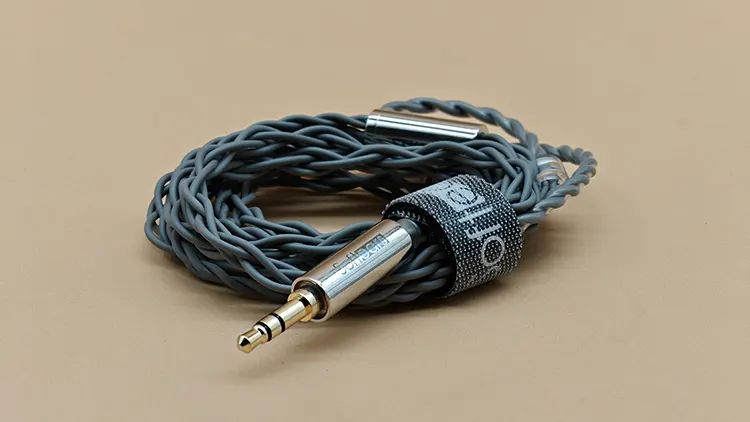
The stock cable included with the Softears Studio 2 uses a grey PVC outer sleeve with a soft and flexible feel. It uses a standard 3.5mm single-ended termination and is bundled neatly with a branded Softears velcro strap.
Connector placement is marked clearly by a red ring on the right side and a clear housing on the left. The left side is designed to match the shell with the “Studio2” print, while the right connector is for the side with the “Softears” logo.
Internally, the cable uses oxygen-free copper wiring arranged in a simple twist-braid structure. It’s easy to handle, doesn’t tangle easily, and doesn’t feel bulky or stiff.
The entire cable is lightweight and sits comfortably during use. While it isn’t modular, the build quality and feel match the Studio 2’s clean and practical theme.

Packaging & Accessories
The Studio 2 arrives in a white box with no graphics or illustrations, only a small Softears logo on the front. The back of the box includes the product label, company details, barcode, and serial number.
Sliding off the outer sleeve reveals an inner box with a flap-top lid and “STUDIO2” printed at the center. The design stays minimal with the same matte white finish as the outer layer.
Opening the lid shows the hard case fitted into a cutout in the middle of the box. Beneath the case is a tiny box divider with icons representing the included accessories.
Inside the compartment are the cable, silicone ear tips in three sizes, a cleaning brush, a microfiber cloth, and a user manual. The microfiber cloth and the ear tips are wrapped in plastic, while the rest aren’t.
The carrying case is a compact rectangular shell made from ABS plastic and fiberglass, similar to something like a Pelican Case but with a Studio 2 label on top. The interior is filled with foam that’s like soundproofing foam, but this one offers drop protection instead.
Sound Impressions
The following sound impressions of the Softears Studio 2 were completed using a mix of the Heartfield R1 and ColorFly CDA-M2 dongle DACs in single-ended mode.
Bass
The bass on the Studio 2 is serviceable at best and leans toward a very restrained presentation. There’s little to no thump or weight coming from the midbass, which keeps it from feeling engaging or rhythmically satisfying.
Subbass presence is minimal, with almost no rumble or physical sensation behind it. Even when tested with tracks that usually bring out low-end extension, the response stays faint and distant.
Detail retrieval in the low end is also limited, making it hard to distinguish between different drum types or bass guitar notes. Hits often blend with a soft, rounded edge that lacks definition.
It doesn’t come off as basshead or even neutral, but more like a bass response that’s intentionally subdued to make space for the midrange. The low end doesn’t interfere with vocals, which lines up with Softears’ intent to prioritize clarity for vocalists and studio reference use.
Mids
The midrange is very warm, making the Softears Studio 2 neither lush nor present. This warmth brings more muddiness and congestion than richness, limiting the sense of space within the mix.
Vocals tend to sound nasally and lack the clarity needed for focus, staying further back in the presentation instead of standing out. There’s a persistent veil over vocal passages, even when tracks should highlight the singer.
Its timbre suffers from the same issues, with both instruments and voices missing their expected natural tone. The result is an unnatural sound that makes tracks feel less lifelike, as the odd timbre becomes noticeable and distracting.
Smaller details and nuanced textures are frequently masked by the thick midrange. Many subtle elements get buried, leaving the overall character closed off and short on air.
Treble
Treble extension is limited, which keeps the Softears Studio 2 from ever sounding airy or lively. There’s very little sparkle at the top, and most upper-end details are left subdued.
Detail retrieval is minimal, with many small nuances getting masked or lost entirely. Hi-hats and cymbals miss their usual texture and definition, coming across with the wrong tone and sounding dull.
No sibilance shows up in the upper range, which is expected with the dark tone of the treble. While harshness is never an issue, the sound lacks any real sense of energy or excitement.
Much like the bass, the treble seems tuned to step back and keep focus on the midrange instead. This approach avoids harshness but leaves the upper frequencies lacking in life and engagement.
Staging & Dynamics
The soundstage on the Softears Studio 2 is narrow, offering little in the way of width, height, or depth to create a sense of space. There is not much immersion, and the overall stage feels closed-in compared to other IEMs in this range.
Imaging lacks precision, with sound placement often cluttered to the left or right rather than occupying distinct points across the stage. Instruments and effects are hard to pinpoint, and layers tend to blur together.
Separation is another weak point, as different instruments and vocals frequently overlap or merge. When tracks get busy, elements can become congested, making it difficult to follow individual lines.
Dynamics presents itself with mostly a flat character, as the midrange remains in the spotlight throughout most tracks. Shifts in volume or intensity don’t stand out, and the presentation keeps everything on the same level.
Click on page 2 below for my recommended pairings and selected comparisons.
