

Software
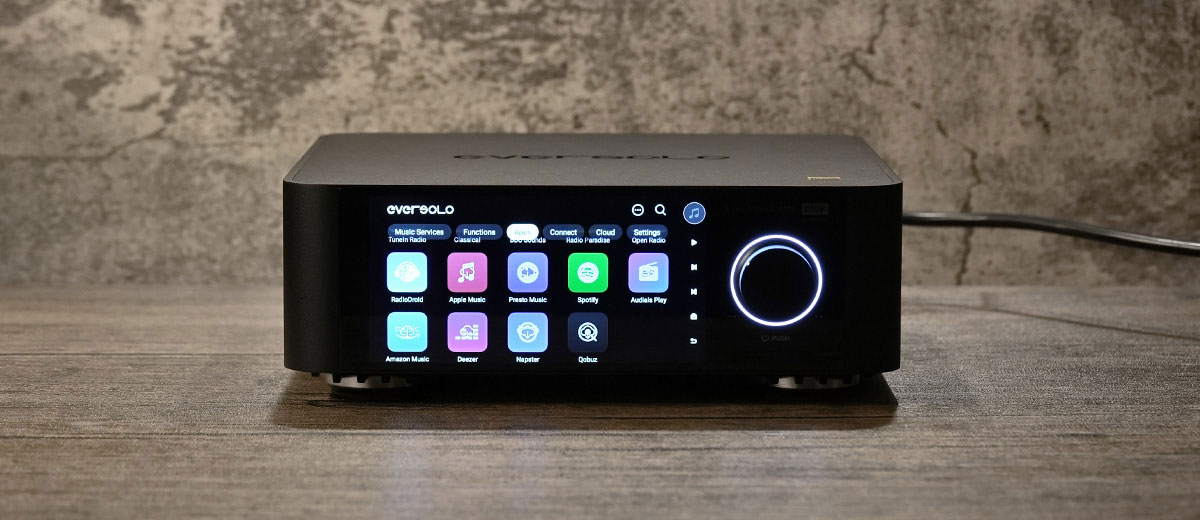
The OS on the Eversolo Play isn’t specified, but it supports global SRC bypass via its EOS engine.
There is also a software feature called EVC, which you may spot when adjusting the volume. This is an algorithm to eliminate errors at different volume levels and keep the output waveform unaltered. Testing at higher volume, the resolution does hold up quite well.
There are 4GB of DDR4 and 32GB of eMMC ROM inside. For local playback, you may want to extend the storage with a portable drive, though for streaming, it would be sufficient.
You can also connect to your NAS over LAN with UPnP/WebDAC and that would make library management even easier.
The experience is very smooth in general, and after a week of use, there is still no sign of force close or delays when swiping. Since you can’t install other applications on top of the customized ones, the device shall operate smoothly all the way.
Navigation
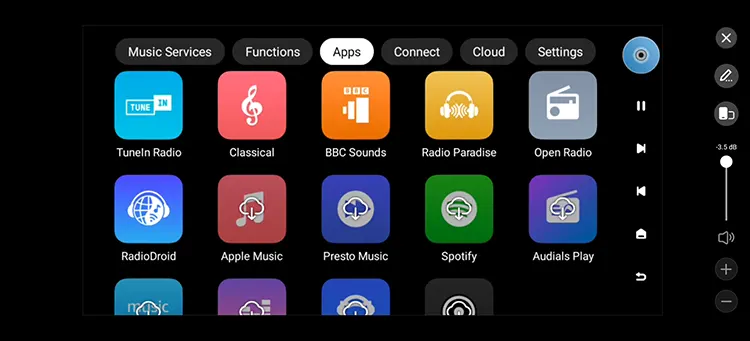
The Play has one of the best customized layouts that is well structured, with useful shortcuts, and doesn’t look hastily put together.
Gesture control on the laminated screen is similar to controlling the phone, and there are always on-screen instructions when you first enter a new function, so you don’t need to refer to the user manuals for help.
In addition, you may try to swipe for alternative visualizers’ effects on the playback screen, which keeps the experience refreshing even after months of using it.
Features
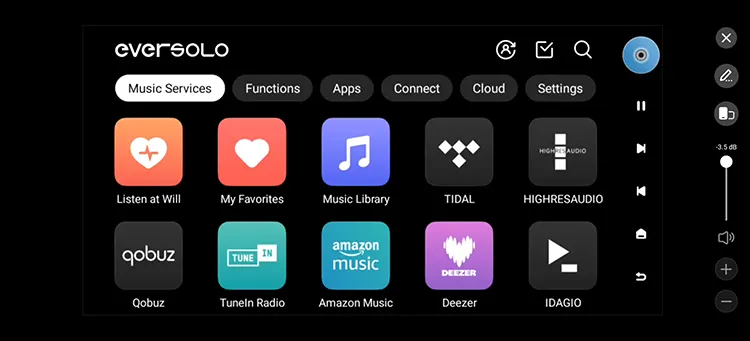
The Eversolo Play supports a wide range of streaming apps, likely the most comprehensive in the market.
You can just download those you need according to instructions on screen, and some of the more common features include Roon Ready, Sony Select, Qobuz, Apple Music, KKBOX, Amazon Music, Tidal Connect, etc.
I am also expecting lossless playback from Spotify and may test this out in the near future, while you can already use Tidal, Qobuz, and Jplay for lossless streaming on the Eversolo Play.
As mentioned, the free radio app services that are ready to download and use are a huge bonus and a good way to discover music from other origins.
Just let the DJs pick a Classical, Reggae, Blues, or any kind of music tracks you have never heard before, and it could be even more fun than just browsing through your collection of music.
There is also a “Listen-at-will” feature, which plays random songs the system helps you select, reminiscent of Sony Ericsson’s SensMe features.
Room Correction
This is one feature I want to highlight, as Eversolo very innovatively allows you to use your phone’s microphone to help detect environmental reflections and help eliminate standing waves or spikes through its internal correction algorithms.
This feature doesn’t require purchasing a microphone or any other measuring gear, and you can plug in an external microphone for more precise measurements.
For example, using a professional microphone like the Eversolo EM-01 for room correction will deliver more precise optimization results.
The process is very simple, you just need to follow the on-screen instructions to record sound impulses from the speakers and receive them on your phone or an external microphone connected.
Then the software will automatically calibrate for you by eliminating boominess or other issues caused by the listening environment.
With some old speakers under tricky, non-symmetrical placement, this could be a lifesaving feature to rectify the performance and to effectively enhance the perceived tonality.
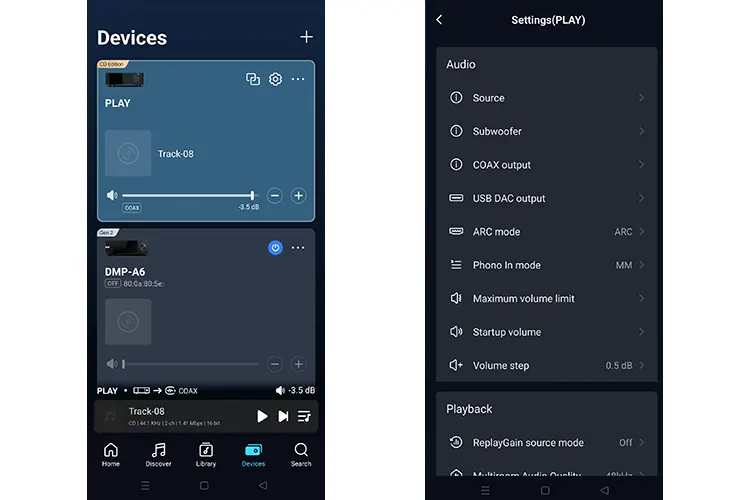
Eversolo Control App
While the on-screen control is easy to use, you may also use your phones and iPads to control the Eversolo Play, which is handier.
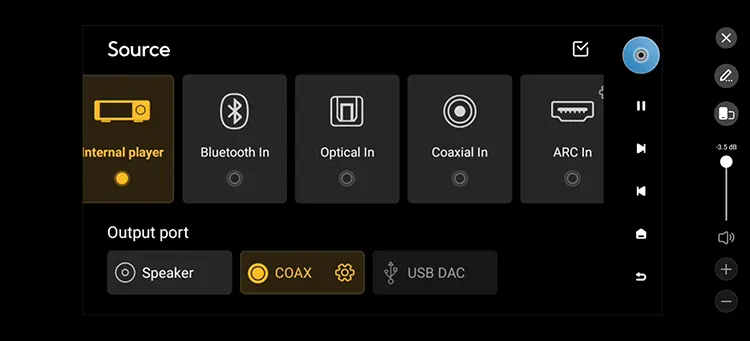
The visual style is also different from the UI on board, which makes it even cleaner and easier to operate, and you can switch between different I/O, control the EQ, and other settings, which would be easier than on the device’s screen.
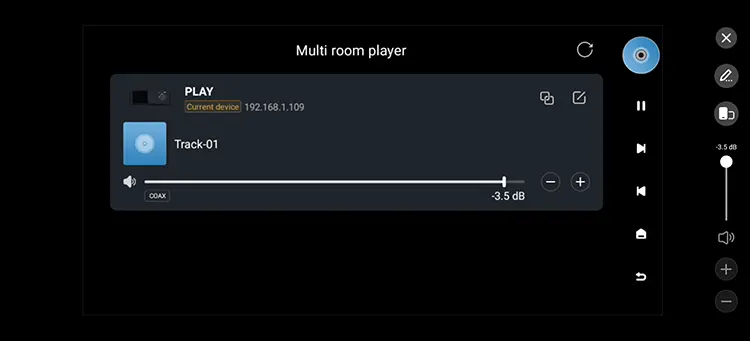
Multi-Room Synchronization
To be honest, this is not something I would use, but for those who operate showrooms, cafes, etc., and want to have multiple setups, this will allow for simultaneous playback by syncing multiple Eversolo units.
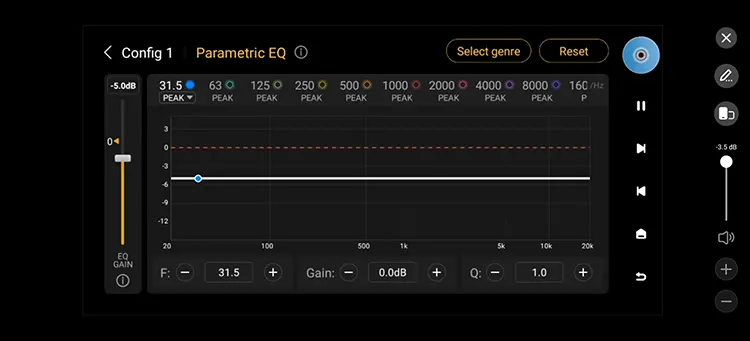
EQ
Aside from the 23 built-in presets that cater to different genres of music, you can access a 15-band graphical EQ and the more precise, 10-band PMEQ features, as well as importing FIR files in the EQ menu.
You can create multiple EQ profiles and apply different profiles for the Speaker, COAX, and USB DAC outputs.
This is self-explanatory, so I am not going to drill too deep, and when paired with passive speakers and subwoofers, this would be a very handy feature to adjust the bass quantity or to press down some spikes.
Do note that it will only work when selecting an output sampling rate below 192kHz and when the playing source is the internal player.
You can also access the sub-woofer control menu to adjust the cross-over frequency and align the phase of the subs and the speakers.
Wake on LAN (WOL)
On top of the Trigger feature that allows users to power on a connected home system simultaneously, the WOL feature allows turning on the device from afar, or if you are placing it on top of the shelf.
This may also be useful if you want to keep the device idling and wake it in seconds to start playing back right away.
This is a nice-to-have feature as Android or Linux-powered OS always need a bit of time to start up, and this would enhance the user experience if you don’t enjoy the wait.
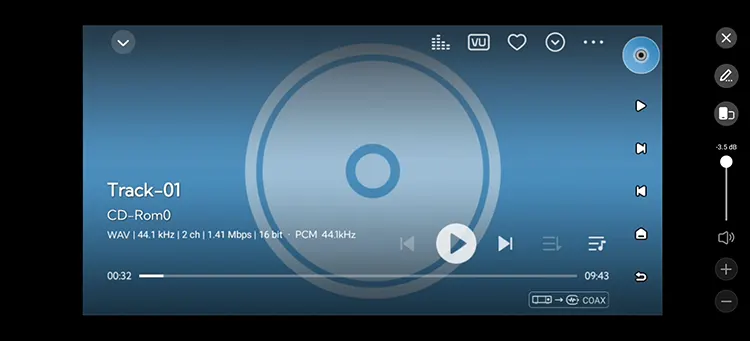
Media Management
The Eversolo Play reads tags in different languages and also tags with .iso/.cue files correctly. Playback from an external device is also smooth.
Generally, the experience is smooth, and navigating my library and metadata are correctly read. I suggest connecting the device to a NAS and managing the folders and file names on a PC instead, and keeping the library in sync.
Connectivity
Bluetooth 5.3
The Eversolo Play is equipped with Bluetooth 5.3, which is ahead of the competition. It supports SBC and AAC Codecs for stable, long-range connections.
This unit doesn’t feature LDAC and AptX LL/ HD connectivity, so if you want to play higher resolution files, it is better to just stream them from a NAS and control them over the phone.
WiFi
The Eversolo play is ROON Ready, JPLAY certified, Qobuz Connect, Tidal Connect, and DLNA supported, which means there are multiple ways to stream lossless music to the system.
As mentioned, it also supports various protocols for NAS connection, such as UPnP and WebDAV, so you don’t need to copy the songs to the device but can access them over the home network and manage the library on the PC directly.
AirPlay is also supported and operates smoothly this time. Select “Play” on your iDevices, and it will instantly start playing back on the Eversolo Play.
USB-Source
The Eversolo Play does NOT support USB decoding for your PC or other USB devices. Despite this, it is a great USB source and can output DSD512 Native and PCM 32Bit/768kHz for other external decoders supporting the UAC standard.
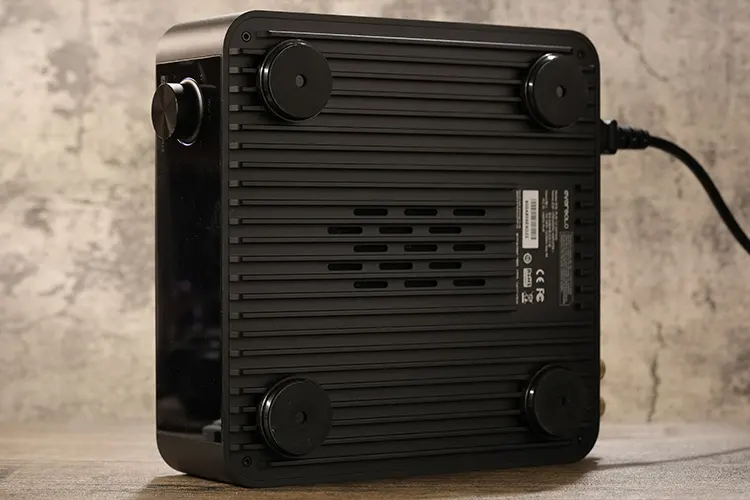
And of course, there are two USB 3.0 ports, which you can use to connect to both external DACs and storage devices simultaneously. I hope Eversolo can include a USB port on the sides in future models so you can plug in storage devices without reaching out to the back.
Sound Impressions
I tested the Eversolo Play by connecting its digital output to the Luxsin X9, the D&A Alpha PRO, and the FiiO K17, as well as trying its speaker’s output as mentioned above.
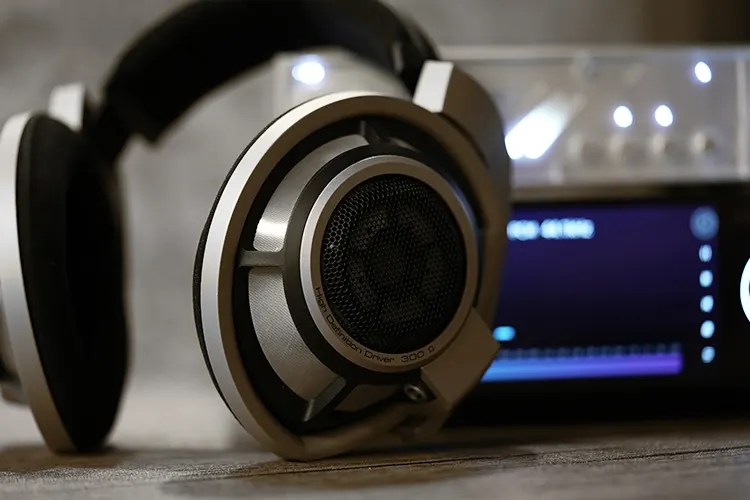
For portable audio, I compared it with other USB sources and COAX sources and listened to it with Sennheiser HD 800s, the FiiO’s FT7, Shanling’s HW600, the HIFIMAN ISVARNA, and the Meze Audio 105 SILVA via the same DAC/Amps listed above, and streaming from Tidal/other online services.
Summary
The Eversolo Play is a robust digital source with excellent software to let you explore unlimited audio content. It has good dynamic range, and the output signal is outlined clearly with satisfactory resolving power, without strong coloration and with sufficient openness.
The output quality scales with a higher resolution file; also, extracting a CD over direct playback sounds better defined and dynamic.
You will notice the output is more resolving and textured when playing local files, and sounds marginally more confined in layering when listening to lossy sources like online radios. Overall, it is still tuned to be dynamic and rather natural in tone.
With the COAX output, it sounds a bit meatier in the lower end, and with the 3 digital outputs, you can connect to 3 decoders simultaneously.
In terms of streaming software support and the overall streaming experience, this device is stellar when compared with the FiiO S15 and the Eversolo DMP-A6 gen2 streamers, both of which have a slightly different positioning.
Timbre
There are some different ways to play with the Eversolo Play. You can route the inputs to a digital output or use the built-in power amplifier for speakers.
Through speakers, it colors the output slightly warmish and outlines the vocals clearly. The bass has good power and punch, with satisfactory air and agility testing with fast BPM Rock music.
The above scenario is not my focus, as I am mainly using and testing the Play player with other decoders to receive digital signals from its USB or COAX outputs and connect to headphones.
Testing with the D&A Alpha Pro DAC/amp, and the RME ADI-2 Pro connected via USB output, the setup sounds very quiet in the background. It delivers a clean, less-colored output with a satisfactory level of details and dynamics even at low volume, with decent extension.
With a COAX connection, it sounds fuller and relaxed in the low end, with the mid bass more elaborated, though the treble may sound more compressed and less airy when compared to the USB output.
Generally, there are ample power, texture, and firmness in the bass, which allows most genres of music to be played with good clarity, and it holds together a concise image that delivers a good sense of accuracy and definition.
As a digital source, it is not very cable dependent and maintains a well-defined output over the different USB cables I tried, and doesn’t seem to color the output when connecting via USB.
One major improvement compared to MacBook USB output is that it offers easily switchable EQ profiles that can be customized for its different outputs, and room correction for speakers.
And of course, you won’t get COAX out directly from the Mac, but such a feature on the streamer allows easier cabling over longer distances.
Staging & Dynamics
Testing with the Hifiman ISVARNA on the D&A Alpha Pro as decoder and headphone amplifier, the bit-perfect USB output delivers a structured, expansive stage with adequate clarity in terms of positioning and imaging.
The vocal can be clearly discerned from the backing, and while it sounds quite resolving and relaxed in the bass, there is sufficient density and punch in the bass to give a dynamic presentation.
Also testing with the RME ADI-2 Pro via USB connection with the Meze Audio 105 SILVA, it delivers a rounded, detailed presentation, especially in the bass, which sounds nicely layered with instruments distinctively positioned.
Both pairings sound clean, dynamic, and controlled, with satisfactory detail retrieval power when paired with the Eversolo Play.
In contrast, the COAX output sounds more colored and slightly more dampened and mid-bass focused, which may favor Jazz, Bossa Nova, and other genres that have a more relaxing vibe.
However, it doesn’t sound as accurately defined, especially in instrumental/vocal image. With USB out, when playing high-resolution files, imaging is clearer and staging is more effortlessly extended.
Click on page 3 below for my recommended pairings and selected comparisons.
