

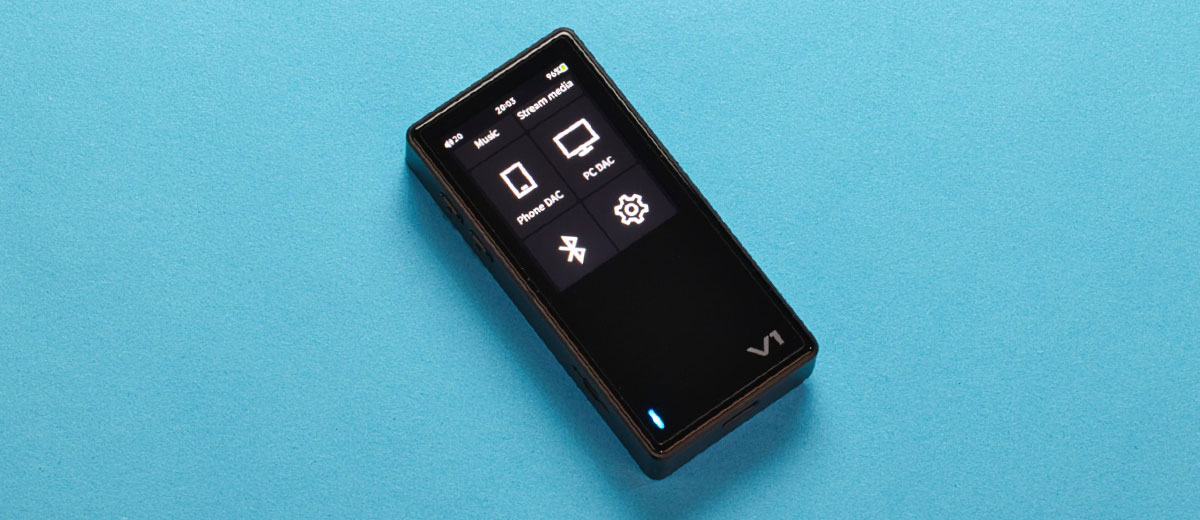
Marcelo reviews the TempoTec V1, a new entry-level Linux-based DAP with up to DSD256 decoding and 215mW of balanced output power. It is currently priced at $109.00.
Disclaimer: I received this sample in exchange for my honest opinion. Headfonics is an independent website with no affiliate links. I thank TempoTec for their support.
Click here to learn more about TempoTec products previously reviewed on Headfonics.
This article follows our latest scoring guidelines, which you can read in more detail here.
Although TempoTec products have been reviewed here at Headfonics, including the TempoTec V3, V3 Blaze, V6, and the March V-M5, to name a few, and have been recommended to me by online friends on multiple occasions before, this is my first time reviewing a TempoTec product.
That said, I’m pretty excited to see how the TempoTec V1 DAP performs, which regularly sells for $109 but can be found at a lower price during sales.
I’m also curious to compare the V1 to other entry-level DAPs, such as the FiiO SNOWSKY Echo Mini and the xDuoo X5. Let’s find out in my review below.
Features
The TempoTec V1 is capable of natively decoding and outputting bit-perfect audio, such as DSD 256 and PCM up to 384 kHz/32-bit digital signals, from lossless FLAC, ALAC, and WAV file formats, as well as lossy MP3 and AAC file formats.
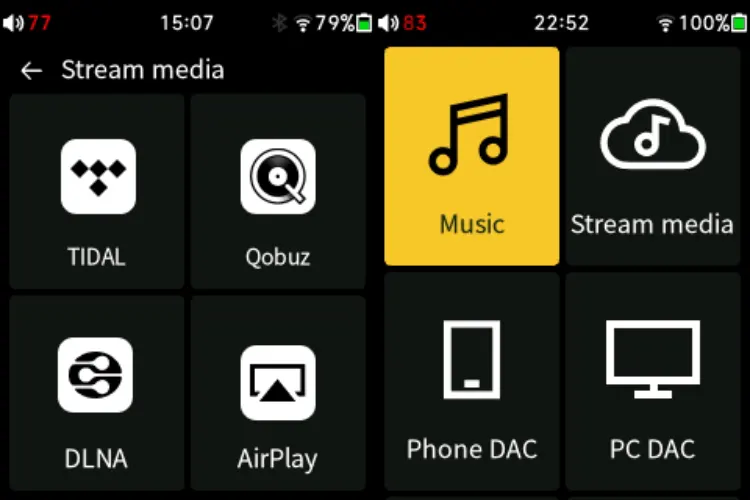
High-quality music streaming services, such as Tidal and Qobuz, are built into the operating software, along with wireless streaming protocols like AirPlay, DLNA, and HiByLink.
The V1 can be used as a DAC/amplifier for a phone, enabling lossless, high-bitrate audio quality when paired with services like HiBy Music, Tidal, and Qobuz.
It’s an Independent Power supply that prevents smartphone power drain and eliminates electrical noise interference from the phone, resulting in cleaner audio.
The V1 can also be used as a DAC/amplifier for PCs, with isolated power and USB noise filtering, which achieves a -120dB noise floor. The V1 also supports decoding up to DSD256 natively and PCM 384kHz/32-bit.
The V1 can act as both a Bluetooth transmitter and receiver, which means it can receive Bluetooth audio signals from sources such as Phones, DAPs, PCs, and other devices that can transmit Bluetooth audio signals.
Additionally, it can transmit Bluetooth audio for TWS earbuds, wireless headphones, and Bluetooth speakers.
DAC & Amplifier
The V1 utilizes the ubiquitous Cirrus Logic CS43131 x 2, one for each channel. CS43131 deserves its popularity due to its easily likable sound quality, characterized by a neutral-warm, slightly analog sound with good soundstage depth, and a low price.
Since no amplifier chips are mentioned in its product page, I presume that the V1 uses the internal amplifier from the CS43131 chip to drive both the 3.5mm and 4.4mm outputs directly at up to 215mW balanced into a 32Ω load.
Design
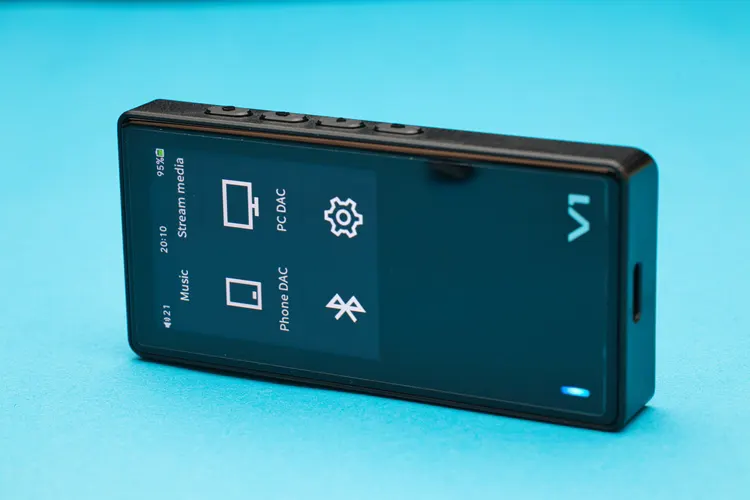
I find the TempoTec V1 aesthetically utilitarian in appearance, with a mix of industrial and modern styles. When looking at its buttons and back, it is tiny for a DAP that features a touch screen UI, measuring 87.2 mm x 41.8 mm x 13.75 mm (HxWxD).
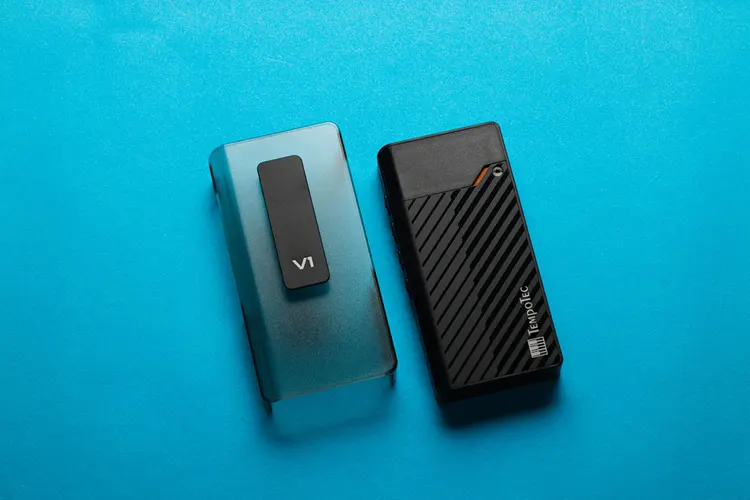
When it was on my table with the back facing up, I mistook the V1 for a vape mod due to its tiny orange accent, logo, and stripes.
The front is fully covered with a tempered glass panel, but the actual touch screen is only a small portion near the top, measuring 2″ diagonally and 240×320 resolution. There is a slightly annoying multi-colored LED indicator near the bottom.
The V1 utilizes a colored screen with adjustable brightness, which is bright enough for most normal situations, and features a good viewing angle. It has reasonable responsiveness.
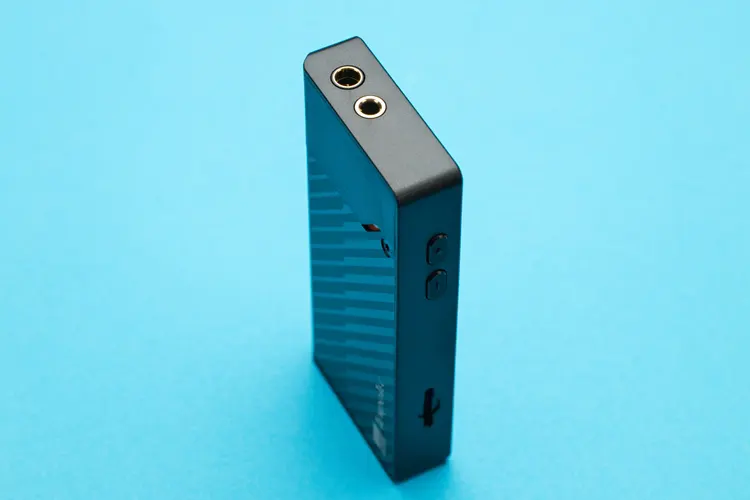
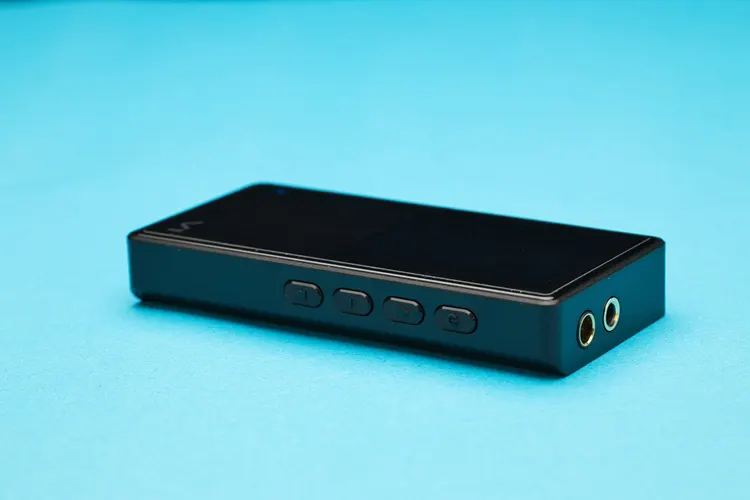
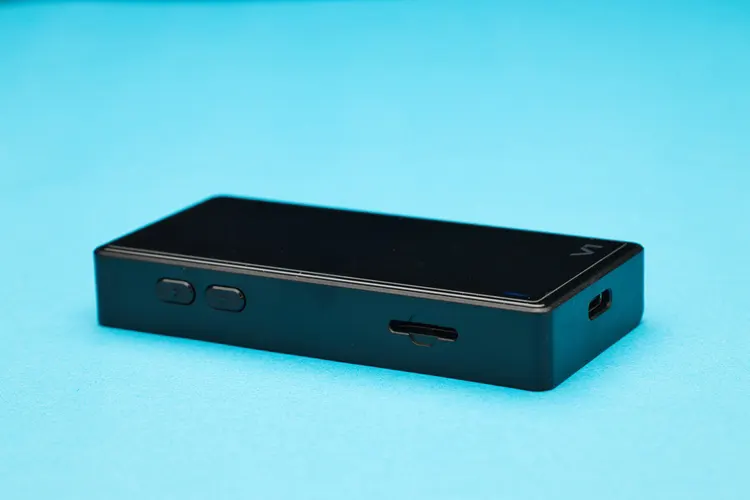
Both the 3.5mm and 4.4mm output jacks are located on top. The USB-C charging and data port is positioned at the bottom. The micro SD port and two volume buttons are situated on the left side, while the power, back, play, and forward buttons are positioned on the right.
The V1 is primarily made of plastic, but due to its compact size, it feels solid in the hand.
I/O
The V1’s 3.5mm output jack is switchable between audio line output and headphone output. Still, neither the 3.5mm nor the 4.4mm output jacks have a plug insertion sensor.
This means V1 does not detect when the headphone plug is unplugged and continues to play music until the battery runs out.
The multi-purpose USB-C port serves as a charging port, a USB audio In/out port, and a data transfer port.
Controls
The TempoTec V1 is very intuitive and easy to use. I never have to consult the user manual to enjoy it, except for how to take a screenshot for this review, which involves tapping the firmware version five times and holding the play button to act as a screenshot button.
There are two buttons on the left, serving as up and down volume controls, and four buttons on the right: power, back, play, and forward.
Despite their similarity in size and shape, I encountered very few errors in controlling the V1, thanks to their ample spacing and logical placement of the control buttons.
Battery Life
The V1 uses a 1400mAh battery of undisclosed composition. Still, I highly suspect and speculate that it’s a Lithium-ion type battery, because it is the most common and cheapest available, with good capacity for its size and fast charging times.
While performing my mandatory 24-hour burn-in of the V1, I noticed that the battery lasted approximately 10 hours from 100% to depletion, with a mix of playing music, setting up the V1, exploring its features, and testing its wireless functions.
It took approximately 2 hours and 15 minutes to fully charge the V1 from 0% to 100%, which is typical for DAPs. The device never got hot, but it did become mildly warm.
Packaging & Accessories
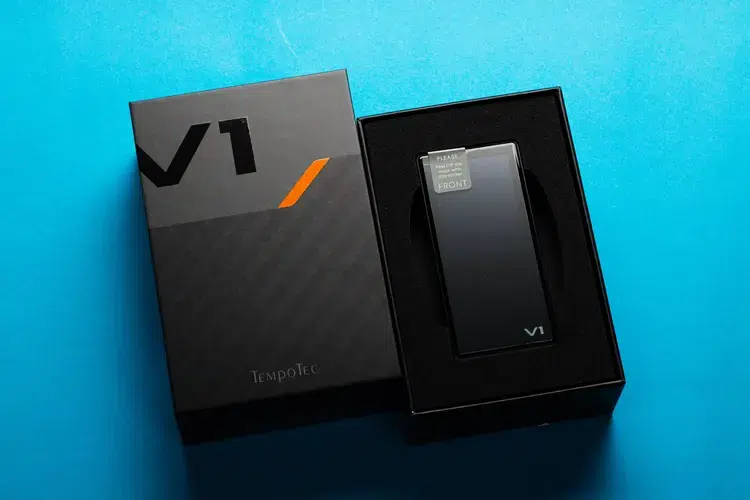
TempoTec V1 is held in place by a combination of EVA foam and cardboard, inside a rigid black box with graphical prints. The packaging is simple, efficiently done, and doesn’t waste too many materials.
It includes the V1 DAP, an extra screen protector film, a user manual, a 1-meter-long USB-A to USB-C cable, and a 10 cm USB-C to USB-C cable. My review sample came with a plastic protective case, but it was packaged separately from the V1 DAP box.
Software Impressions
TempoTec V1 uses a non-Android operating system, which means we are limited to the pre-installed music player and streaming Apps.
However, I noticed the operating system works well with the hardware, resulting in a surprisingly smooth and fast operation, especially for a DAP in its price bracket.
The V1 took only about six seconds to boot up and seven seconds to shut down, which is faster than my Android-based DAPs.
The V1 arrived with version 1.0 firmware, but was later updated to version 1.1 when it became available.
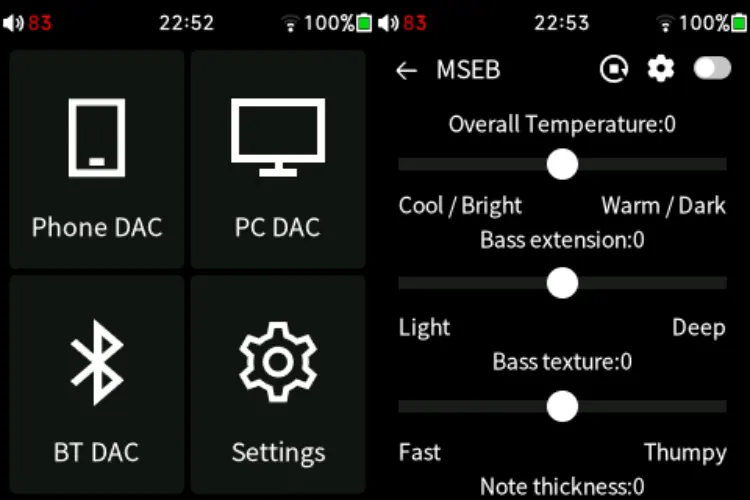
I suspect HiBy created this operating system, as it includes the HiBy proprietary sound adjustment feature called MSEB, as well as a graphic equalizer, gain control, soundfield control, digital filters, and other features. The user interface resembles HiBy’s DAPs, which, in my opinion, is a good thing.
Navigation
Navigating through the V1 using the touch screen is intuitive and easy. There are not many pages to go around, and the icons’ layout is simple; all the functions are easy to understand, so I never had to read the manual to enjoy the music.
The V1’s touch interface is responsive, but it lags slightly when playing music mixes that are an hour long with large file sizes, which is understandable. However, for normal-length music, it is fast.
Third-Party Music Players
Being a proprietary operating system, installing a third-party music player app onto the V1 is unfortunately not possible. This is the main downside of non-Android DAPs.
Streaming Apps
It is nice to know that Tidal and Qobuz streaming apps are built in. Unfortunately, neither is available in my country, the Philippines.
Due to its non-open Android operating system, I am unable to add my favorite music streaming apps to the V1, such as YouTube Music and Spotify, among others.
Sound Impressions
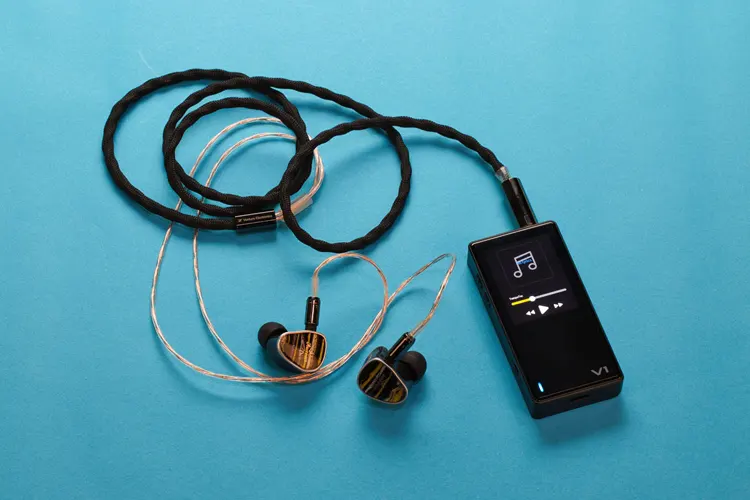
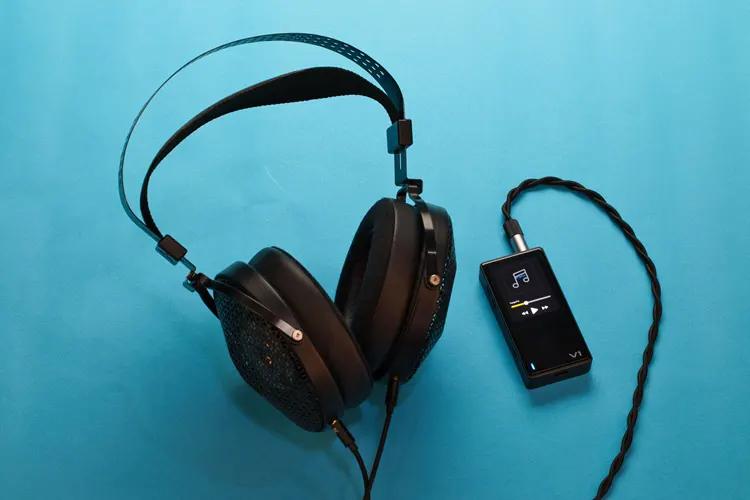
For the sound evaluation of the TempoTec V1, I used my MOONDROP Harmon and Kiwi Ears Etude IEMs, as well as the MOONDROP Horizon headphones.
I chose them for the test because they vary widely in sound signature and load difficulty for the amplifier section of the V1. All sound evaluations use the 4.4mm balanced output.
I completed my standard 24-hour burn-in period by letting it play on my table while I was busy with other reviews.
However, I decided to let it burn in for longer, up to more than 40 hours, and I noticed a slightly cleaner sound with a more spacious soundstage.
No EQ, MSEB, filters, sound field, or any other features that enhance the sound were used. All the sound settings were set to their default values.
Summary
The V1 has a similarity but not quite the same sound as other DAPs or DAC/amps that use the CS43131 DAC chipset.
The V1’s overall sound can be characterized by its neutral tonality, featuring a balanced sound signature that presents the bass, midrange, and treble in equal amounts without the glare and overly highlighted details associated with undesirable digital-sounding devices.
Bass is tight; there is no overhang in the sound to make it fat or flabby, but it is not too muscular-sounding either.
It is not the most punchy bass and doesn’t have the most breathtaking subbass slam. It sounds neutral, with a good rhythmic quality and speed that lets me enjoy the music without drawing attention to itself.
Midrange and treble are neutral, with a flat perceived frequency response; there is no emphasis on a specific frequency that would make the sound either thick or thin.
It sounds clean yet not sterile or clinical; there is good transparency that makes the details easy to hear without resorting to brightness.
Timbre
The V1 timbre is natural and neutral, with only a slight rounding off in the leading edge of the transients, making the overall sound smoother without being too obvious, avoiding a rolled-off treble sound. There are many details to be heard.
Instruments and vocals sound natural without artificial warmth or brightness, allowing me to enjoy a natural and uncolored sound.
Staging
The V1 has a huge, spherical soundstage that I can undoubtedly say is above average in size compared to all the DAPs and DAC/amps I’ve heard.
There is a sense of a natural space in the sound field, thanks to its neutral and clean sound presentation, which gives the soundstage a reasonable proportion of height, width, and depth, creating a spherical soundstage – in my opinion, the ideal soundstage shape.
Imaging & Dynamics
The V1 imaging is good, but not the most defined, depending on the IEM or headphones. The V1 can project good images with reasonable definition and spatial separation in the soundstage, offering good stability.
There is also nice lateral and longitudinal panning performance I observed, thanks to its spherical soundstage.
Although there is no dynamic compression to discuss at normal volume levels, during loud listening sessions, I couldn’t help but notice a lack of dynamic slam and punch, especially in the bass, which I attribute to its modest power rating and the absence of separate amplifier chips.
Click on page 2 below for my recommended pairings, wireless performance, and selected comparisons.
