

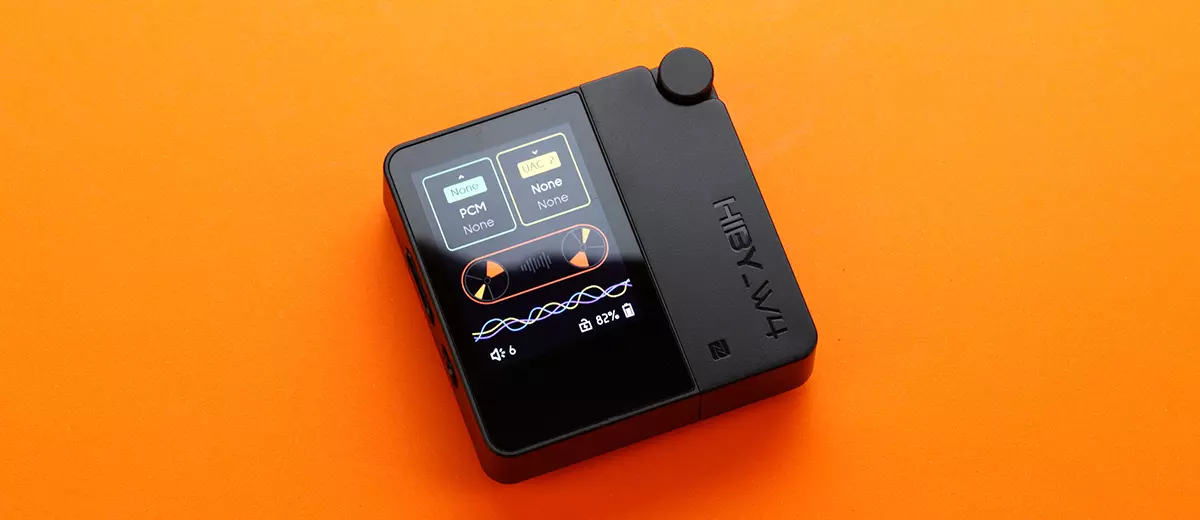
Marcelo reviews the HiBy W4, a new Bluetooth 5.4-capable portable dual DAC and headphone amplifier offering up to 475mW of output power. It is currently priced at $99.00.
Disclaimer: This unit sent to me was purchased for this review. Headfonics is an independent website with no affiliate links. I thank HiBy for their support.
You can click here to read more about the HiBy products we have previously featured on our website.
This article follows our latest scoring guidelines, which you can read in more detail here.
Ever since I started this hobby about three years ago, I’ve been on the lookout for an affordable portable Bluetooth DAC amplifier priced at around $150 or below, like the FiiO BTR13 and FiiO BTR15.
However, due to my busy schedule and shifting priorities, I never had the time or the opportunity to buy or try one.
Though I already own and have reviewed more expensive Bluetooth DAC amplifiers, I’m still curious how affordable Bluetooth DAC amplifiers sound.
Luckily, the HiBy W4, which sells for $99 and features a more advanced design with its 2-inch color screen and MagSafe magnetic backplate case, was sent to me for review.
So, how does W4 compare to my other Bluetooth DAC amplifiers, including the Khadas Tea Pro, the MUSE HIFI M5 Ultra, and xDuoo XD05 Basic2? Let’s find out.
Features
The HiBy W4 is a battery-powered, portable Bluetooth DAC amplifier featuring dual CS43198 DAC chips with a headphone amplifier, and can decode up to DSD512 and PCM 768kHz.
It also has a Qualcomm QCC5181 Bluetooth 5.4 chip supporting codecs that include aptX Adaptive/aptX lossless/aptX-HD/aptX/LDAC/AAC/SBC.
The W4 has both 3.5 mm and 4.4 mm output jacks with maximum power of 125 mW and 475 mW, respectively.
A physical slide switch is also included to cut off power from the source, preventing the W4 from charging from the source, and for power isolation to achieve cleaner sound, I presume.
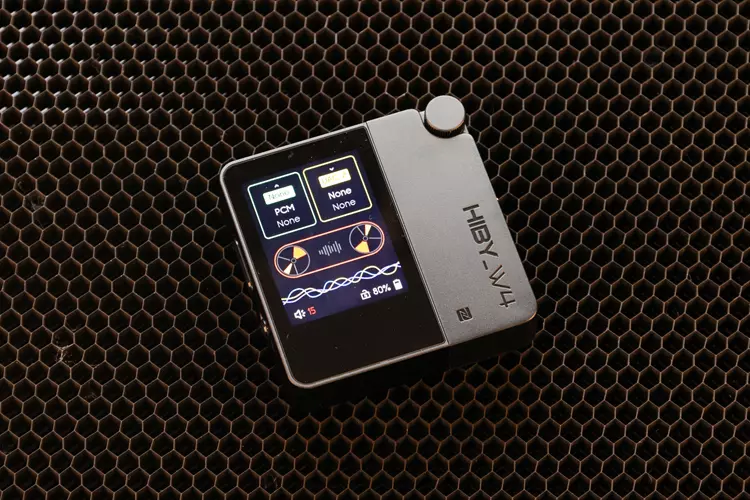
A clear, high-contrast 2-inch color touch display is used to show the operating condition and change the W4’s settings.
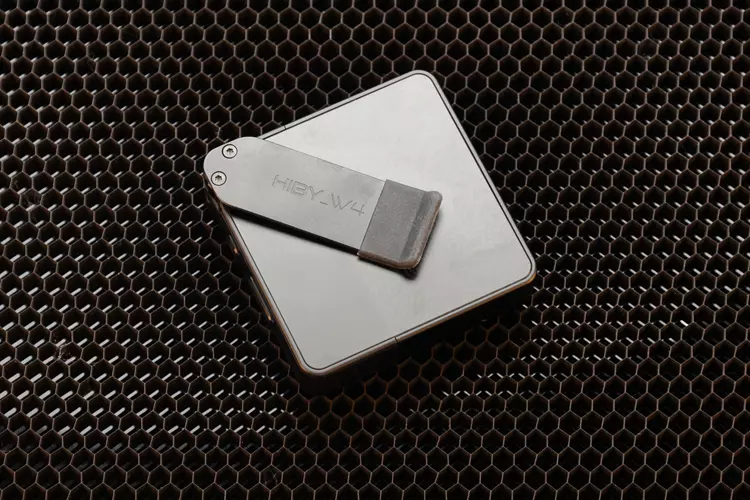
The W4 also features a removable belt clip, a MagSafe magnetic backplate case, a car audio-optimized mode, an NFC one-touch connection, and mic support.
Design
The W4 features an unusual design for a BT DAC with its square (non-rectangular), flat shape.
The front is divided into two unequal parts, with the 2-inch screen placed on the larger part, covered by a tempered glass panel. At the back, there is a removable belt clip, which can be replaced with a MagSafe-compatible case. The bottom is blank.
There is a round, knob-like thing at the top front corner that looks like a volume knob, but it turns out to be a thumb screw that secures the belt clip or the MagSafe magnetic backplate case.
The buttons and the switch on both the left and right sides feel high-quality and don’t rattle when the W4 is shaken.
I received the black colored W4, but it is also available in orange, white, yellow, and green. The MagSafe magnetic backplate case is an optional add-on at checkout and adds $10 to the total price.
A 2-inch, high-contrast, highly colored touchscreen with an excellent viewing angle displays all the W4’s operating conditions and allows control of the settings.
HiBy didn’t specify the screen technology, so at first glance, I thought W4 is using an OLED screen, as the viewing angle and contrast are excellent.
However, on closer inspection, I see a slight backlight bleed, and the black levels are not totally zero, so I guess it must be using an IPS display with excellent viewing angle.
Still, I’m impressed by how clear the screen looks, considering I’ve never seen a BT DAC amp with this level of clarity and a wide-angle viewing at this price point.
I/O
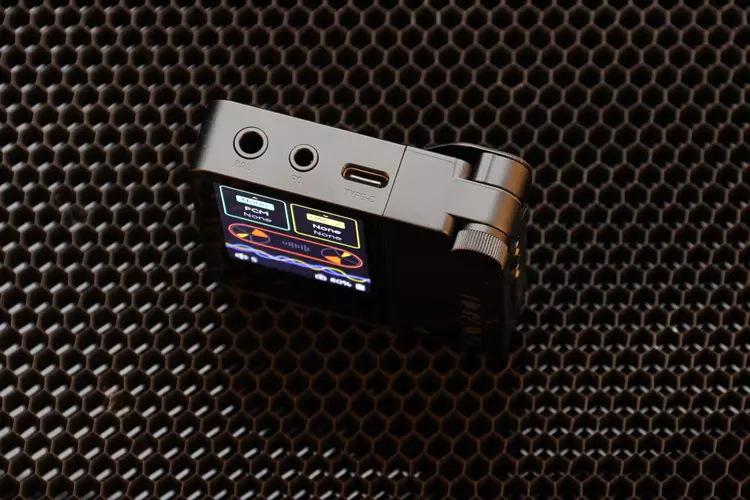
All of the HiBy W4’s inputs and outputs are available on the top panel.
While the 3.5 mm single-ended and 4.4 mm balanced jacks output audio, the USB-C port serves as a charging port, a data port, and a digital audio input port.
The USB-C port can accept normal digital audio as well as high-resolution audio signals up to DSD512 and PCM768kHz.
The USB-C input will accept UAC 1.0 and 2.0, the newer version of UA. So the W4 will natively support older computers or gaming devices that use UAC 1.0, such as the first-generation Nintendo Switch, which is a UAC 1.0 device.
When using USB audio, you can long-press “UAC” on the screen, and a menu will pop up allowing you to select UAC 1.0 or UAC 2.0.
Controls
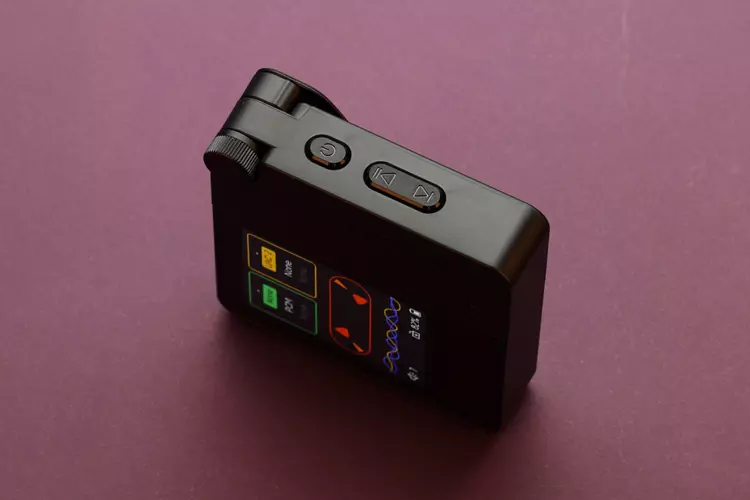
The controls are located on both sides of the W4 and are almost identical in position and shape, making mistakes easy, like when I want to adjust the volume blindly.
Still, I often mistakenly click the forward buttons unless I look at them first, which is annoying.
W4 has a volume control button and a USB power disconnector on the left, and the power, play/pause, and skip buttons on the right. The play/pause and skip buttons work with the HiBy and PowerAmp music player apps.
Since the W4 has mic support, it also allows control from an IEM or headphone cable with mic and control buttons, though only the 3.5 mm jack supports this, not the 4.4 mm jack.
Software
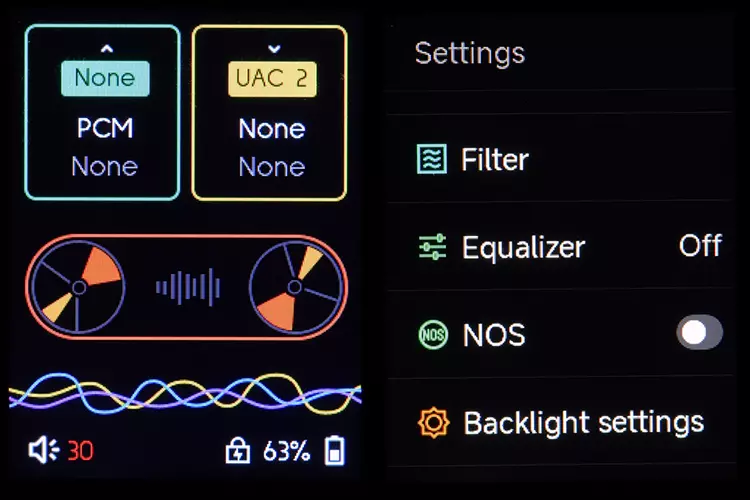
The HiBy W4 does not come with an app, and the settings cannot be controlled by the phone.
And while W4 features four filters and six EQ settings, as well as low, mid, and high gain modes, among others, in the touchscreen menu, you cannot make your own EQ curve like you can with other DACs with accompanying apps.
As with the controls, I also find the volume control implementation challenging. At first use, the volume only goes up to 15 (EU regs), which is soft and unsatisfying.
I had to search online and ask a question on Reddit. It turns out you need to tap the firmware number 5 times to enter developer mode and disable the volume lock to allow the volume to go up to 30, which is the maximum.
Also, the W4 does not remember the last volume setting when it goes to sleep, whether it is powered off or goes to sleep automatically.
When you turn it on again, the volume is set below 8, which is low. Therefore, every time you turn it on, you need to set the W4 to the desired volume again.
Then you press the button to increase the volume. It is limited to 8; you must turn on the screen and press OK on the touchscreen to remove the limit, which is too much work for what is supposed to be an easy task.
Battery & Charging
During the burn-in period, I also tested the W4’s battery life and charging times.
It took about one hour to drain the battery from 100 to 80 percent using a 4.4 mm-connected IEM at normal volume, switching between USB and Bluetooth inputs. The claimed 5 hours for 4.4 mm and 6 hours for 3.5 mm connecting must be true.
The built-in 1500 mAh battery takes about one hour to charge from 28 percent to 94 percent.
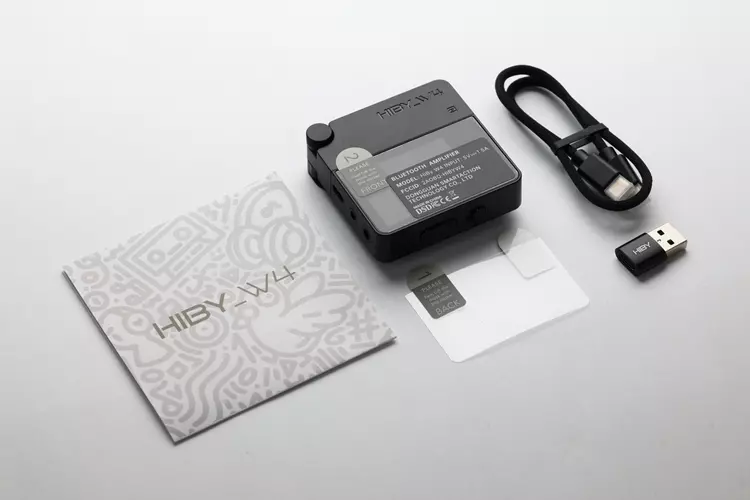
Packaging & Accessories
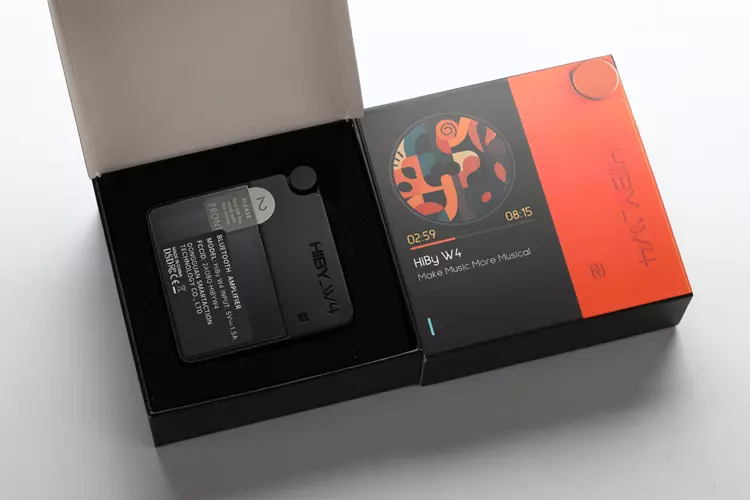
The HiBy W4 comes in a small, sleeved box measuring only 100 x 100 x 37 mm, with an orange W4 print on the front and text all around.
The packaging includes a user manual, a screen protector, a 35 cm sleeved USB-C to USB-C cable, a Type-A to USB-C adapter, and the W4 BT DAC.
The MagSafe magnetic backplate case is packed separately and is optional during checkout.
Sound Impressions
Before critical listening, I performed my standard 24-hour burn-in of the W4 by letting it play continuously with a DAP and an IEM with a 4.4 balanced connection. During this time, I also did the battery life and charging test.
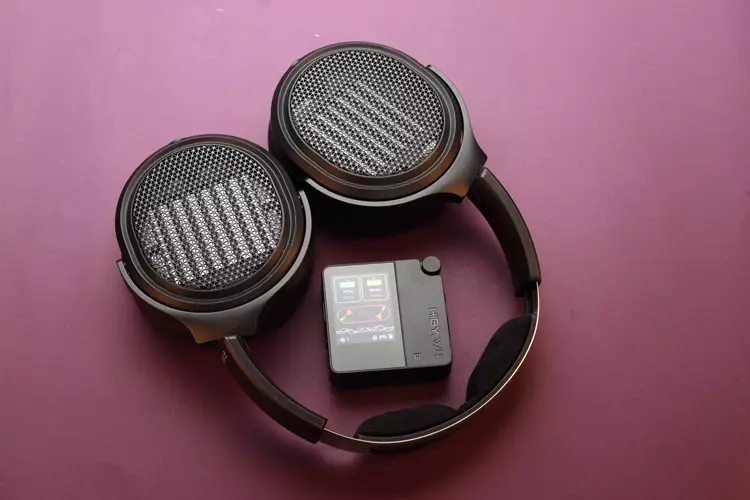
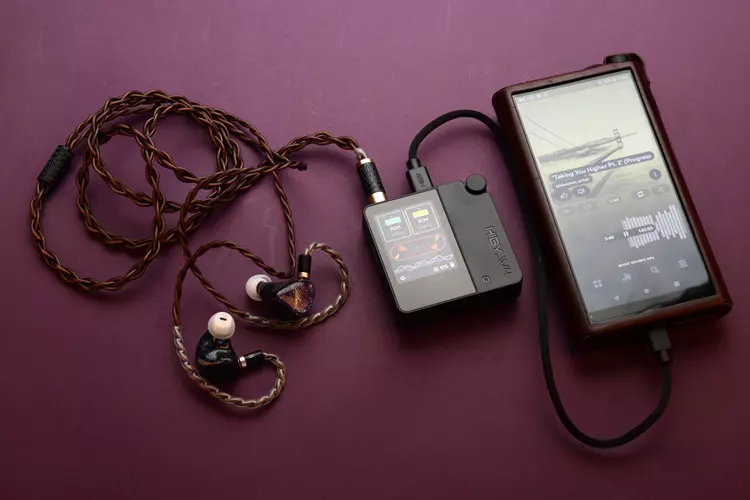
I mainly use my OnePlus 13 as the source and my IEMs and headphones, including the QoA Martini, Tipsy M5, and SIVGA Nightingale PRO IEMs. And the MOONDROP Horizon, FiiO JT7, and FiiO JT3 headphones.
No EQ was used, nor were any other sound enhancements applied; the filter setting is at the default factory setting, which is the fast lowpass phase. I used UAPP and PowerAmp music player on my Phone, and the gain is set to high.
Summary
The first time I listened after the burn-in, the W4 greeted me with neutral tonality. There is no boost or excessive energy anywhere in the frequency range; bass, midrange, and treble are equally represented, yet the overall presentation is lively and energetic.
Although the bass is flat, neutral, and extended, it is not the tightest, the most detailed, or the most textured I’ve heard. There is good punchiness in the mid-bass and good rumble in the sub-bass, but the grip or control of the W4 over the IEMs and the headphones is loose.
In other words, there is an obvious lack of control: some bass notes are on the verge of sounding boomy but never really do, and the bass beats are not as taut as I am used to; they are somewhat flabby.
Midrange is delightfully neutral with a hint of bloom in the sound; it never renders the vocals too thin or too thick. It has accurate note weight and lushness across the instruments, which feel realistic with good presence but never too forward.
There is something about the W4 midrange sound, and when combined with its spacious, airy soundstage, it makes some choruses sound ethereal and palpable.
Treble is flat all the way to the top without a hint of roll-off or relaxation in the upper treble that I didn’t expect to find in the W4, and which frustrates me, and I have gotten used to with most BT DACs I’ve heard.
Even though the perceived resolution is just average and easily discernible compared to other, more resolving sources, there is a sense of transparency to the music in the way W4 renders the treble.
It’s like a very transparent-sounding yet analog-style sound presentation, without any treble roll-off or politeness.
Coloration
As stated earlier, the lack of control in the bass, which makes it less detailed-sounding than it could be, is not that apparent during casual listening. It’s only when critically listening that this issue comes up.
And even though the perceived sound signature is neutral, with a flat tonal balance across the audio range, I perceived some mild lumpiness (not peakiness) in the lower midrange, upper midrange, and more so in the treble, making the sound less smooth than it could be.
This I attribute to the W4’s amplifier section’s lack of grip or overall control over the drivers, or, in more technical terms, its damping factor.
Additionally, the W4 may sound transparent with good details, but upon careful listening and comparison with its peers, the resolution is lacking.
Staging
Did I mention earlier that the W4’s soundstage is spacious and airy? The W4 staging is large, spacious, atmospheric, and airy with good height, width, and depth.
The W4’s soundstage is what sets it apart from other BT DAC amps or most sources at this price range.
The W4’s large soundstage contributes significantly to its beautiful sound; even though it is not the most technically accurate source, it is very musically realistic, transparent, and utterly enjoyable.
However, due to the non-technical, analog-style sound presentation of the W4, the imaging is not the most defined and accurate.
There is a good semblance of the images happening in the soundstage, but they don’t have the edge definition of the best I’ve heard, nor the most accurate placement.
Dynamics
The W4 sounds lively and dynamic, even at low volumes, no matter what IEMs or headphones I use.
Thanks to its above-average power output rating of 475mW, there is a lot of dynamic headroom, and the W4 can drive the IEMs and headphones to their limits, or the ear’s limits, easily.
Click on page 2 below for my recommended pairings and selected comparisons.
