

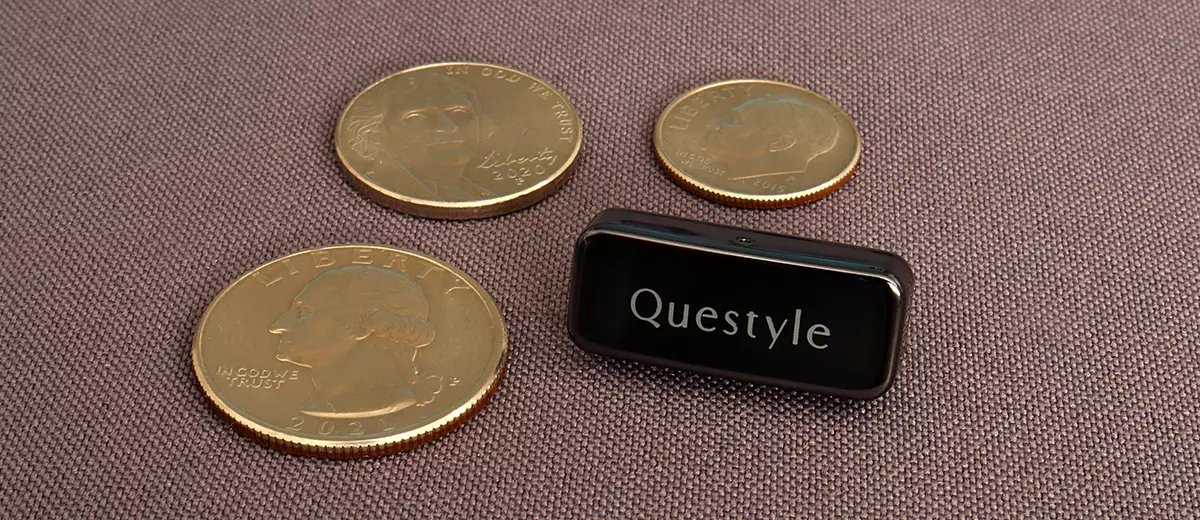
Louis reviews the Questyle QCC Dongle Pro, a compact BT5.4 dongle that enhances portable devices with LDAC and aptX Lossless transmission. It is currently priced at $69.00.
Disclaimer: I received this sample in exchange for my honest opinion. Headfonics is an independent website with no affiliate links or status. I thank Questyle for this opportunity.
Click here to read more about the Questyle products previously reviewed on Headfonics.
This article follows our current scoring guidelines, which you can read in more detail here.
I’ve seen, of late, a positive trend to propel Bluetooth forward in the audio industry, and I’m all for it.
There’s a handful of manufacturers releasing solutions to the ongoing crappy built-in Bluetooth solutions, which have been one of Bluetooth’s obstacles, particularly for audio listening.
Companies like Questyle have released devices like the QCC (regular edition), and FiiO released the AIR LINK, for example, to solve this dilemma and provide a means to add better Bluetooth audio to any device with a USB port.
One of the impairments of the Questyle QCC was that it omitted the LDAC codec. I considered that a backstep because nowadays, LDAC is the most common Bluetooth codec up-to-snuf for music listening. Hence, the QCC Dongle Pro.
Features
That’s basically the highlight of the product here. The QCC Dongle Pro adds LDAC capability, which the regular QCC does not have. That’s it.
The Questyle QCC Dongle Pro uses a modern-day Bluetooth solution, but it doesn’t use the latest since it transmits over a Bluetooth 5.4 radio, and not on the latest Bluetooth 6.0 variant, but that’s okay.
The QCC Dongle Pro uses a Qualcomm QCC3086 single-chip solution with Snapdragon sound, LE audio, and a low latency of less than 20ms on the low-latency codec, which is another QCC Dongle Pro product highlight here.
The QCC Dongle Pro is also compatible with almost anything that has some sort of USB connection. I couldn’t verify compatibility with all Windows versions, but it works fine on Windows 11 for me.
It also works on Apple and carries MFi certification. It also works on Android, Chrome, and an Amazon tablet I own.
One aspect that makes me scratch my head about the QCC Dongle Pro is that Questyle mentions that the QCC Dongle Pro is made for iPhone and iPad, and comes with a USB-C connector and a full-sized USB adapter for the latest iPhone iteration.
My one request would be to also include a Lightning connectivity option out of the box for older models, if possible.
Bluetooth Codecs
First off, the QCC Dongle Pro is capable of aptX adaptive, with the addition of LDAC, which was omitted on the original QCC Dongle. Those are the two codecs that really matter to me, as an audiophile, that the QCC Pro can cover.
This is why you get a device like the Questyle QCC Dongle Pro, for the available codecs. There are plenty. This dongle can run AAC, SBC, and every aptX codec, including HD and low latency, with no issues, but why would you?
One thing is that you’ll have to justify the cost because most mobile devices can do LDAC, and a long list of models nowadays handle Adaptive.
A short list of models can even handle aptX Lossless. If that’s the case, the QCC Pro is not for you. This dongle is then best used with a PC, a laptop, or iOS gear.
One small caveat I found was that the LED system is too unspecific when it kicks into one of the high-tier codecs. It’s the same Red LED for aptX Adaptive, Lossless, and LDAC.
For example, if your device picks up the transmission on LDAC, the LED will be red, just the same for aptX Lossless or Adaptive.
That makes it hard to tell what codec you’re on. I could not verify if I was running aptX Lossless in this case, particularly. But that’s a small caveat.
Design
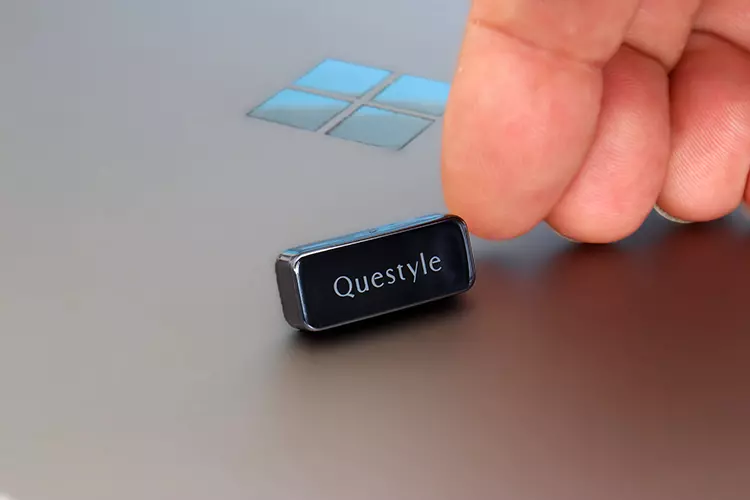
The process that Questyle uses to make the housing is a process called vacuum plating, and the assembly is made from PC-ABS, which combines the strength of polycarbonate and acrylonitrile butadiene styrene. The visible surface has a mirror finish that you can see yourself in.
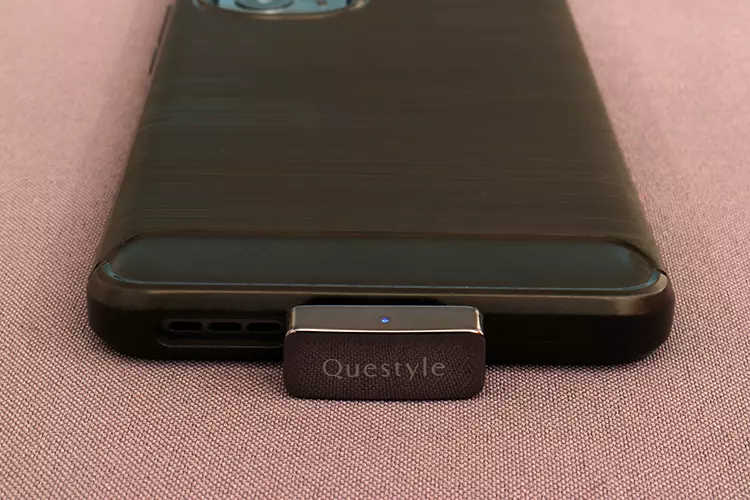
The housing has one small smart indicator LED light that gives the user some feedback on connection status.
It uses a general combination of red, blue, and white. The LED flashes red and blue when in pairing mode, and a flashing blue indicates the QCC Dongle Pro is in reconnecting mode.
Connectivity is obtained through a USB-C plug, which has a raised hump to accommodate most protective cases and is mounted on a black insert. But again, I’m surprised that there’s no Lightning connectivity out of the box.
The dongle itself is very small, one of the smallest. It measures 25.2 x 10.3 x 15.25 mm, and I would say that it weighs no more than 2 grams. I think it’s one of the positive points of the QCC Dongle Pro, the petite size.
Questyle App
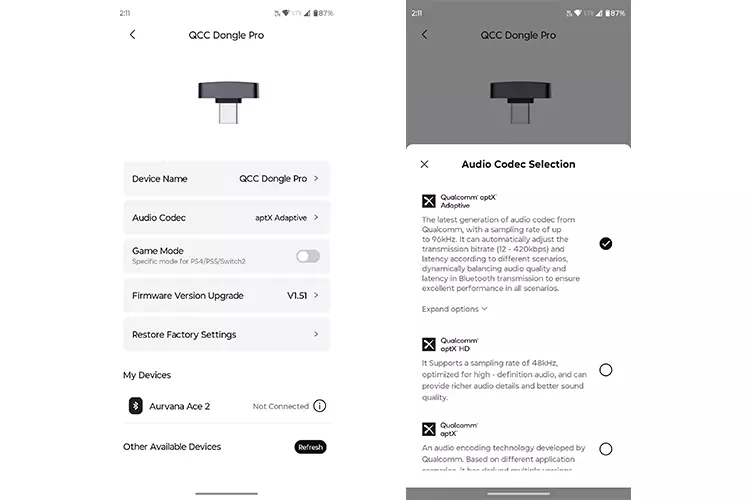
The app itself is pretty basic. The two major features are the codec selector and the pairing section. There’s also a factory restore feature, a game mode, and the firmware upgrade feature, which displays the current firmware version.
I did have a snafu situation attempting to upgrade the firmware; the Questyle app gave off several errors when I attempted to upgrade the firmware. It honestly took several attempts till I got the firmware upgrade successful message. All I can say is just keep trying.
To be honest, I didn’t detect any weirdness that required a firmware update in the first place. I do like that it looks as if Questyle is looking to keep the device up to date for some time and is willing to implement improvements after product launch.
Packaging & Accessories
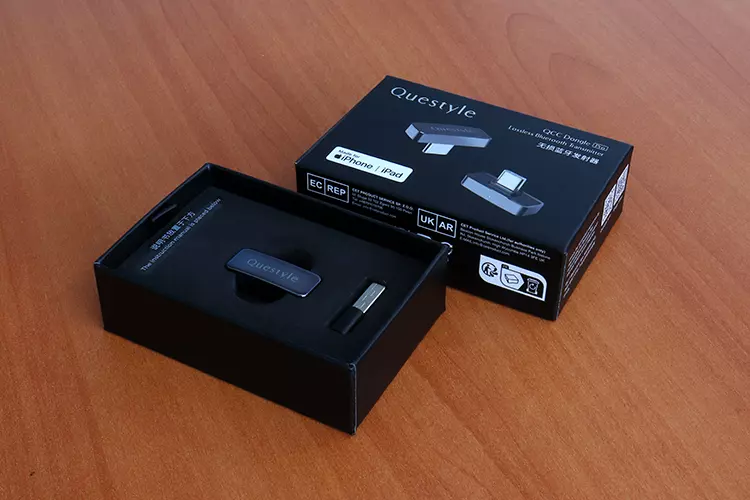
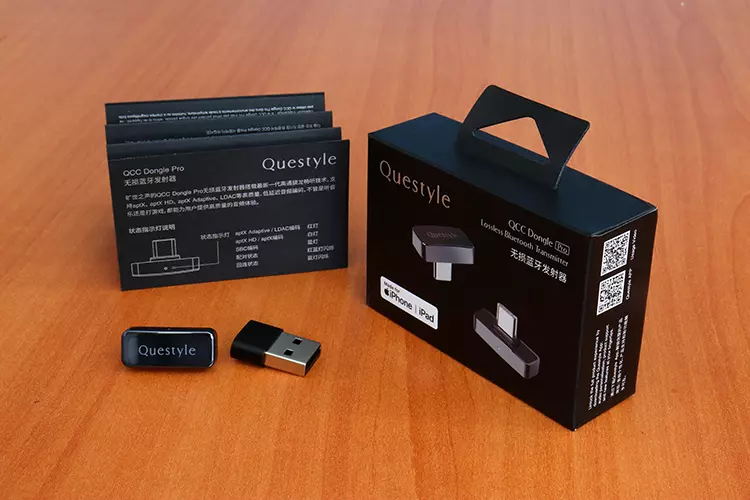
Questyle ships the QCC Dongle Pro inside a jewelry cardboard box, which is well laminated with product info and photos of the dongle itself. It’s a very nice box. But we’re not just buying a box, right?
Inside the box, you’ll find the dongle in a custom foam cradle, and within a cardboard insert, you’ll find all the paperwork, the manual, etc. There’s not much else except for a USB-C to a male USB-A adapter.
Since Questyle says on their product page that it’s made for modern iPhones with USB, but I feel they should have included a Lightning cable for older models.
Or perhaps they can offer the QCC Dongle Pro with a Lightning connector option, since an adapter would be an awkward addition and would protrude out too much, marring aesthetics.
Sound Impressions
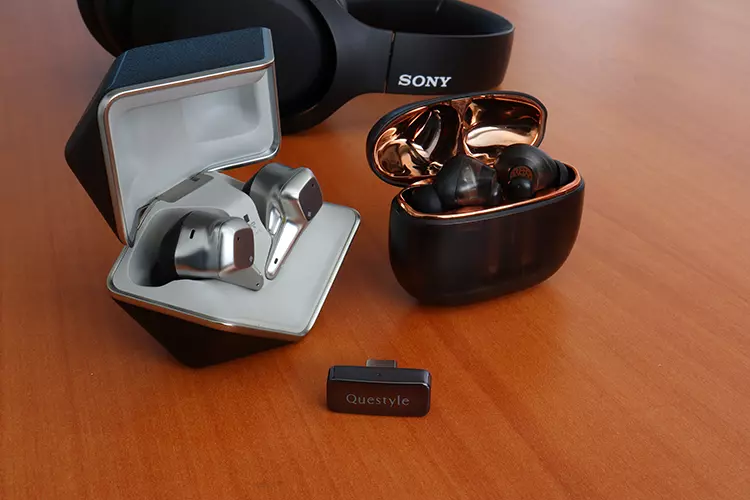
I used two sets of TWS models, one was the HIFIMAN Svanar Wireless, which reaches LDAC levels in reference to codecs.
The other was the Creative Aurvana Ace 2, which is aptX Lossless capable and equipped with an xMEMS high-frequency driver. I also used the Sony WH-XB900N full-sized headset.
Summary
What the Questyle QCC Dongle Pro attempts to do is to transmit audio as cleanly as a modern-day Bluetooth solution can, with good results.
It’s a neutral device that also attempts to produce more detail compared to native codecs, and compared to native gear with a Bluetooth transmitter.
I did notice that the bass response was not as heavy-handed as with cheaper native Bluetooth solutions.
It’s as if Questyle knows most Bluetooth headgear out there is bass-heavy, and they attempted to solve that dilemma through tuning techniques, improving sonics over other BT transmitting devices. This character, in particular, tightens up the bass.
The high frequencies transmitted from the Questyle QCC Dongle Pro are some of the best you can obtain from a Bluetooth transmitter, particularly on the aptX Lossless or on LDAC. That’s the major benefit of running high-Q codecs.
The QCC Dongle Pro’s dynamic response feels better on this device than other built-in solutions. But what is produced best is instrument separation, which produces a soundstage with improved positioning and very little image smear around elements.
It also removes some of the veil associated with lower codecs like SBC or AAC that sound compressed, and brings forth more detail compared to lesser codecs that also contribute to high latency issues.
Click on page 2 below for my recommended pairings and selected comparisons.
